Secure boot
I am unable to turn on secure boot in my bios settings as it shows a grey marker on it and no matter how many times i click on it it doesnt turn on.. I am unable to play valorant since it shows a vanguard error for secure boot
13 Replies
Js check which kind of bios you got and go search a tutorial on how to turn it on on that specific kind
Press windows key + r
Type msinfo32
Show ss
Is this what you need ?

Yes
Enter bios
Show pic
alr
This?
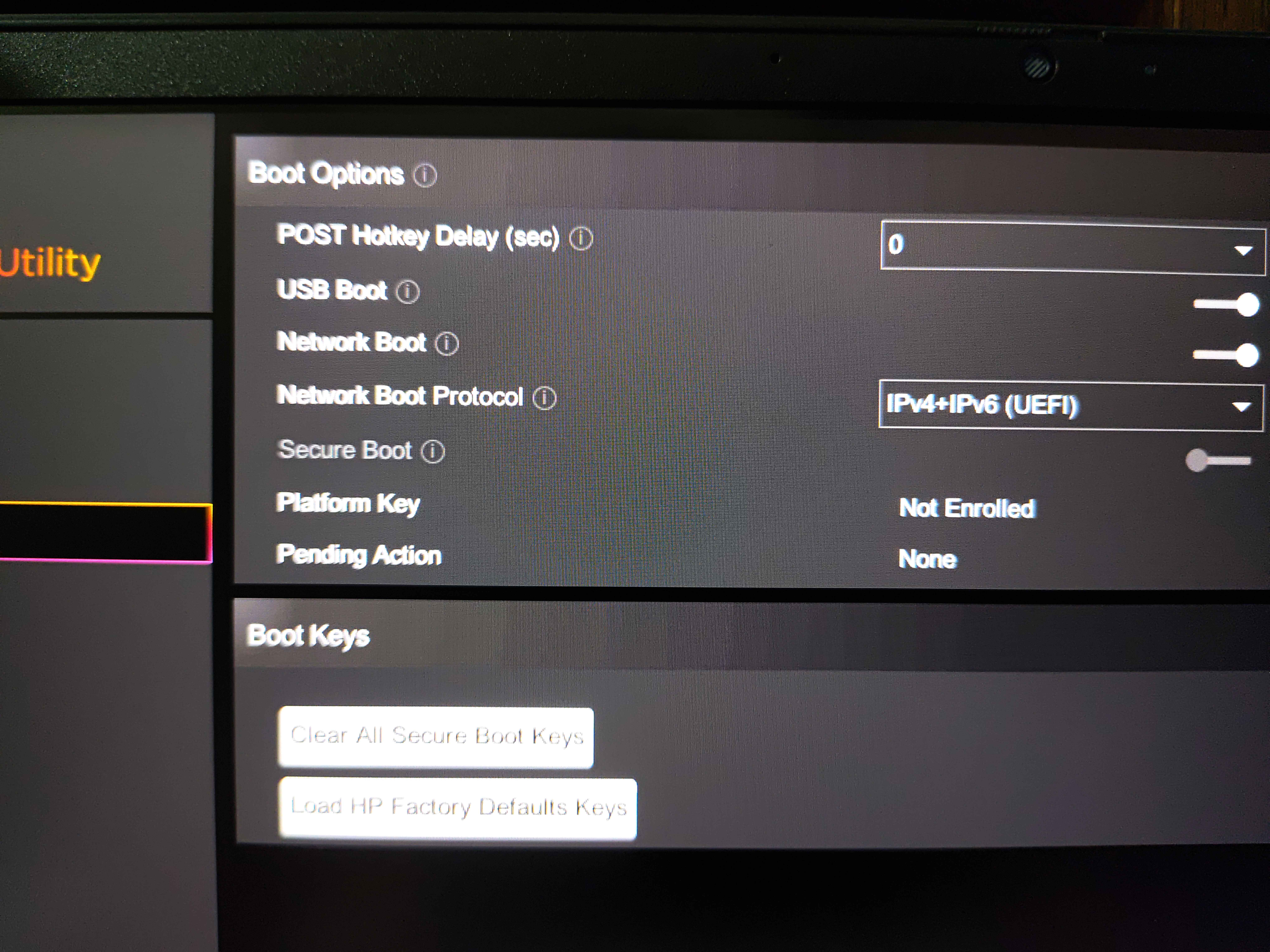
Click on Load HP factory defaults
Then you should be able to enable secure boot
Is that it?
Did you enable it?
OH SHOOT IT WORKED
I love you so much man
Ok
:val_Heh:
Thank you
No problem