Seve - do we not have an option to hide copper ...
do we not have an option to hide copper pours in the pcb view? This is annoying
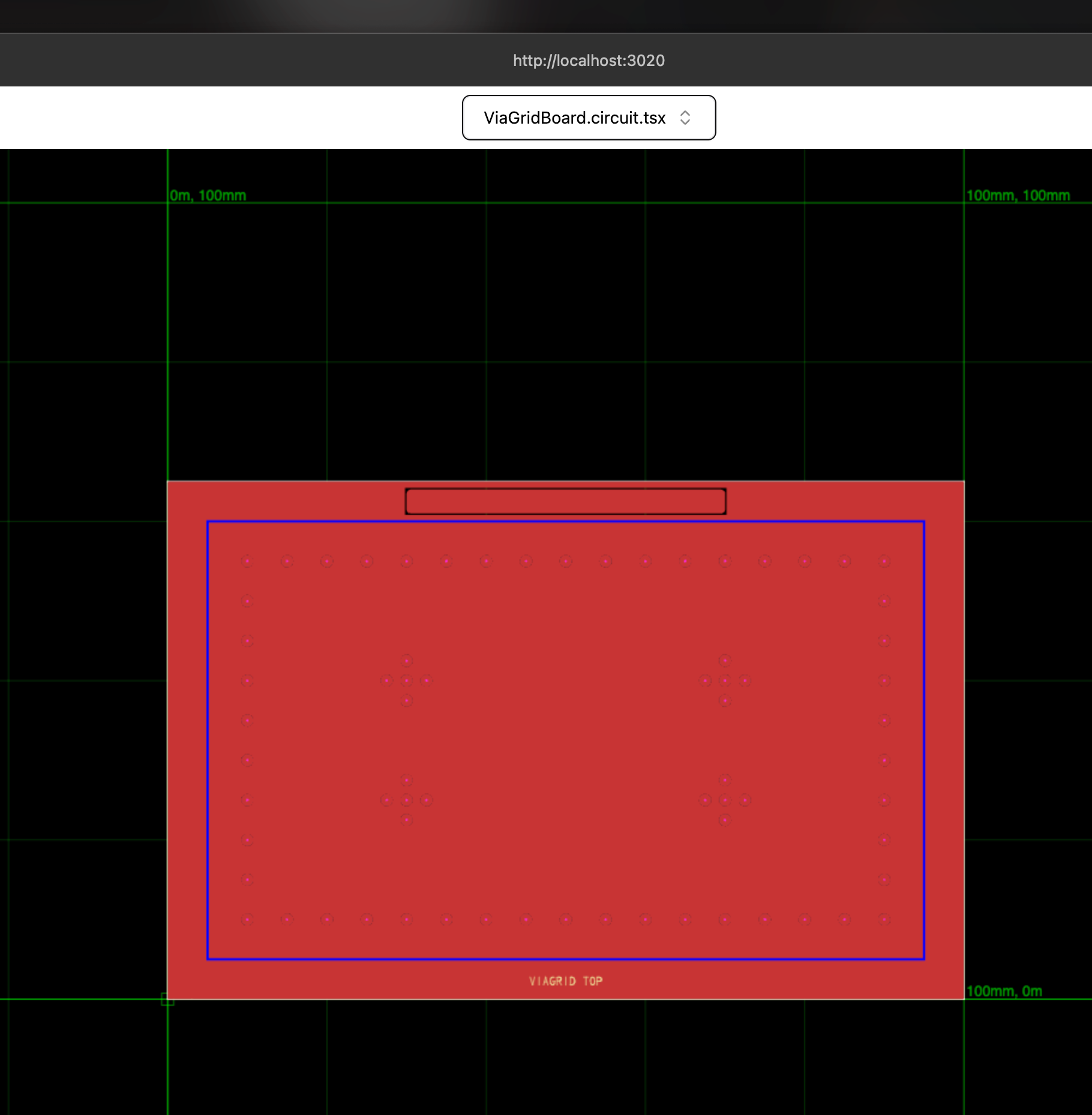
20 Replies
right, so about that...
I think it's a matter of rendering it correctly too. Like in kicad the pour fills in around the other stuff on that layer.
And yes, there are many times that I turn off rendering of said pour. But I do have to be able to look at a view like this to confirm it has built the pour correctly at times, and certainly before exporting for fabrication
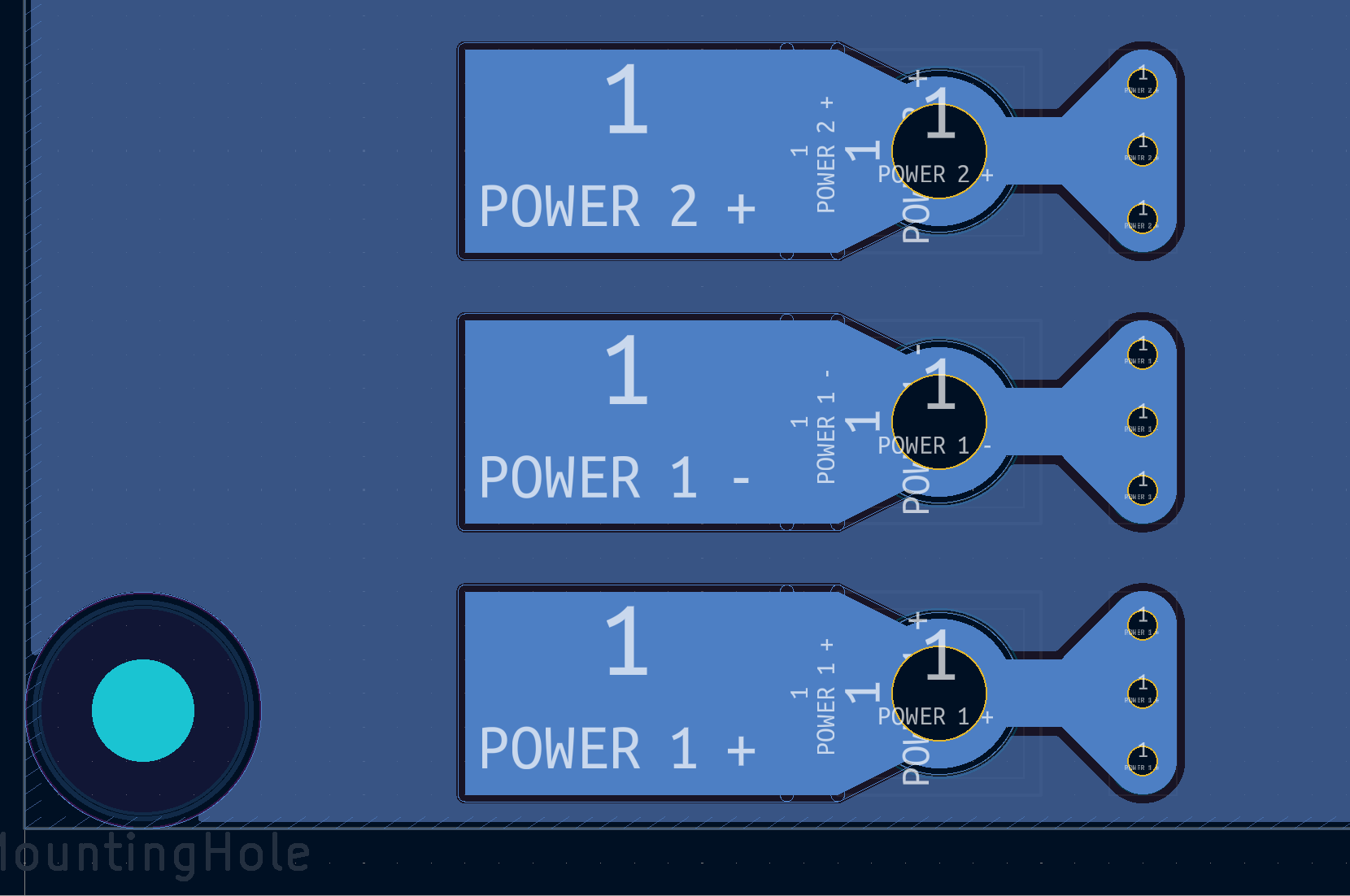
i think the groundpour doesn't know how to handle vias or something
CC @shibo
it's supposed to do that
also it should be faded
like in my design all those vias have no net assignment.
I define net GND and assign this copper pour to GND. in theory, that means that that the pour needs to fill in around all the vias.
I define net GND and assign this copper pour to GND. in theory, that means that that the pour needs to fill in around all the vias.
oh good actually
ok yeah that makes sense, cuz it does go around the rect at the top
yea the vias are assigned to gnd maybe that's the issue...
I wondered if that was some default behaviour in tsc
lol ok so when i reassign the net the ground pour disappears
I did not assign the vias to gnd.
unless my memory is bad
@shibo i think we need more testing on copperpour
honestly we might want to remove the pour from the viagrid in common
if the user wants a pour they should specify it themselves
I can comment it out if that's ok?
or it could be optionally set via a prop e.g.
copperPourNet="net.GND"
yep commenting out is fine yea
just thinking about it, currently trying to get an input problem for the autorouterthis gets into top vs bottom layers, etc... agree let's just fully disable it
is copper text working fully? I can make that change too when I'm in the code
no i punted that iirc, it's easy to implement but idc about that for the merge tbh
ok cool
input problem created
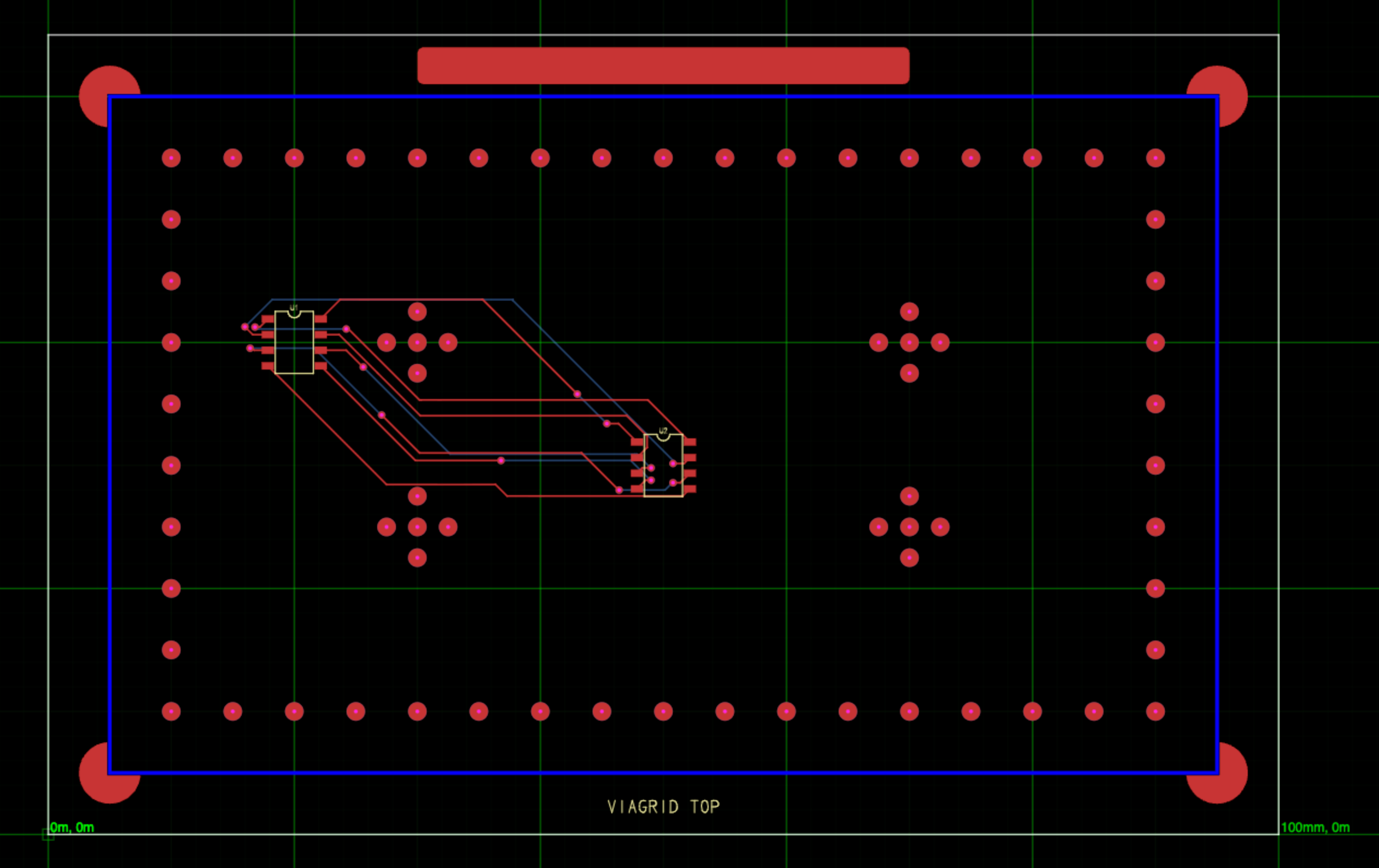
ooooh
btw I did update all deps to latest, I did all the snapshot commands I was supposed to, the 3d is still the same-ish weird corner of the board, but now a check is yelling at me for it at least?

is the input "this is wrong, you can't have those arbitrary vias, fix this"?
this is also potentially wrong behaviour. even if there is "random net 1" with a pour asssigned to that and nothing else on that net, it should fill in around everything else.
kicad has priorities that you can specify so pour with priority 5 will render first over pour with priority 1
I will need to look into that
Yes basically old autorouter vs new one
3d snapshots are still weird, definitely the most dogfoody. I think if someone sets up artifact upload (cc @Abse ?) it should be easy to see whats going on