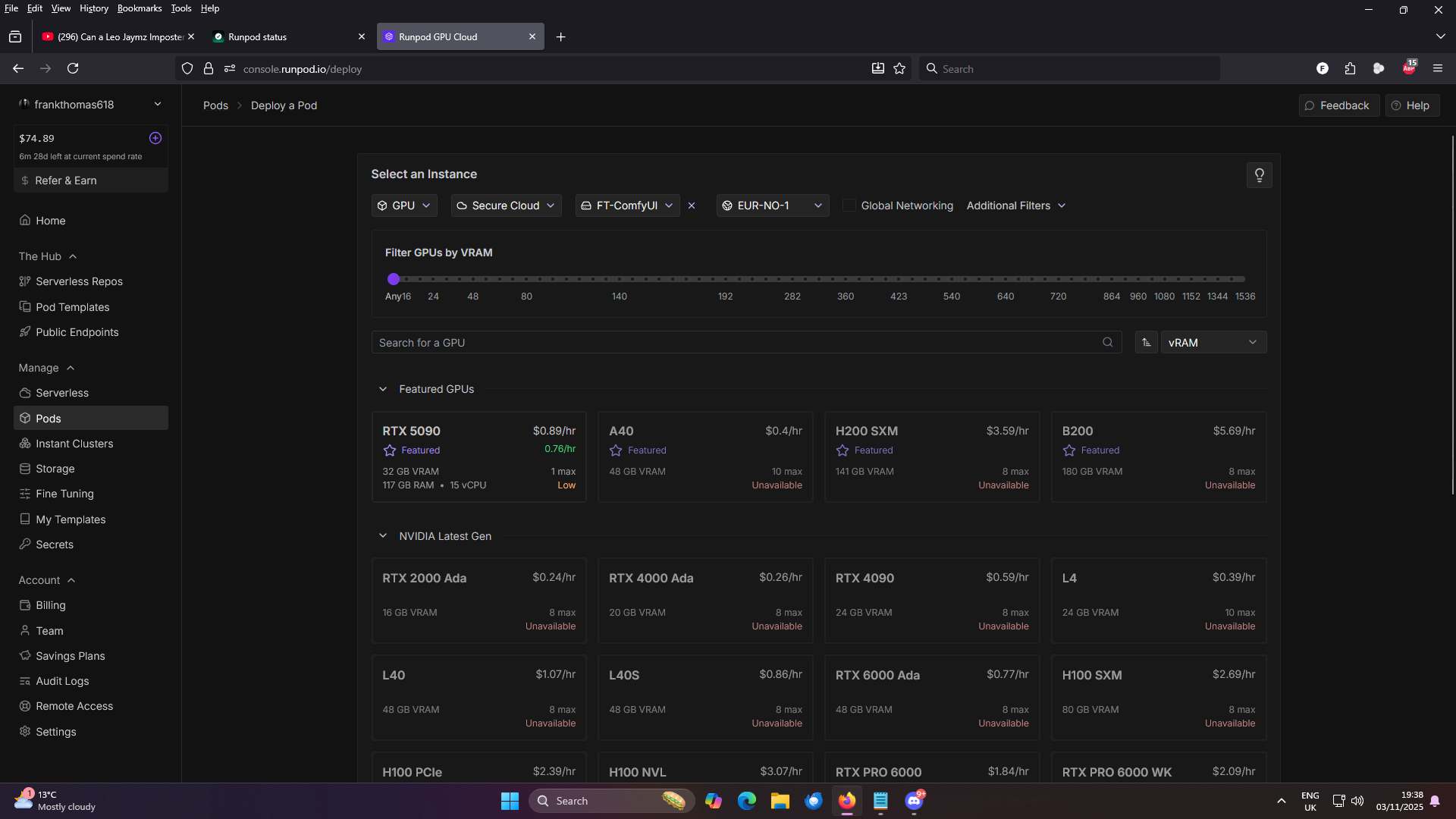
no Nvidia Latest Gen GPU Available in EU-NO-1
I'm trying to spin up a pod attached to network storage but no GPU are available. The POD I am using will not work on the 5090
is this a known issue? and is there an estimated time to fix? I would really like to run some ComfyUI workflows as soon as possible
29 Replies
seems to be back - not sure if anything has been done but if so thank you!
I'm having the same issue, have been all day, it's a bit frustrating.
The guys is reporting that everything is OK, that is definitely wrong 🙁 https://uptime.runpod.io/
Runpod status
Welcome to Runpod status page for real-time and historical data on system performance.
Have been experiencing the same problem for two days and fortunately could catch a GPU for my task. The storage is busy again 🙁
This is still showing as almost no GPUs available. Is someone from Runpod support going to comment?
file a ticket
@Dies Irae
Escalated To Zendesk
The thread has been escalated to Zendesk!
Ticket ID: #26817
Unknown User•2mo ago
Message Not Public
Sign In & Join Server To View
I'm using a network volume so I don't think I can change regions without rebuilding it which is not really viable considering I set the network volume up to all me to use any gpu resource
opened a Zendesk ticket but not heard anything at all back and I STILL cannot use a service I am paying you for.
done and heard nothing. Still only a 5090 GPU in EU-NO-1
also - at no point during the creation of a network volume are you told it is exclusively tied to the DC it's created in and there is no easy way to create a new volume and move the data to a DC which actually has RTX 4090s in it
there is a guide how to move your data between your network volumes. I tried once and failed, it took sooo long.
Unknown User•4w ago
Message Not Public
Sign In & Join Server To View
i had a similar problem. i just started asking chatgpt and ended up landing on a solution to get a google cloud platform account setup, get a google cloud storage bucket, set up service account, spin up a pod, install rclone, then sync all my data to my GCS bucket using my service account credentials, at which point i can download all of that data wherever else i need by using rclone to sync it back down. basically the same thing as using dropbox or google drive just not user friendly
and it's decently fast like 30 minutes for ~200 gigs
Unknown User•4w ago
Message Not Public
Sign In & Join Server To View
bandwidth... hope you have a lot of money
bucket is cheap enough
its here
$0.02 / 1 gibibyte month for storage
$0.12 / 1 gibibyte for data transfer
only counts for egress
so if 200gigs transfer from runpod-> gcs -> loca PC
24$ for network only
this is the free tier
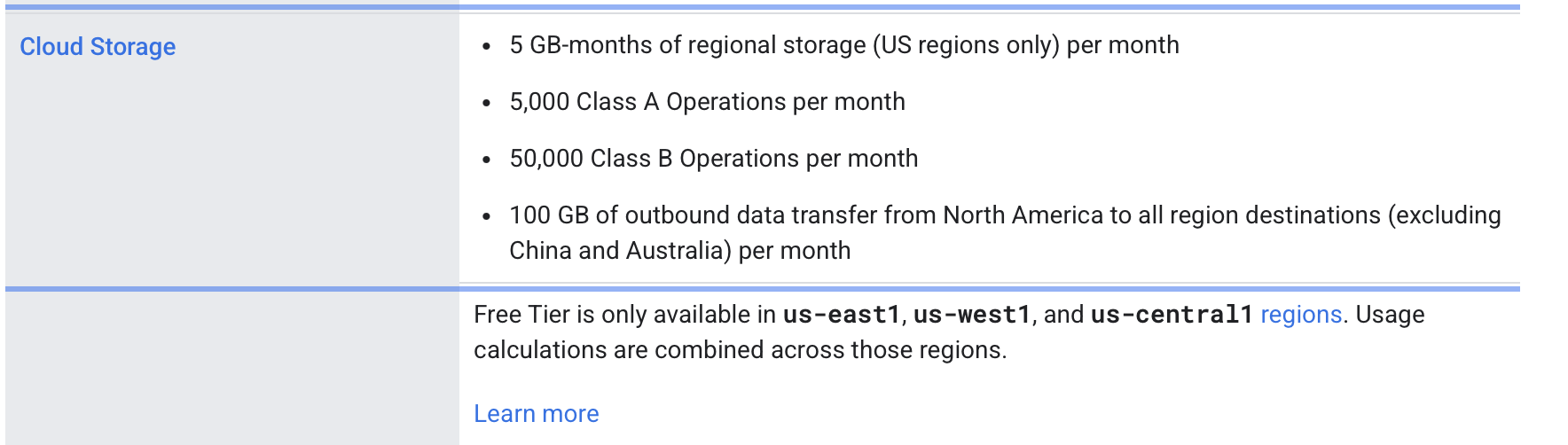
so 12$ if its used
Unknown User•4w ago
Message Not Public
Sign In & Join Server To View
Wdym
Unknown User•4w ago
Message Not Public
Sign In & Join Server To View
Aws with cloudfront
Or cloudflare can work
transfer is very expensive
Unknown User•4w ago
Message Not Public
Sign In & Join Server To View
Cloudflare R2
Free transfer
Aws s3 with cloudfront as a CDN
S3 to cloudfront transfer free
Cloudfront egress to internet free up to 1tb per month
Blackblaze B2 with cloudflare on top alsp free
Speed is simillar
Runpod netwprk is very good
Unknown User•4w ago
Message Not Public
Sign In & Join Server To View
you need extra steps tho
for blackblaze connecting cloudflare
for aws connecting cloudfront
cloudflare R2 is probably the easiest
didn't try blackblaze and cloudflare so I'm not sure
Unknown User•4w ago
Message Not Public
Sign In & Join Server To View
more than 1 day for aws for ppl who are new to it
maybe 😄