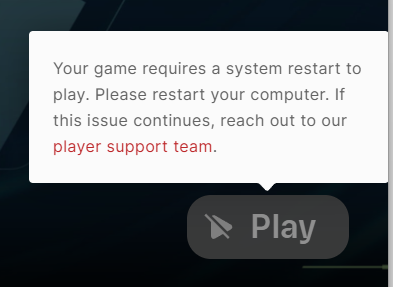
You must restart your PC
I need help. Every time I turn on my PC and open Riot to play Valo, I get a message that says "You must restart your PC." How do I fix this? I'm tired of always restarting my PC.
3 Replies
Icon top right open it settings then repair files
;vgc
- Open the Task Manager > Details tab
- End the task on all VALORANT, Riot Client and VANGUARD-related apps/services
- Open the Control Panel > Uninstall a Program
- Uninstall Riot VANGUARD
- Open CMD as Admin and type these commands:
- sc delete vgc
- sc delete vgk
- Navigate to your C: Drive, then Program Files
- Find the VANGUARD folder and delete it
- Open the Riot Client and click update
- Restart your computer after the update
After you’re done with that:
- Press Windows key + R
- Type services.msc
- Look for vgc
- Right-click on vgc > Properties
- Change the startup type to automatic
- Start the services (if not started already)
We will be waiting for your response, thank you.