Support with project short time 1 days with 1000 users
i have 1 project run realtime . run 1days with 1000 users online same time .
I user reactjs and supabase . not have server backend .
I upgrade account production and update server nano . in project rectjs . i need see data realtime in all account same view data . i use dbpostgrechanges
when i test with 100 user . i have problem db connect tiem out , laggggg .
can i help me solution can run project .
how can update pool to 1000 user use dbpostchanges
#help #realtime #dbpostchanges
9 Replies
Postgres changes is likely overloading your server. It is highly recommended to uses Broadcast Private Channels and realtime.send on a trigger function now rather than Postgres changes.
https://supabase.com/docs/guides/realtime/postgres-changes?queryGroups=database-method&database-method=sql&queryGroups=language&language=js#database-instance-and-realtime-performance
Especially with RLS enabled it slows down very rapidly.
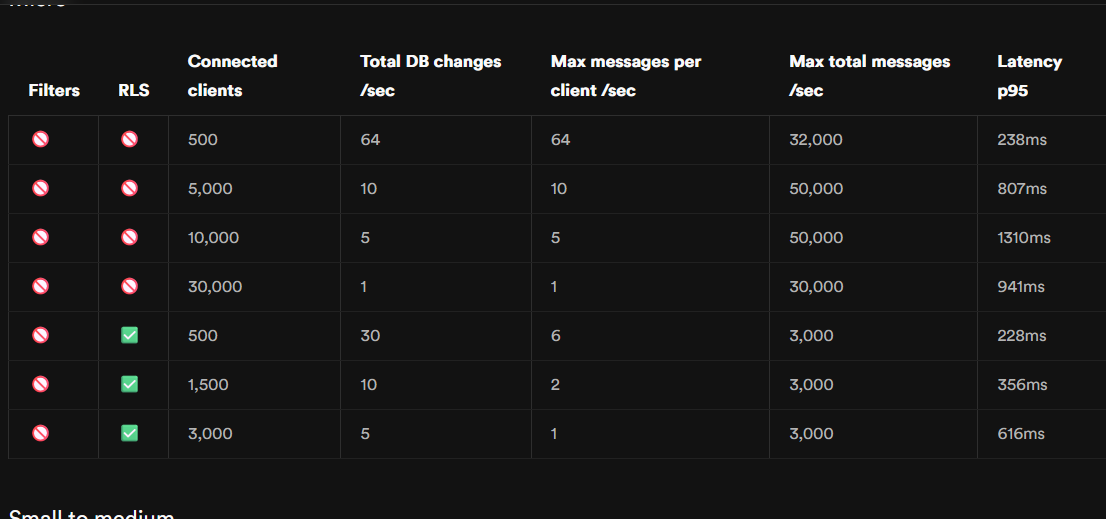
Yesterday when I tested. I did not turn off RLS. If I use Nano Compute. It can meet 1000 users connected. I want to synchronize data between users data with each other. Should choose dbpostgre-changes. I tried using the method of shooting broadcast with trigger when adding data. But there are users who lose connection. Then the message is lost. leading to data not being synchronized. With db postgre-changes. How can I increase the connection pool so that more users can use it?
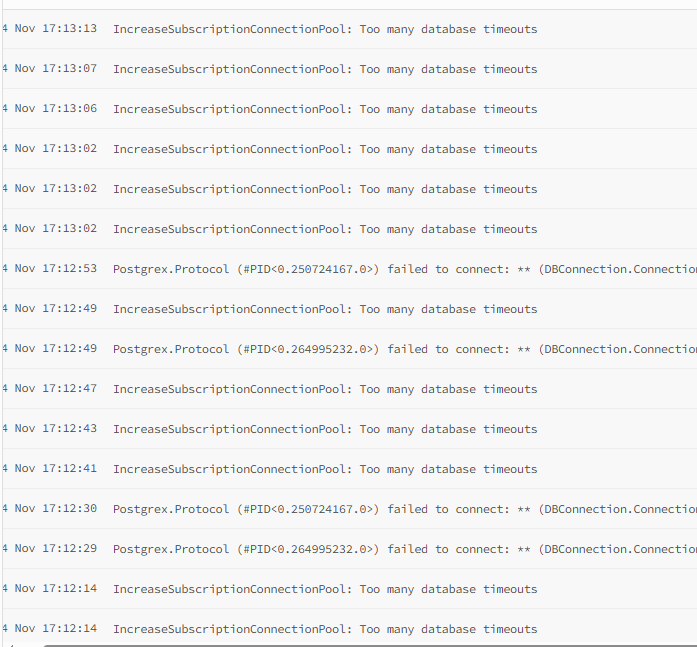
Currently I see the maximum pool is only 60. I tested with 100 users and saw that the pool was almost maxed out.
help me
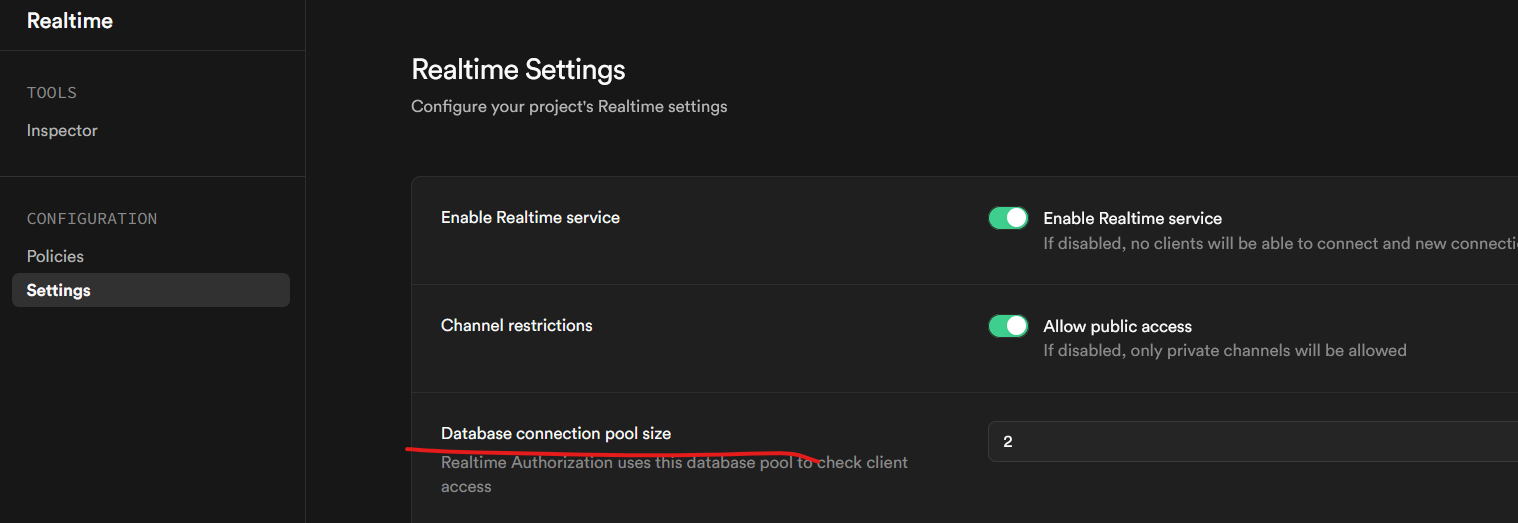
There are some brand new settings in realtime panel of dashboard...
https://supabase.com/docs/guides/realtime/concepts#database-connections
I've not used these and I don't know if that is the connection issue being mentioned as that error appears no where on the web.
GitHub
Realtime connections giving
TIMED_OUT errors · supabase · Discu...This is a copy of a troubleshooting article on Supabase's docs site. It may be missing some details from the original. View the original article. If your Realtime connections in your applicatio...
"dependencies": {
"@hookform/resolvers": "^5.2.2",
"@radix-ui/react-checkbox": "^1.3.3",
"@radix-ui/react-dialog": "^1.1.15",
"@radix-ui/react-label": "^2.1.7",
"@radix-ui/react-progress": "^1.1.7",
"@radix-ui/react-select": "^2.2.6",
"@radix-ui/react-separator": "^1.1.7",
"@radix-ui/react-slot": "^1.2.3",
"@supabase/supabase-js": "^2.76.1",
"@tailwindcss/vite": "^4.1.15",
"class-variance-authority": "^0.7.1",
"clsx": "^2.1.1",
"dayjs": "^1.11.18",
"lodash-es": "^4.17.21",
"lucide-react": "^0.546.0",
"react": "^19.1.1",
"react-dom": "^19.1.1",
"react-hook-form": "^7.65.0",
"react-router-dom": "^7.9.4",
"supabase": "^2.53.6",
"tailwind-merge": "^3.3.1",
"tailwindcss": "^4.1.15",
"usehooks-ts": "^3.1.1",
"zod": "^4.1.12"
},
"devDependencies": {
"@eslint/js": "^9.36.0",
"@types/lodash-es": "^4.17.12",
"@types/node": "^24.9.1",
"@types/react": "^19.1.16",
"@types/react-dom": "^19.1.9",
"@types/react-router-dom": "^5.3.3",
"@vitejs/plugin-react-swc": "^4.1.0",
"eslint": "^9.36.0",
"eslint-plugin-react-hooks": "^5.2.0",
"eslint-plugin-react-refresh": "^0.4.22",
"globals": "^16.4.0",
"tw-animate-css": "^1.4.0",
"typescript": "~5.9.3",
"typescript-eslint": "^8.45.0",
"vite": "^7.1.7"
}
I use nodejs version 22
Just giving you several things I found. I don't know exactly what your issue is other than you seem to be overloading things.
Did you try upping the connection on the realtime settings page?
As you are Pro you might also put in a support request.
I'm out for the night.