VS CPU profiler shows gibberish
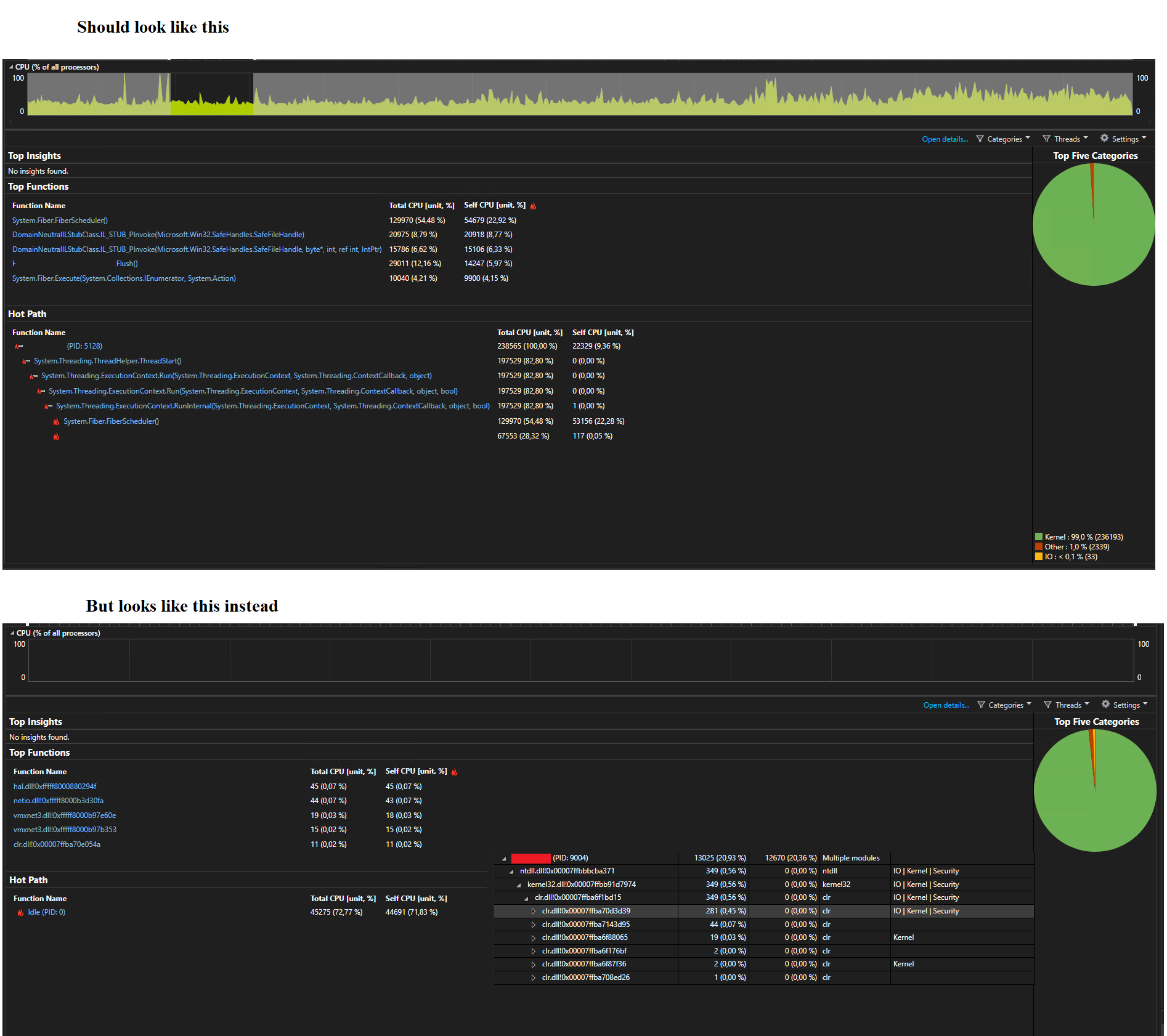
Hello, I installed VS remote tools to run CPU profiler on a server. Deployed application with generated .pdb file. Profiler worked as expected (upper picture).
I did exact same steps on a different server. End result is displayed in picture below. No CPU usage is logged, if I press on Idle (PID: 0) it opens me a window with all running processes, if I open process I actually attached no useful info is shown.
I did exact same steps on a different server. End result is displayed in picture below. No CPU usage is logged, if I press on Idle (PID: 0) it opens me a window with all running processes, if I open process I actually attached no useful info is shown.