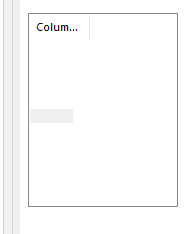
❔ ObjectListView showing blank rows
Hi all. I'm new to C# and making VSTO addins, please bare with me!
I'm using the add-in control ObjectListView (https://objectlistview.sourceforge.net/cs/index.html) to create a list of categories as part of VSTO Outlook Add-in.
I've added the control to my form (a user control) and set the following properties:
- View: List
- Show Groups: False
- Columns: One column added, AspectName "Category.Name" (also just "Name" was tried, without success).
Here is the code when the user control loads
I had thought that maybe the
The category collection is obtained via
when I run this I get six empty rows, which matches the number of categories on the outlook account (see picture).
Not sure what I'm doing wrong, I followed the guide the best I could. The Category.Name method should be returning a string so I don't think that's the problem. Must be missing something obvious as this control is supposed to be easier to use than a listview.
I'm using the add-in control ObjectListView (https://objectlistview.sourceforge.net/cs/index.html) to create a list of categories as part of VSTO Outlook Add-in.
I've added the control to my form (a user control) and set the following properties:
- View: List
- Show Groups: False
- Columns: One column added, AspectName "Category.Name" (also just "Name" was tried, without success).
Here is the code when the user control loads
I had thought that maybe the
ObjectlistviewList<Category>The category collection is obtained via
when I run this I get six empty rows, which matches the number of categories on the outlook account (see picture).
Not sure what I'm doing wrong, I followed the guide the best I could. The Category.Name method should be returning a string so I don't think that's the problem. Must be missing something obvious as this control is supposed to be easier to use than a listview.