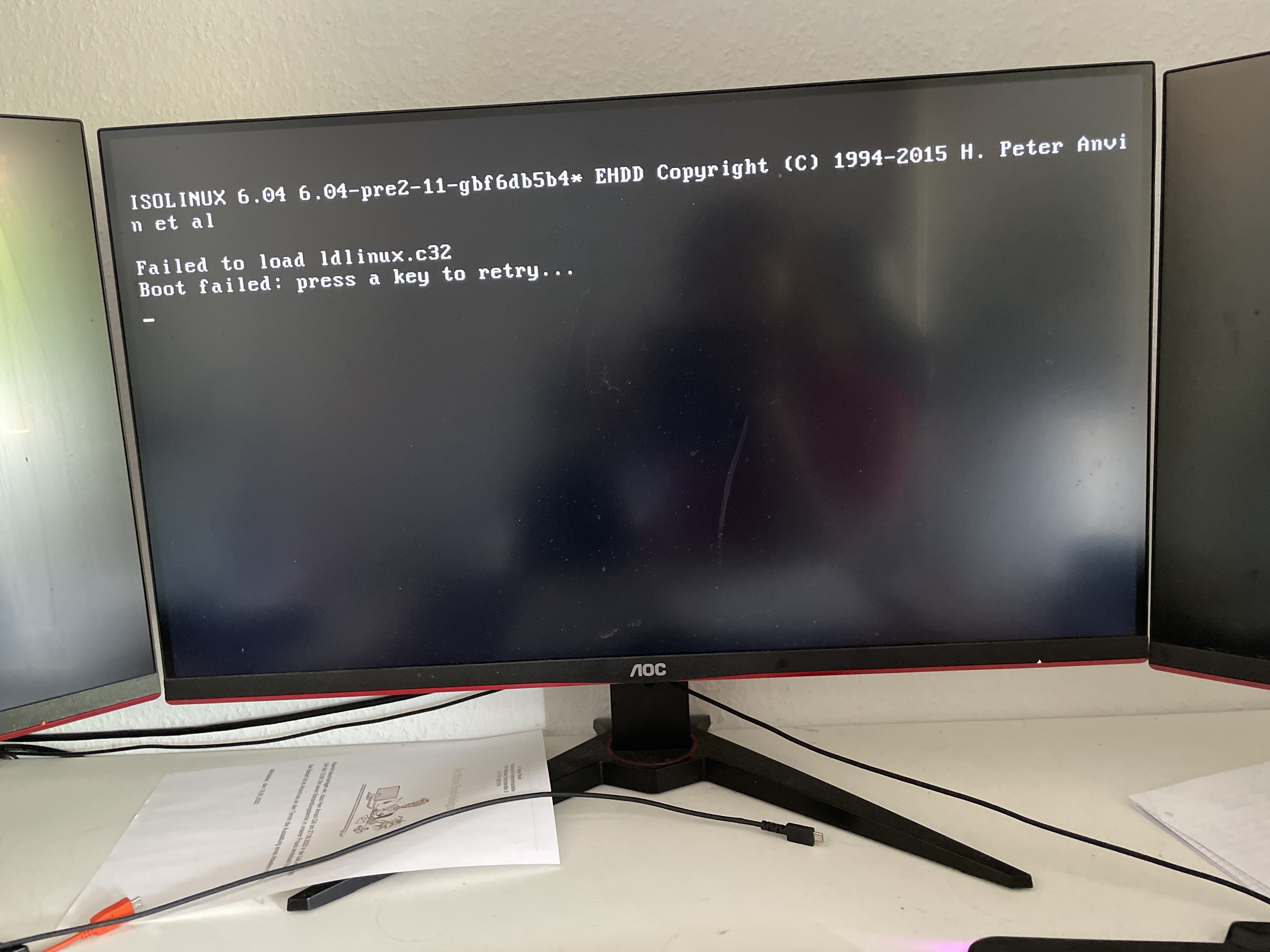
can’t boot into iso beta 3

No description
17 Replies
Coolio0503
Coolio0503OP3y ago
Do you know any way to get this to work? Did I flash it incorrectly on the USB drive? @Rudra | blendOS, Ubuntu Unity Okay I fixed that stuff Now I can’t fully install the OS The installer says it would be installed but it’s actually not
Coolio0503
Coolio0503OP3y ago
No description
Asterisk
Asterisk3y ago
Manual partitioning
Coolio0503
Coolio0503OP3y ago
Okay, I will try that. Thank you! Still no luck
Asterisk
Asterisk3y ago
hmm, did you use etcher
Coolio0503
Coolio0503OP3y ago
It booted into the system but it had some kind of root partition error so I am currently reinstalling and it should work soon Can I somehow change the type from legacy bios to UEFI? Okay it now switched automatically to UEFI This is all kinda strange
Coolio0503
Coolio0503OP3y ago
This is now my installation log
No description
Coolio0503
Coolio0503OP3y ago
I think I should be good to go
Coolio0503
Coolio0503OP3y ago
No description
Coolio0503
Coolio0503OP3y ago
This error now shows up Do you know what I could have done wrong?
Asterisk
Asterisk3y ago
did you sue etcher to flash the iso etcher and ventoy are known to work but rufus doesn't
Coolio0503
Coolio0503OP3y ago
okay, I didn't use etcher or rufus I used the Linux Mint utility Could that be the problem?
Asterisk
Asterisk3y ago
Use etcher
Coolio0503
Coolio0503OP3y ago
Ok Thx
ᴍᴀ ɴᴜʟ
i also have the same case. i don't know what i did wrong, and now i screwed up my boot drive for windows
Coolio0503
Coolio0503OP3y ago
You can use the image to use dd and another iso to burn onto the usb stick I guess That’d work because the OS is loaded into ram

Did you find this page helpful?