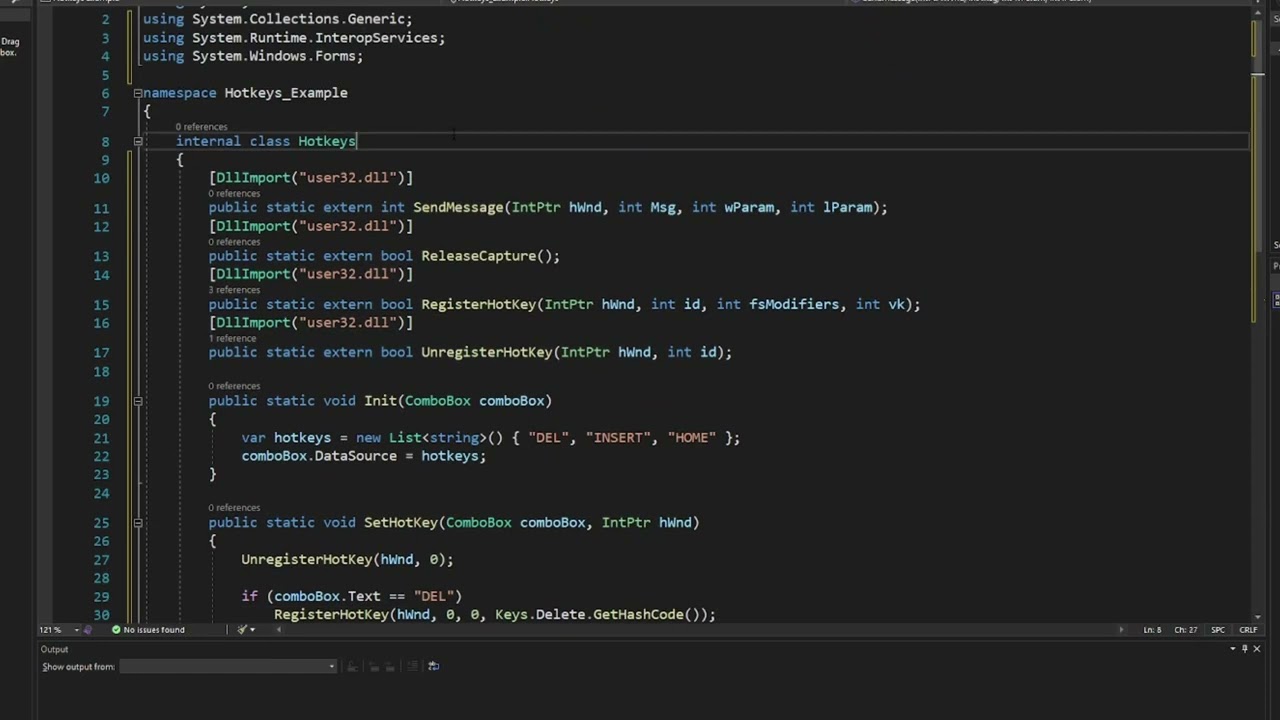
❔ ✅ Is there a Way to extend this code from this yt tutorial

so ive been following this yt tutorial https://www.youtube.com/watch?v=nTKTPqqFtrk, which shows a way to implement a keyboard hook(i think "^^) and it does work so far, but i was wondering if i could extend the code to show me which button is pressed and released rather than just givig me a messagebox with the notofication.(i apologize if my question is written poorly)

here is my code:
using System;
using System.Collections.Generic;
using System.ComponentModel;
using System.Data;
using System.Drawing;
using System.Linq;
using System.Text;
using System.Threading.Tasks;
using System.Windows.Forms;

namespace testform2
{
    public partial class Form1 : Form
    {
        public Form1()
        {
            InitializeComponent();
            Hotkeys.Init(comboBox1);
        }

        protected override void WndProc(ref Message hotkey)
        {
            bool Visible = this.Visible;
            base.WndProc(ref hotkey);

            if(Visible && hotkey.Msg == 0x0312) 
            {
                textBox1.Text += hotkey.Msg.ToString() + "\n\r";
                //MessageBox.Show("Global Hotkey Pressed");
            }
        }

        private void comboBox1_SelectedIndexChanged(object sender, EventArgs e)
        {
            Hotkeys.SetHotKey(comboBox1, Handle);
        }
    }
}
YouTubetez kidd
Setting up Global Hotkeys in C# Win Forms
By my mistake, I accidentally added the imports ReleaseCapture & SendMessage. You do not need these.

Was this page helpful?