signInWithOtp not working with strongest Password Requirements (for new users).
Hi everyone!
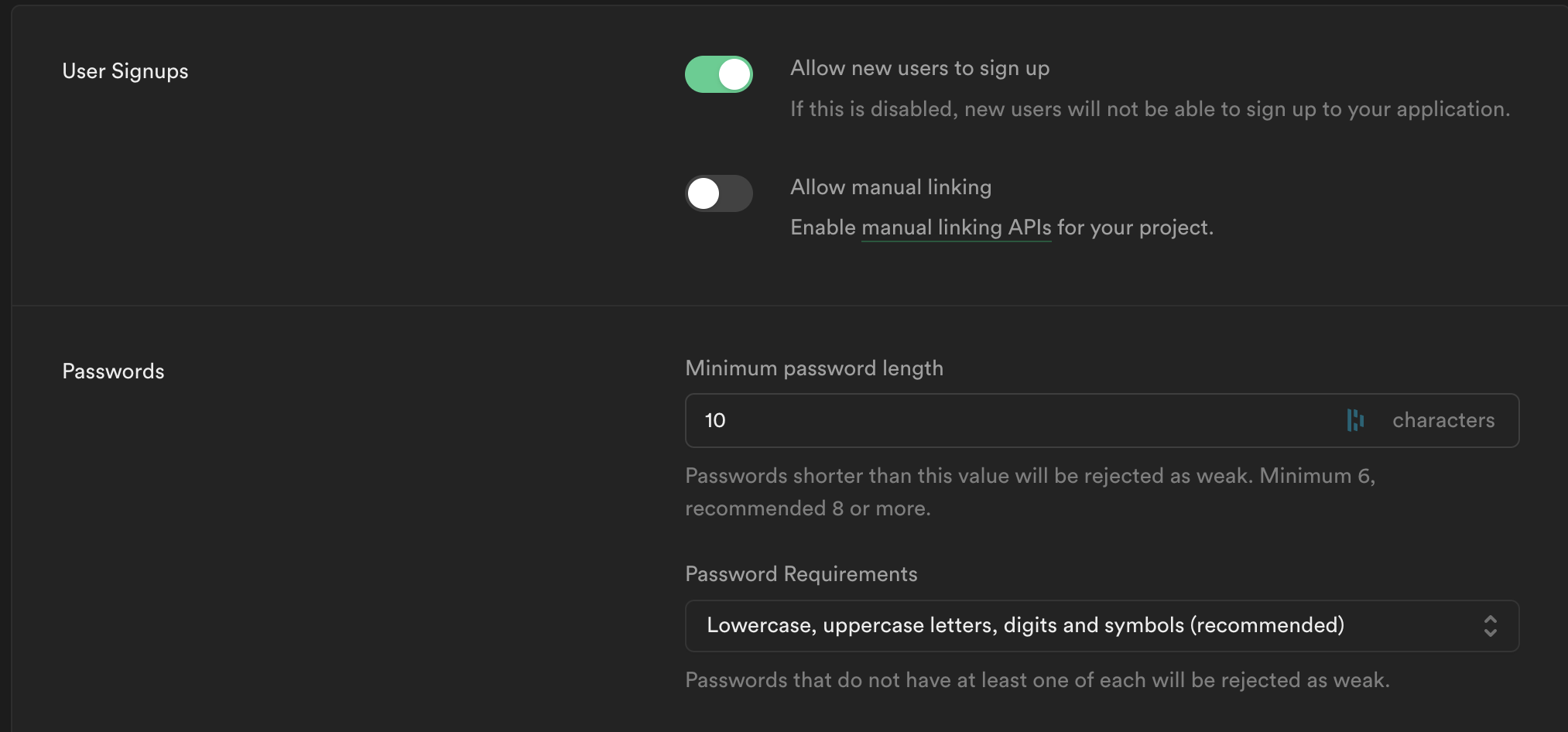
I recently set the password requirements to the recommended setting (Lowercase, uppercase, digits and symbols), but that breaks the
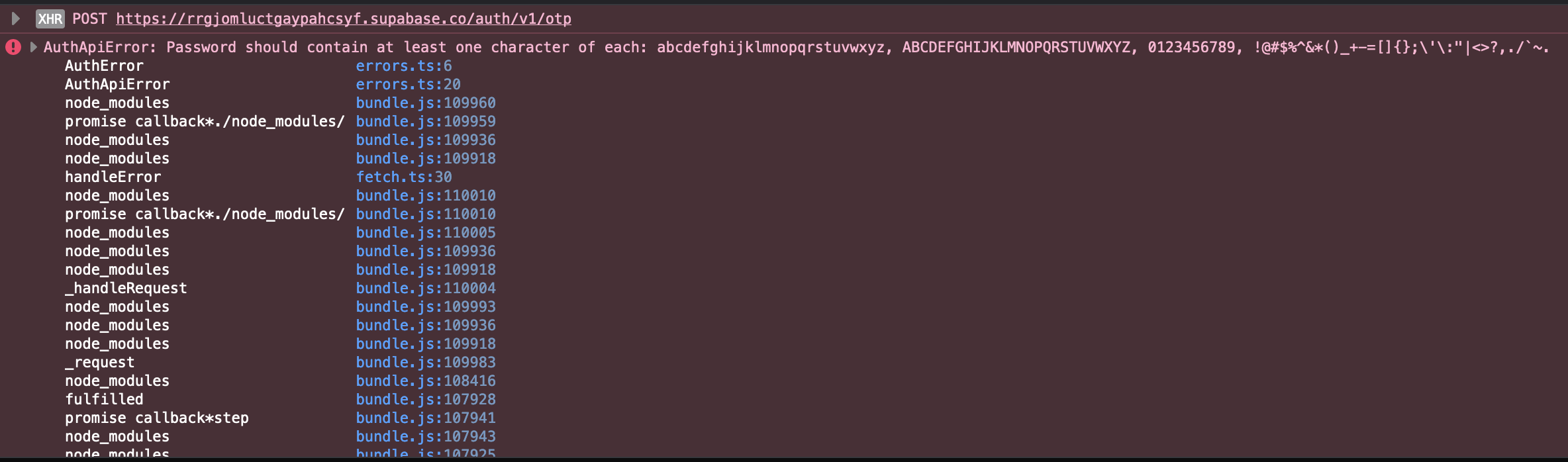
When an unknown email registers I got an error from the auth API saying that the password does not satisfy the requirements but, since is a "magic link" method the user did not insert any password.
This happens only with this combination of conditions:
* the email is not registered yet
* the password requirements are set to the strongest ones (the recommended)
It works normally for already registered users (event with the strong passowrd requirement) and also for new users if you set the requirements to one of the lower ones.
Attaching a couple of screenshots.
Anyone had the same issue?
Thanks a lot for your work, supabase is great!
I recently set the password requirements to the recommended setting (Lowercase, uppercase, digits and symbols), but that breaks the
signInWithOtpWhen an unknown email registers I got an error from the auth API saying that the password does not satisfy the requirements but, since is a "magic link" method the user did not insert any password.
This happens only with this combination of conditions:
* the email is not registered yet
* the password requirements are set to the strongest ones (the recommended)
It works normally for already registered users (event with the strong passowrd requirement) and also for new users if you set the requirements to one of the lower ones.
Attaching a couple of screenshots.
Anyone had the same issue?
Thanks a lot for your work, supabase is great!