✅ Issues with canvas
Hey guys, i'm having an issue with canvas placement:
i did this peace of code:
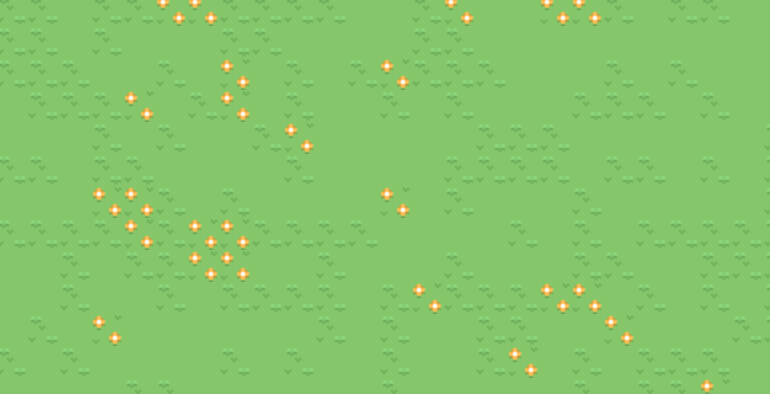
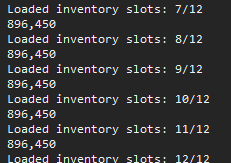
How come making the tiles work, and the inventory y is out of the window:
i did this peace of code:
        private void GenerateWorld()
        {
            WorldHeight = Math.Round(ActualHeight / Tile.Size);
            WorldWidth = Math.Round(ActualWidth / Tile.Size);
            Random random = new Random(Seed);
            List<WeightedItem<TileType>> types = new List<WeightedItem<TileType>>()
            {
                new WeightedItem<TileType>(TileType.GrassA, 6),
                new WeightedItem<TileType>(TileType.GrassB, 5),
                new WeightedItem<TileType>(TileType.GrassC, 2)
            };
            Dispatcher.Invoke(() =>
            {
                for (int i = 0; i < WorldHeight; i++)
                {
                    for (int j = 0; j < WorldWidth; j++)
                    {
                        TileType type = Utilities.GetRandomItem(types, random);
                        Tile tile = new Tile(Convert.ToDouble(j), Convert.ToDouble(i), type);
                        Display.Children.Add(tile);
                    }
                }
                LoadToolbar();
            });
        }
        private void LoadToolbar()
        {
            int inventorySlots = (int)(ActualWidth / InventorySlot.Size);
            Debug.WriteLine(inventorySlots);
            for(int i = 0;i < inventorySlots; i++)
            {
                InventorySlot inventorySlot = new InventorySlot(i,WorldHeight);
                Debug.WriteLine(Canvas.GetTop(inventorySlot)+","+ActualHeight);
                Display.Children.Add(inventorySlot);
                Debug.WriteLine($"Loaded inventory slots: {i+1}/{inventorySlots}");
            }
        }
private void GenerateWorld()
{
WorldHeight = Math.Round(ActualHeight / Tile.Size);
WorldWidth = Math.Round(ActualWidth / Tile.Size);
Random random = new Random(Seed);
List<WeightedItem<TileType>> types = new List<WeightedItem<TileType>>()
{
new WeightedItem<TileType>(TileType.GrassA, 6),
new WeightedItem<TileType>(TileType.GrassB, 5),
new WeightedItem<TileType>(TileType.GrassC, 2)
};
Dispatcher.Invoke(() =>
{
for (int i = 0; i < WorldHeight; i++)
{
for (int j = 0; j < WorldWidth; j++)
{
TileType type = Utilities.GetRandomItem(types, random);
Tile tile = new Tile(Convert.ToDouble(j), Convert.ToDouble(i), type);
Display.Children.Add(tile);
}
}
LoadToolbar();
});
}
private void LoadToolbar()
{
int inventorySlots = (int)(ActualWidth / InventorySlot.Size);
Debug.WriteLine(inventorySlots);
for(int i = 0;i < inventorySlots; i++)
{
InventorySlot inventorySlot = new InventorySlot(i,WorldHeight);
Debug.WriteLine(Canvas.GetTop(inventorySlot)+","+ActualHeight);
Display.Children.Add(inventorySlot);
Debug.WriteLine($"Loaded inventory slots: {i+1}/{inventorySlots}");
}
}How come making the tiles work, and the inventory y is out of the window: