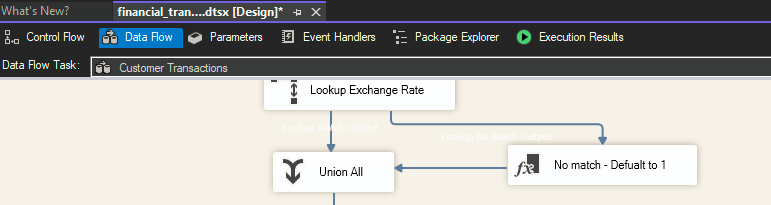
Cant figure out how to change font/background colors of flow charts.
Hi, I'm very new to Visual Studio and I'm working on some sql server integration project and the .dtsx file flow charts have the background color and some text of the same font color which is making it very hard to read. I tried changing it from tools > options > fonts and colors
but i cant figure out which one I'm supposed to change to see the effect on the flow chart viewer. Couldn't find any help online or on gpt either.
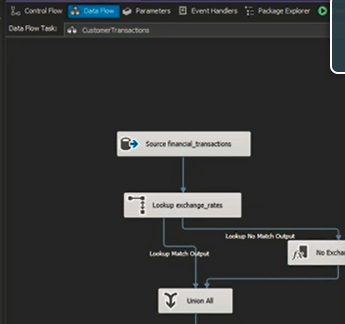
I'm watching this youtube tutorial where the dude has a better customization (2nd image)...
Any guidance is appreciated.
but i cant figure out which one I'm supposed to change to see the effect on the flow chart viewer. Couldn't find any help online or on gpt either.
I'm watching this youtube tutorial where the dude has a better customization (2nd image)...
Any guidance is appreciated.