Immich appears to be using external HDD storage, but uses internal storage
Hello, I have been slamming my head for days in setting up my Immich environment but I am unable to make it work.
Any advise is highly appreciated..
Setup
I am running Immich in a headless Debian VM inside of Proxmox.
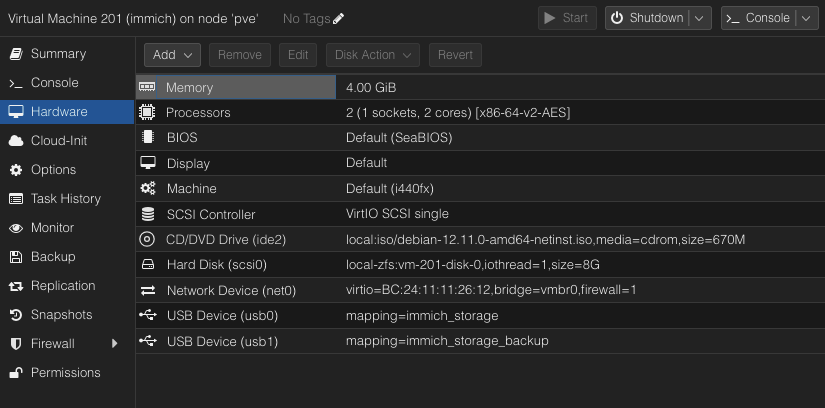
The Proxmox VM has two 4TB HDDs attached as shown in the 1st photo, 1 is used for upload of media to Immich while the second is to back up the upload folder using backrest.
fstab entries
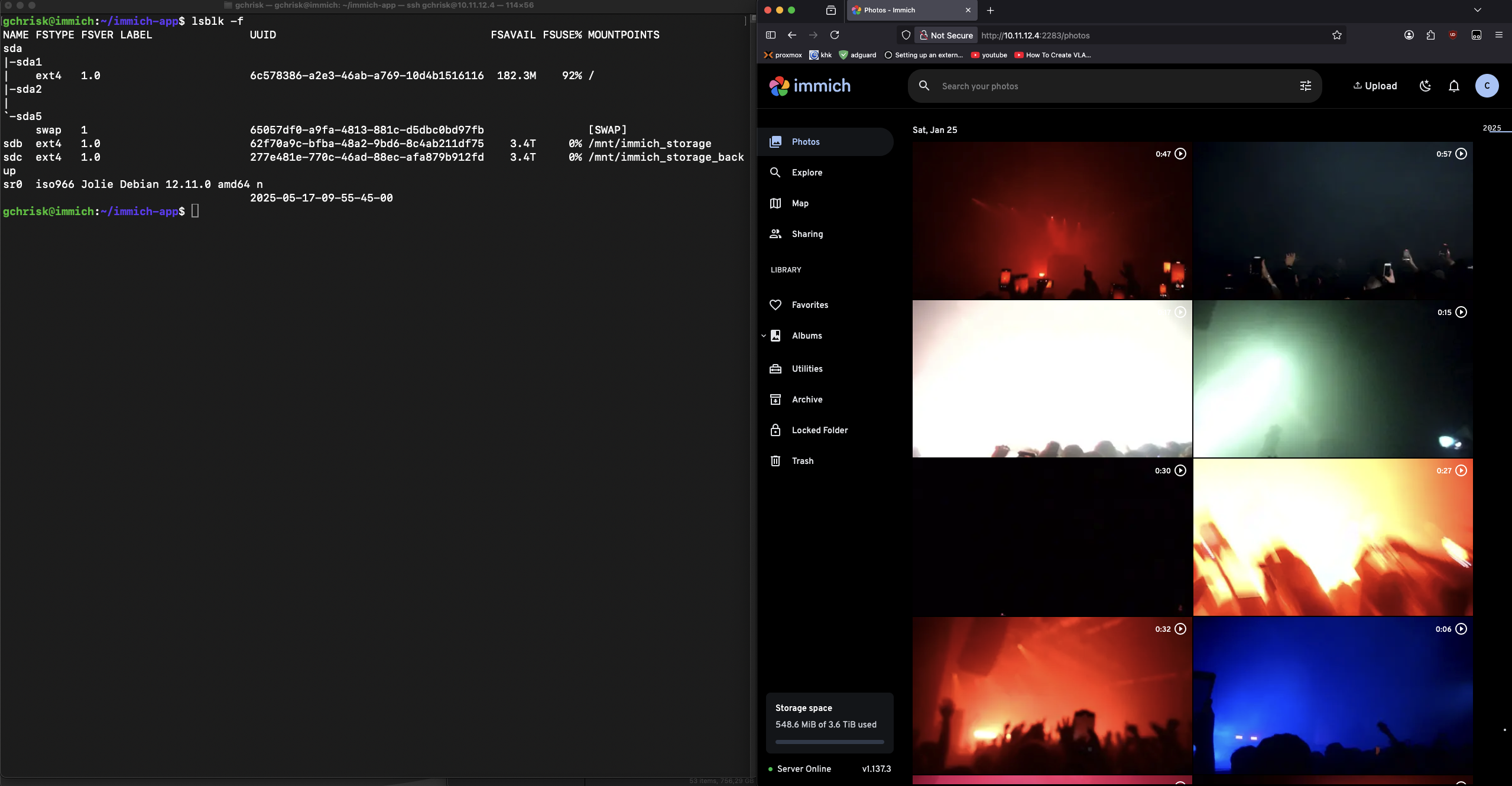
lsblk output
storage permissions
.env output
I changed the following
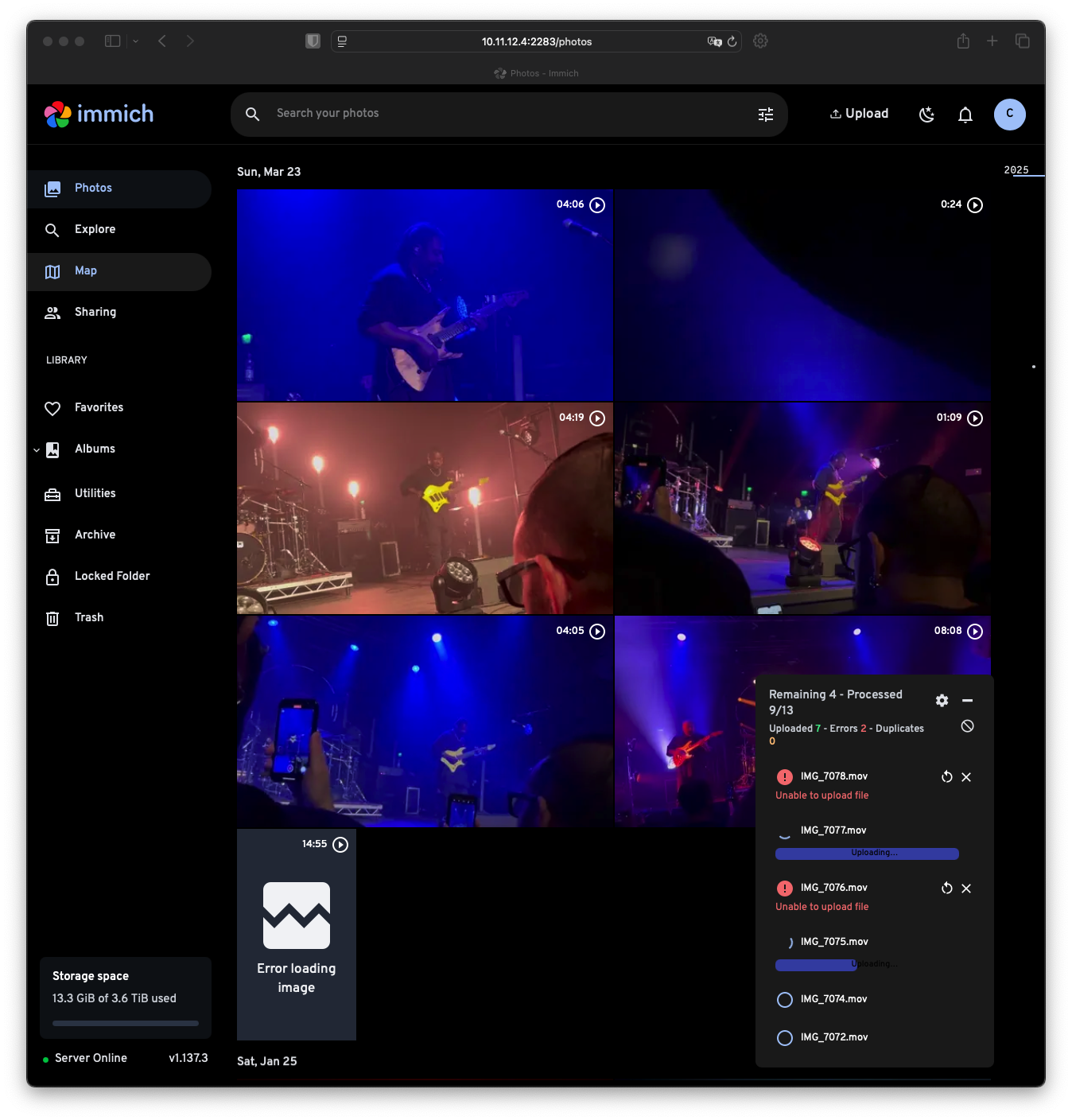
As you can see, using this configuration shows the new storage correctly in the web app, but it seems like it does not really write into it and fsuse section of lsblk -f still displays 0%
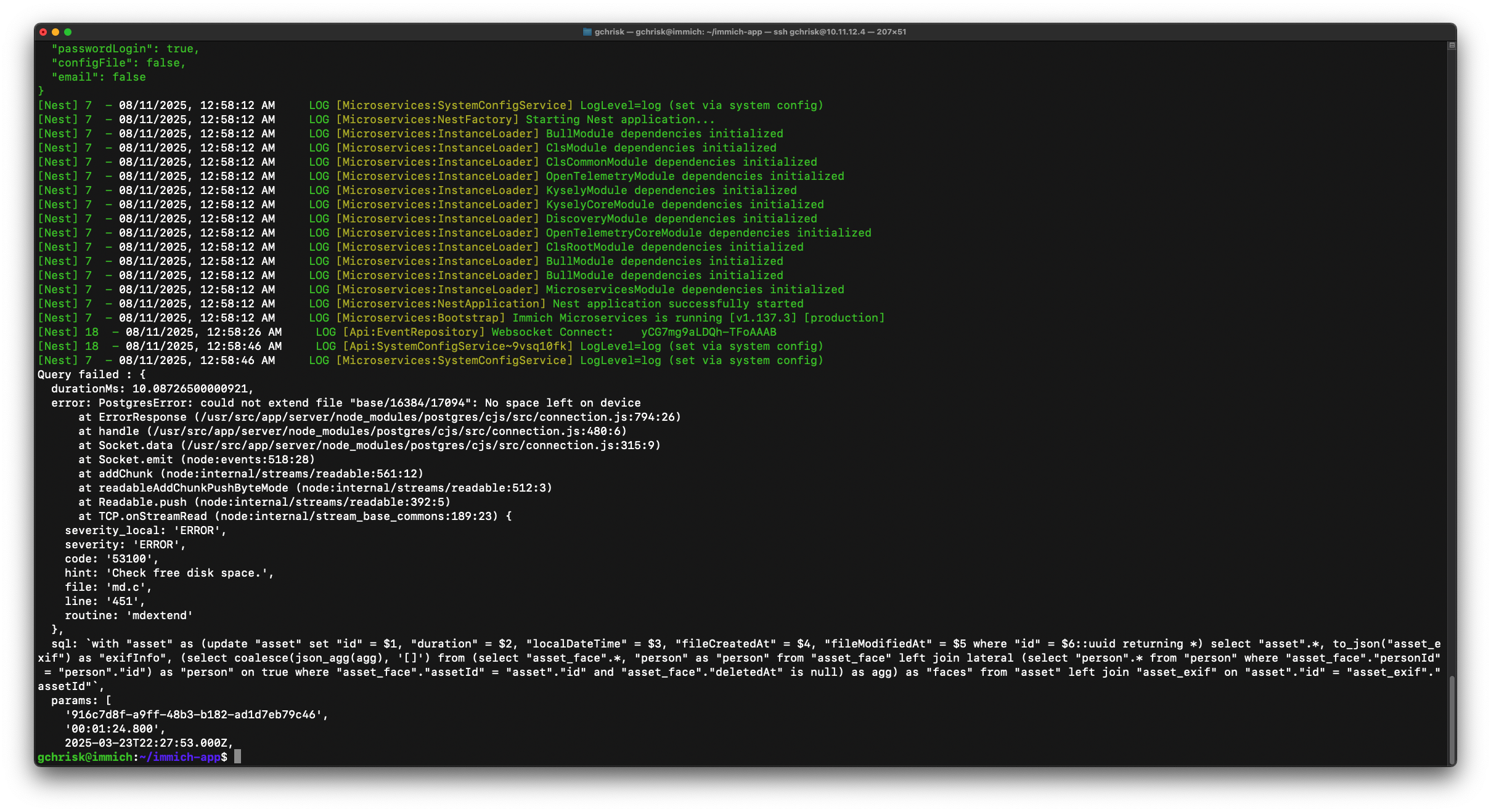
other logs in the last photo
Any advise is highly appreciated..
Setup
I am running Immich in a headless Debian VM inside of Proxmox.
The Proxmox VM has two 4TB HDDs attached as shown in the 1st photo, 1 is used for upload of media to Immich while the second is to back up the upload folder using backrest.
fstab entries
lsblk output
storage permissions
.env output
I changed the following
As you can see, using this configuration shows the new storage correctly in the web app, but it seems like it does not really write into it and fsuse section of lsblk -f still displays 0%
other logs in the last photo