
Tailscale Exit Node/Subnet Routers
Hi,
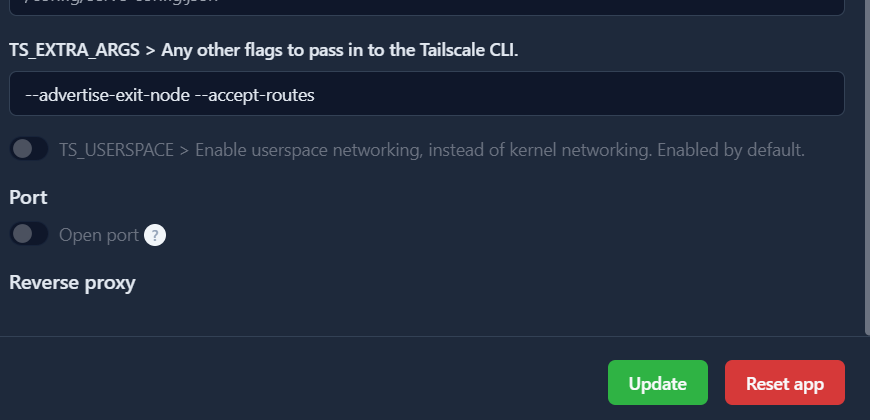
I am running the pretty much default Tailscale configuration, with the following two parameters set. (See Screenshot)
But unfortunately it doesn't seem to work. In the Tailscale panel I get the following error message:
Unable to relay traffic
This machine has IP forwarding disabled and cannot relay traffic. Please enable IP forwarding on this machine (https://tailscale.com/kb/1104/enable-ip-forwarding) to use relay features like subnets or exit nodes.
I am running the pretty much default Tailscale configuration, with the following two parameters set. (See Screenshot)
But unfortunately it doesn't seem to work. In the Tailscale panel I get the following error message:
Unable to relay traffic
This machine has IP forwarding disabled and cannot relay traffic. Please enable IP forwarding on this machine (https://tailscale.com/kb/1104/enable-ip-forwarding) to use relay features like subnets or exit nodes.
Tailscale
Use subnet routers to give devices outside your local network access to services within specific subnets. Extend your private network with Tailscale.