12 Replies
.antivirus
.cmds
.help
List of all message commands:
➜ update
➜ vcredist
➜ backup
➜ brd
➜ commonfixes
➜ scripting
➜ clearconfig
➜ donate
➜ launcherlogs
➜ beta
➜ betterrenderdragon
➜ launcherror
➜ atlas
➜ downgrade
➜ freeze
➜ suggest
➜ suported
➜ virus
➜ config
➜ downloads
➜ roadmap
➜ issues
➜ reinstall
➜ bugs
➜ exclude
➜ importconfig
➜ ping
➜ prefix
➜ github
➜ logs
➜ packchanger
➜ killdx
➜ org
➜ supported
.exclude
Here's a .PDF file that provides instructions on how to exclude Flarial Launcher/Client from common antivirus vendors https://cdn.treegfx.de/antivirus-fixes.pdf
@Vy ještě
Yes I'm confused...
What i do?
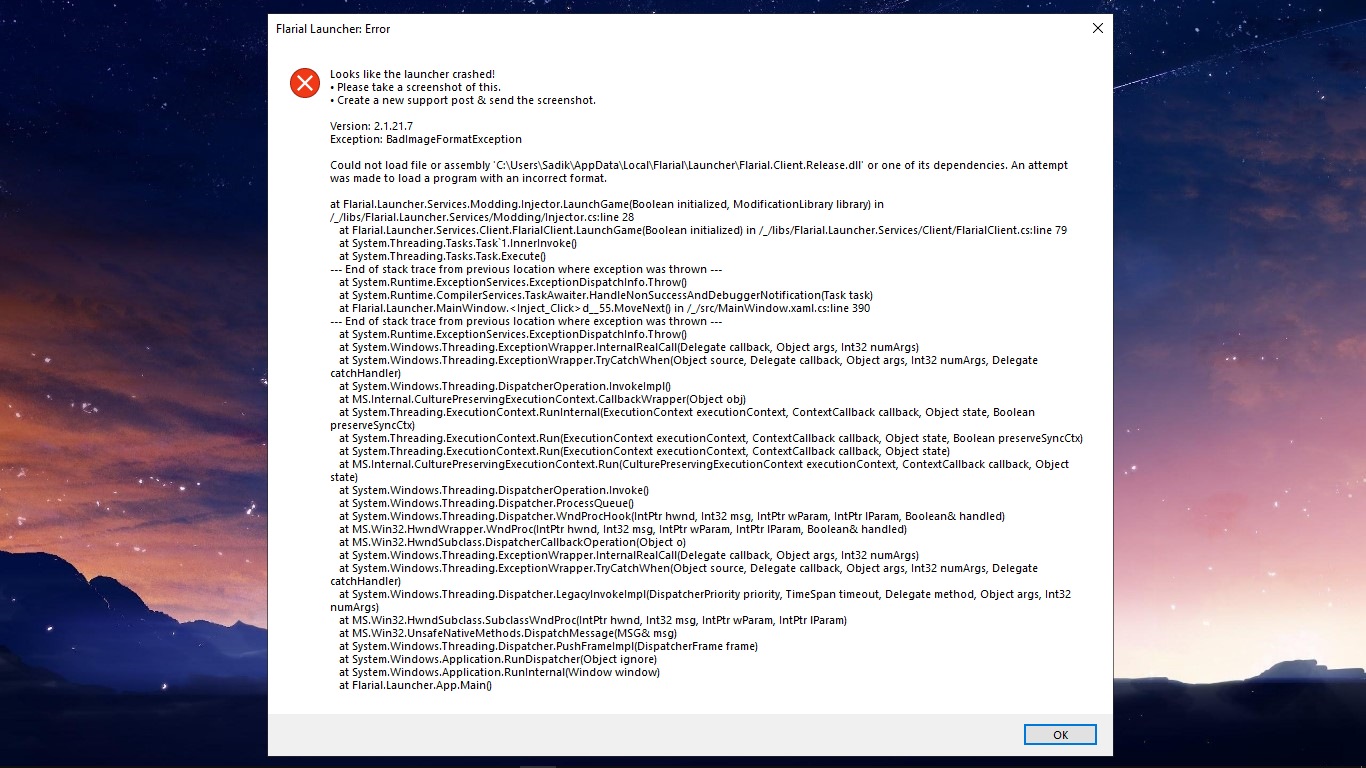
I suspect that an antivirus is blocking Flarial from working
So click that link above, look for your antivirus provider and follow the instructions.
Ye i got a antivirus
If you have any doubts about the safety of this client, you can see its source code
I'll try it thank you
Yes it worked
thanks
.betterrenderdragon
This is how to fix Minecraft from freezing after you try to inject Flarial together with better renderdragon
follow these next steps very carefully!
1. inject Flarial without better renderdragon and go to global settings
2. In there turn off the following:
- better frames
- vsync disabler
- recreate swapchain on start
- Force intel dx11 (Only necessary to turn off if you have an Intel GPU)
3. Press F7 to save the changes
4. Close Minecraft
5. Open Minecraft using the openMinecraft.bat shipped with better render dragon
6. After it loads Minecraft with better render dragon inject Flarial
You should now be able to use Flarial with your favourite shaders!