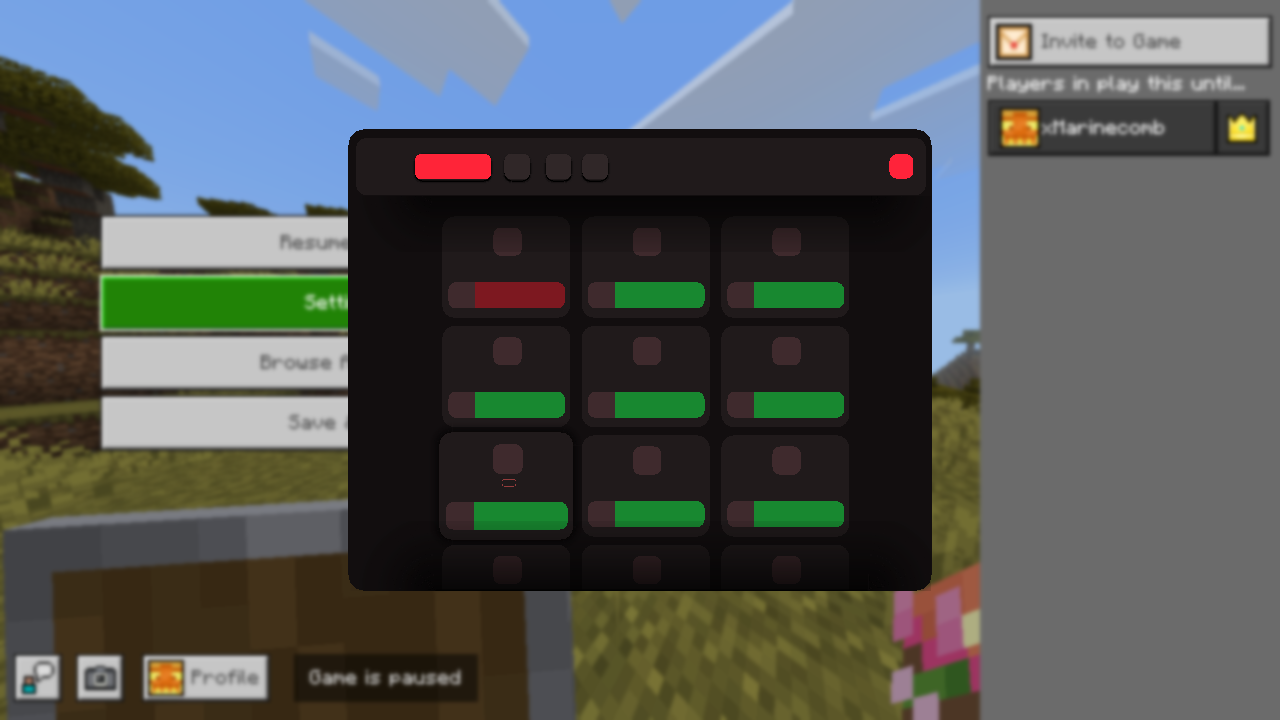
Disappearance of Text/UI in-game.
I just don't know why but yesterday everything seemed fine just a bit of crashes and then after I reopened it the images in group where you can toggle options like Java zoom (I seriously don't remember the name at all), all the images are absent.
And then today when I opened it again, every single text file has disappeared. I was using the release, so I manually went into the GitHub and got the beta release and used this DLL as a custom one and yet it still refuses to show any text or images. It's almost broken? I don't know. Expecting immediate assistance from the community.
And then today when I opened it again, every single text file has disappeared. I was using the release, so I manually went into the GitHub and got the beta release and used this DLL as a custom one and yet it still refuses to show any text or images. It's almost broken? I don't know. Expecting immediate assistance from the community.