Status Colors not working

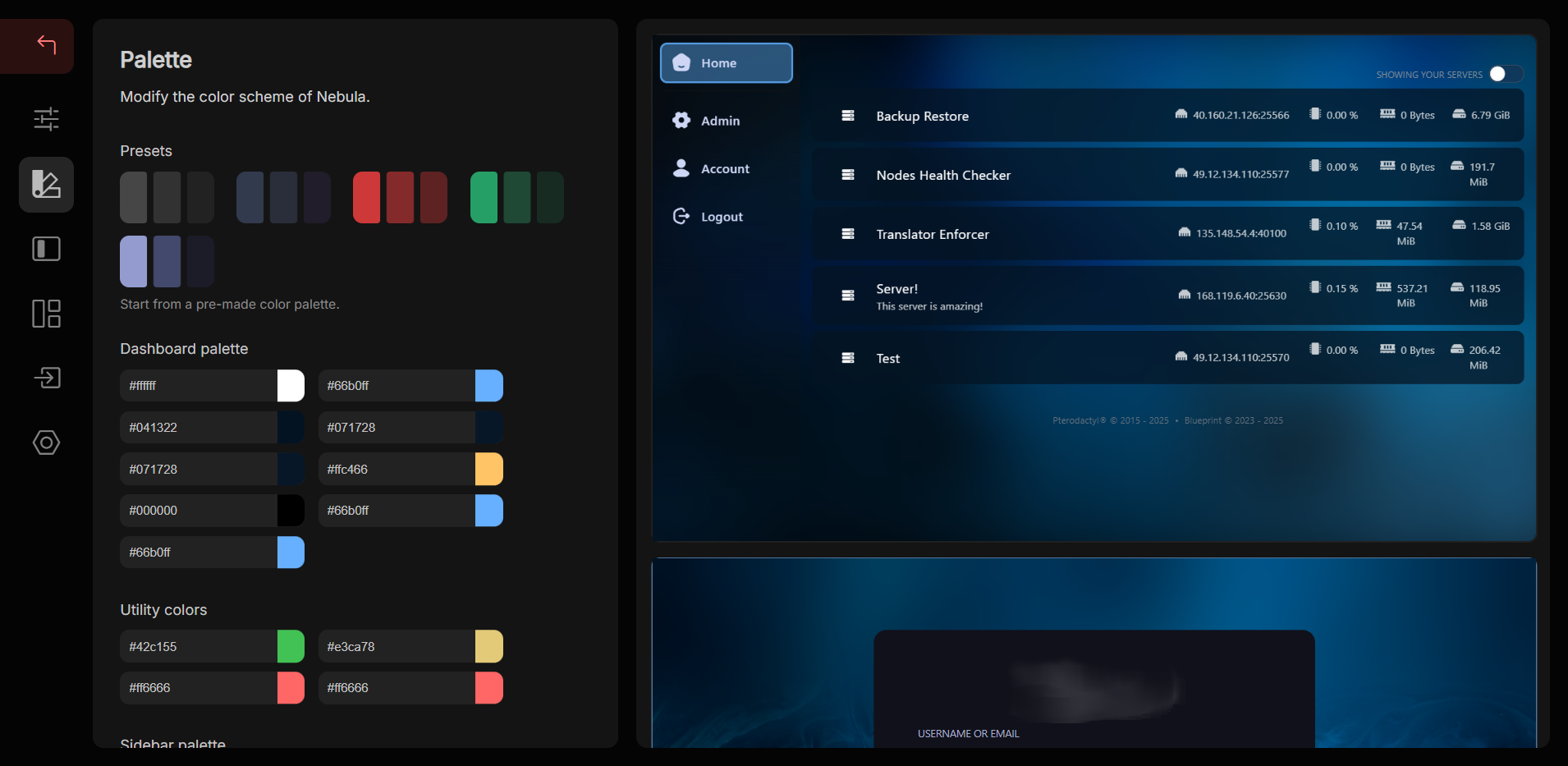
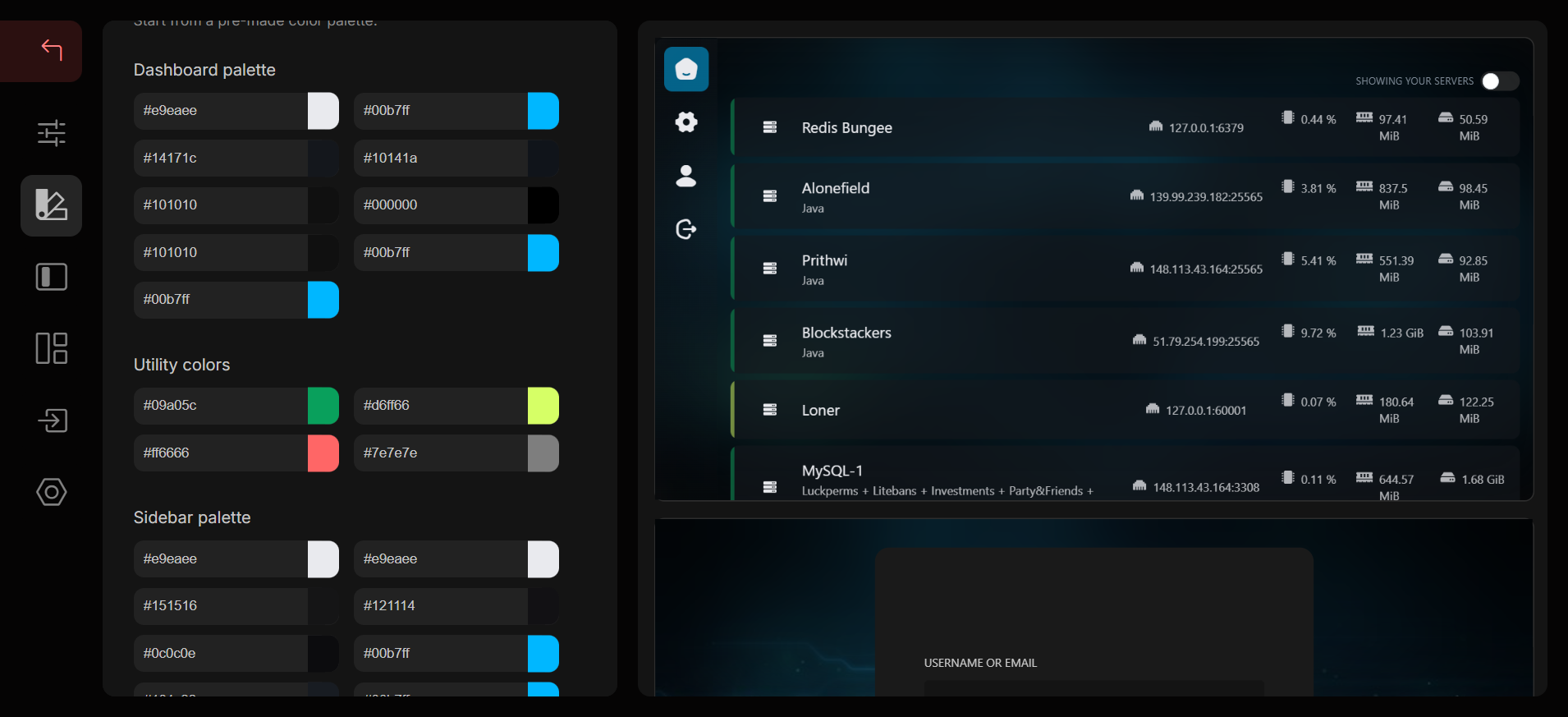
In the latest 2.1 release, the status colors are not working, however they are working on 2.0 I have attached both versions image.
No description
No description
Solution:
1. Remove certain files and directories with rm -r resources public node_modules. 2. Go through the Pterodactyl update documentation. 3. Install dependencies by running the yarn command. 4. Repair Blueprint with blueprint -upgrade. 5. Get some Blueprint extensions (if you haven't already) and install them onto your panel.
Sent by prplwtf • byte snippet-upgrade
Jump to solution
37 Replies
_w41k3r
_w41k3rOP2d ago
or am i missing something i just updated test panel to latest as well and its working but production panel still not wokring Update: I reset nebula and still no change Please ping me if you have a question/fix
Emma
Emma2d ago
which version of blueprint are you running?
_w41k3r
_w41k3rOP2d ago
i did blueprint upgrade remote
Emma
Emma2d ago
could you try an older version of blueprint?
Emma
Emma2d ago
considering your switch seems uncolored, i think you have a case of the latest blueprint bug, not nebula
No description
_w41k3r
_w41k3rOP2d ago
ok ill give that a shot
_w41k3r
_w41k3rOP2d ago
no luck
No description
No description
Emma
Emma2d ago
I was referring to beta-2025-10, could you try installing that?
_w41k3r
_w41k3rOP2d ago
ok umm for downgrading, how do i do that? just blueprint -upgrade link right?
Emma
Emma2d ago
No, you have to manually download the beta-2025-10 package: 1. Remove the .blueprint directory 2. Go through the install guide - At the wget "$(curl -s https://api.github.com/repos/BlueprintFramework/framework/releases/latest .. step, set /releases/latest to /releases/tag/beta-2025-10.
Guide: Install Blueprint
Get Blueprint installed onto your Pterodactyl panel
_w41k3r
_w41k3rOP2d ago
ooh ok
_w41k3r
_w41k3rOP2d ago
umm
No description
Emma
Emma2d ago
shrug try releases/beta-2025-10 otherwise just download the zip from github manually
_w41k3r
_w41k3rOP2d ago
the zip doesnt have the .blueprint folder does it?
Emma
Emma2d ago
it does it has blueprint, which blueprint automatically renames to .blueprint
_w41k3r
_w41k3rOP2d ago
ohk
Emma
Emma2d ago
its kinda weird and will likely be changed soon as the rename isnt needed for usability anymore
_w41k3r
_w41k3rOP2d ago
it is supposed to extract in the home directory right?
Emma
Emma2d ago
no, in the pterodactyl directory
_w41k3r
_w41k3rOP2d ago
yea but it keeps extractin in separate extracting: ./framework-beta-2025-10/scripts/commands/misc/version.sh inflating: ./framework-beta-2025-10/scripts/helpers/blueprint inflating: ./framework-beta-2025-10/scripts/helpers/generate-types.js inflating: ./framework-beta-2025-10/scripts/helpers/validate-identifier.js inflating: ./framework-beta-2025-10/scripts/libraries/grabenv.sh inflating: ./framework-beta-2025-10/scripts/libraries/logFormat.sh inflating: ./framework-beta-2025-10/scripts/libraries/misc.sh inflating: ./framework-beta-2025-10/scripts/libraries/parse_yaml.sh extracting: ./framework-beta-2025-10/storage/.extensions/.gitkeep extracting: ./framework-beta-2025-10/storage/extensions/.gitkeep inflating: ./framework-beta-2025-10/tsconfig.declarations.json inflating: ./framework-beta-2025-10/tsconfig.json inflating: ./framework-beta-2025-10/webpack.config.js
Emma
Emma2d ago
? which zip file did you download?
_w41k3r
_w41k3rOP2d ago
i did this:
cd /var/www/pterodactyl
wget https://github.com/BlueprintFramework/framework/archive/refs/tags/beta-2025-10.zip -O release.zip
unzip release.zip
cd /var/www/pterodactyl
wget https://github.com/BlueprintFramework/framework/archive/refs/tags/beta-2025-10.zip -O release.zip
unzip release.zip
_w41k3r
_w41k3rOP2d ago
oof ok
Emma
Emma2d ago
tag downloads have a slightly different directory structure
_w41k3r
_w41k3rOP2d ago
so this seems to have discouloured show server button
No description
_w41k3r
_w41k3rOP2d ago
No description
Emma
Emma2d ago
rm -rf node_modules/.cache then run blueprint -rerun-install
_w41k3r
_w41k3rOP2d ago
still same
Emma
Emma2d ago
oh i see, some files don't exist in the older version of blueprint that does in the latest release
Solution
Blueprint
Blueprint2d ago
1. Remove certain files and directories with rm -r resources public node_modules. 2. Go through the Pterodactyl update documentation. 3. Install dependencies by running the yarn command. 4. Repair Blueprint with blueprint -upgrade. 5. Get some Blueprint extensions (if you haven't already) and install them onto your panel.
Sent by prplwtf • byte snippet-upgrade
Emma
Emma2d ago
Skip step 3, 4 and 5 For step 1, rm -r resources public node_modules webpack.json tailwind.config.js After step 2, please unarchive the Blueprint beta-2025-10 release again and go through what you went last time.
_w41k3r
_w41k3rOP2d ago
ok https://tenor.com/view/ah-shit-here-we-go-again-ah-shit-cj-gta-gta-san-andreas-gif-13933485 updated ptero ✅ starting to install bluperint, should i install latest or older?
Emma
Emma2d ago
beta-2025-10
_w41k3r
_w41k3rOP2d ago
ok
wget https://github.com/BlueprintFramework/framework/releases/download/beta-2025-10/beta-2025-10.zip -O "$PTERODACTYL_DIRECTORY/release.zip"
unzip -o "$PTERODACTYL_DIRECTORY/release.zip" -d "$PTERODACTYL_DIRECTORY"
wget https://github.com/BlueprintFramework/framework/releases/download/beta-2025-10/beta-2025-10.zip -O "$PTERODACTYL_DIRECTORY/release.zip"
unzip -o "$PTERODACTYL_DIRECTORY/release.zip" -d "$PTERODACTYL_DIRECTORY"
_w41k3r
_w41k3rOP2d ago
No description
_w41k3r
_w41k3rOP2d ago
now installing nebula ok yes that fixed thanks!

Did you find this page helpful?