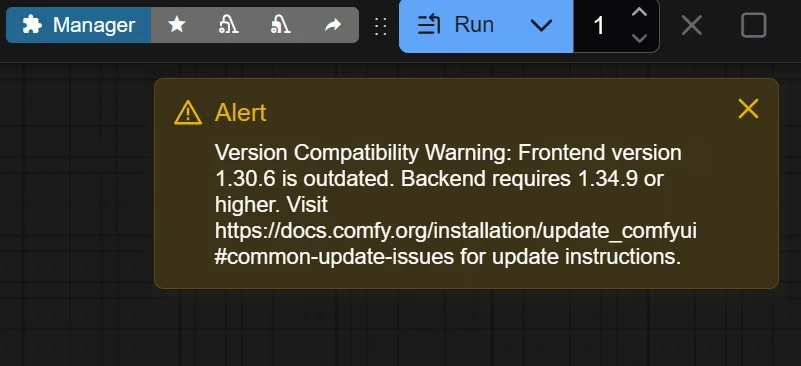
Runpod ComfyUI templates result in semi-broken install with ⚠️ Alert.
Repro steps (I suspect only the template matters, but include more details just in case)
1. Begin the new pod creation workflow
2. Choose, say, a 4090x1 setup, no network volume
3. Change template from default (pytorch) to runpod/comfyui:latest
4. Deploy pod
5. One things have settled down, click on Port 8188 -- ComfyUI link in pod sidebar pane
EXPECTED: Some reasonably up to date and smoothly running instance of ComfyUI
ACTUAL: Version Compatibility Warning: Frontend version 1.30.6 is outdated. Backend requires 1.34.9 or higher. Visit https://docs.comfy.org/installation/update_comfyui#common-update-issues for update instructions.
From there I can use Manager to update Comfy, but I would expect the runpod/comfyui template to just work. BTW n00b here. I could be wildly misunderstanding all of this. Thanks.
Note: Same thing happens when using runpod/comfyui:latest-5090 (assuming one chose 5090 in the pod setup).
1. Begin the new pod creation workflow
2. Choose, say, a 4090x1 setup, no network volume
3. Change template from default (pytorch) to runpod/comfyui:latest
4. Deploy pod
5. One things have settled down, click on Port 8188 -- ComfyUI link in pod sidebar pane
EXPECTED: Some reasonably up to date and smoothly running instance of ComfyUI
ACTUAL:
Version Compatibility Warning: Frontend version 1.30.6 is outdated. Backend requires 1.34.9 or higher. Visit https://docs.comfy.org/installation/update_comfyui#common-update-issues for update instructions.From there I can use Manager to update Comfy, but I would expect the runpod/comfyui template to just work. BTW n00b here. I could be wildly misunderstanding all of this. Thanks.
Note: Same thing happens when using runpod/comfyui:latest-5090 (assuming one chose 5090 in the pod setup).