Tried changing UPLOAD_LOCATION and now I have no idea where stuff is getting saved.
❓Question☑️Ready
Using a UGREEN NAS DXP2800 running an immich server in docker. I had it all working when I just pointed the upload location to the SSD volume1 I had, but then I decided to change the location to my HDD volume3 except keep the thumbnails and db on the SSD.
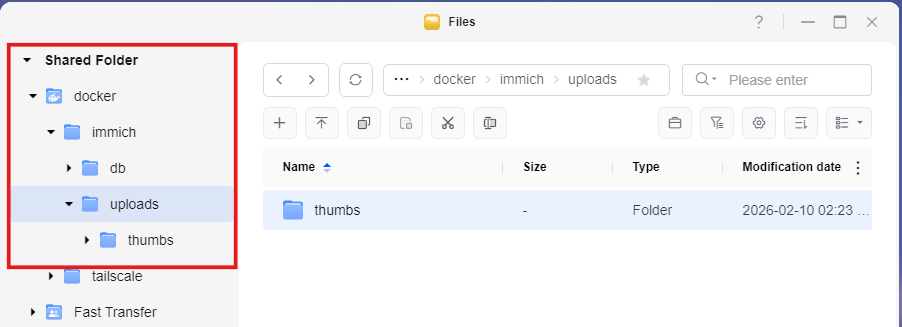
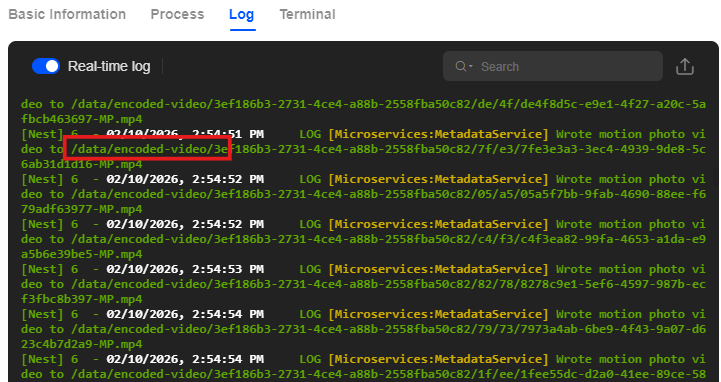
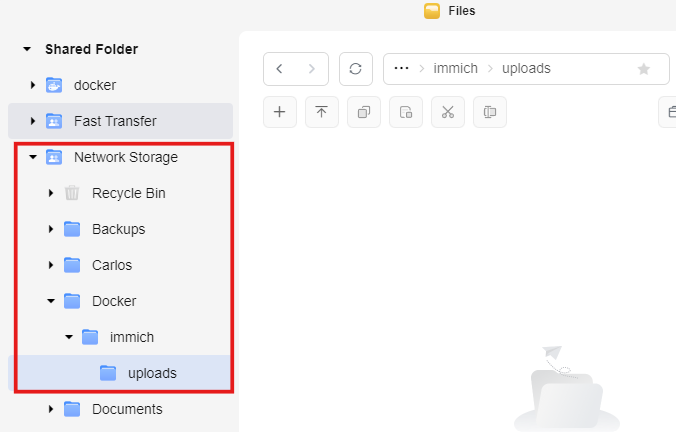
Since I didn't have a lot of photos on it yet, I decided to just start from scratch by deleting the db and upload folders in both volume1 (ssd) and volume3 (hdd), then recreating them and trying to start deploy the project again. It worked, but when after I added my external library and scanned it, I checked the upload folders I pointed to in the .env and both were empty. volume1 only created a thumbs folder that has nothing inside of it and volume3 that's supposed to have everything else was completely empty, no sub folders were created in the uploads folder I pointed to. The odd thing is that I changed the path from :/data/ to :/ssd and :/hdd, but it doesn't seem to stick, and the logs show it's saving to /data somewhere.
This was how I had it in my compose.yml file before:
- ${UPLOAD_LOCATION}:/data
- ${THUMB_LOCATION}:/data/thumbs
- /volume3/Photos:/volume3/Photos:ro
And this was after which it should be using the new :/hdd and :/ssd names I gave it but it's not according to the logs:
- ${UPLOAD_LOCATION}:/hdd/uploads
- ${THUMB_LOCATION}:/ssd/thumbs
This is my .env:
UPLOAD_LOCATION=/volume3/Network Storage/Docker/immich/uploads
THUMB_LOCATION=/volume1/docker/immich/uploads/thumbs
DB_DATA_LOCATION=/volume1/docker/immich/db
The only folder that gets populated is the db one. but both upload folders on the different drives are completely empty. And yet the logs show stuff is getting saved somewhere to /data and the immich UI does show the jobs in queue along with pictures showing up, so I have no idea whats going on anymore. I tried searching on my NAS storage for keywords like encoded-video as it says in the logs and a few other key terms, but nothing shows up on any of my volumes.
Since I didn't have a lot of photos on it yet, I decided to just start from scratch by deleting the db and upload folders in both volume1 (ssd) and volume3 (hdd), then recreating them and trying to start deploy the project again. It worked, but when after I added my external library and scanned it, I checked the upload folders I pointed to in the .env and both were empty. volume1 only created a thumbs folder that has nothing inside of it and volume3 that's supposed to have everything else was completely empty, no sub folders were created in the uploads folder I pointed to. The odd thing is that I changed the path from :/data/ to :/ssd and :/hdd, but it doesn't seem to stick, and the logs show it's saving to /data somewhere.
This was how I had it in my compose.yml file before:
- ${UPLOAD_LOCATION}:/data
- ${THUMB_LOCATION}:/data/thumbs
- /volume3/Photos:/volume3/Photos:ro
And this was after which it should be using the new :/hdd and :/ssd names I gave it but it's not according to the logs:
- ${UPLOAD_LOCATION}:/hdd/uploads
- ${THUMB_LOCATION}:/ssd/thumbs
This is my .env:
UPLOAD_LOCATION=/volume3/Network Storage/Docker/immich/uploads
THUMB_LOCATION=/volume1/docker/immich/uploads/thumbs
DB_DATA_LOCATION=/volume1/docker/immich/db
The only folder that gets populated is the db one. but both upload folders on the different drives are completely empty. And yet the logs show stuff is getting saved somewhere to /data and the immich UI does show the jobs in queue along with pictures showing up, so I have no idea whats going on anymore. I tried searching on my NAS storage for keywords like encoded-video as it says in the logs and a few other key terms, but nothing shows up on any of my volumes.