 NM
NMthick-teal
[LEGACY] Error - Script file not found 'walk'
Legacy Errors
EDIT: This no longer occurs on v0.8.6 and above!
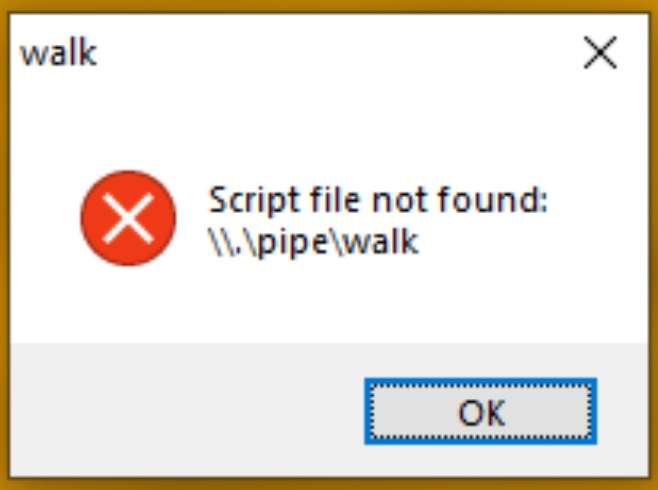
In Natro v0.8.0 to v0.8.5, you may encounter this error while running the macro.
This is usually caused by a third-party antivirus (e.g. Kaspersky, Bitdefender, etc.) interfering with the process creation in Natro Macro. Temporarily disable your antivirus while the macro is running to prevent this issue.
All of the reports on this issue so far have been caused by Kaspersky, and fixed after completely disabling Kaspersky while running the macro. There are many guides online about how to do this. Before starting the macro, make sure it is completely disabled, not running on your computer (check Task Manager), and not scheduled to enable itself.
A few other possible fixes are:
- Ensure that you are running the latest version of AHK (https://www.autohotkey.com/download/ahk-install.exe)
- Try running natro_macro.ahk as administrator, your system configuration could require the script to be elevated to start a new process.
In Natro v0.8.0 to v0.8.5, you may encounter this error while running the macro.
This is usually caused by a third-party antivirus (e.g. Kaspersky, Bitdefender, etc.) interfering with the process creation in Natro Macro. Temporarily disable your antivirus while the macro is running to prevent this issue.
All of the reports on this issue so far have been caused by Kaspersky, and fixed after completely disabling Kaspersky while running the macro. There are many guides online about how to do this. Before starting the macro, make sure it is completely disabled, not running on your computer (check Task Manager), and not scheduled to enable itself.
A few other possible fixes are:
- Ensure that you are running the latest version of AHK (https://www.autohotkey.com/download/ahk-install.exe)
- Try running natro_macro.ahk as administrator, your system configuration could require the script to be elevated to start a new process.

This is the Natro community server. Come for anything related to Bee Swarm Simulator!
871,230Members
Resources
Similar Threads
Was this page helpful?



