
How to add gaps to the infinite scrolling list?
I have a simple infinite scrolling list (for ease mind it just a huge one-page list) and it's just the same as the docs example https://tanstack.com/virtual/v3/docs/guide/introduction
With this useVirtualizer options
But whenever I've tried to add a gap like so:
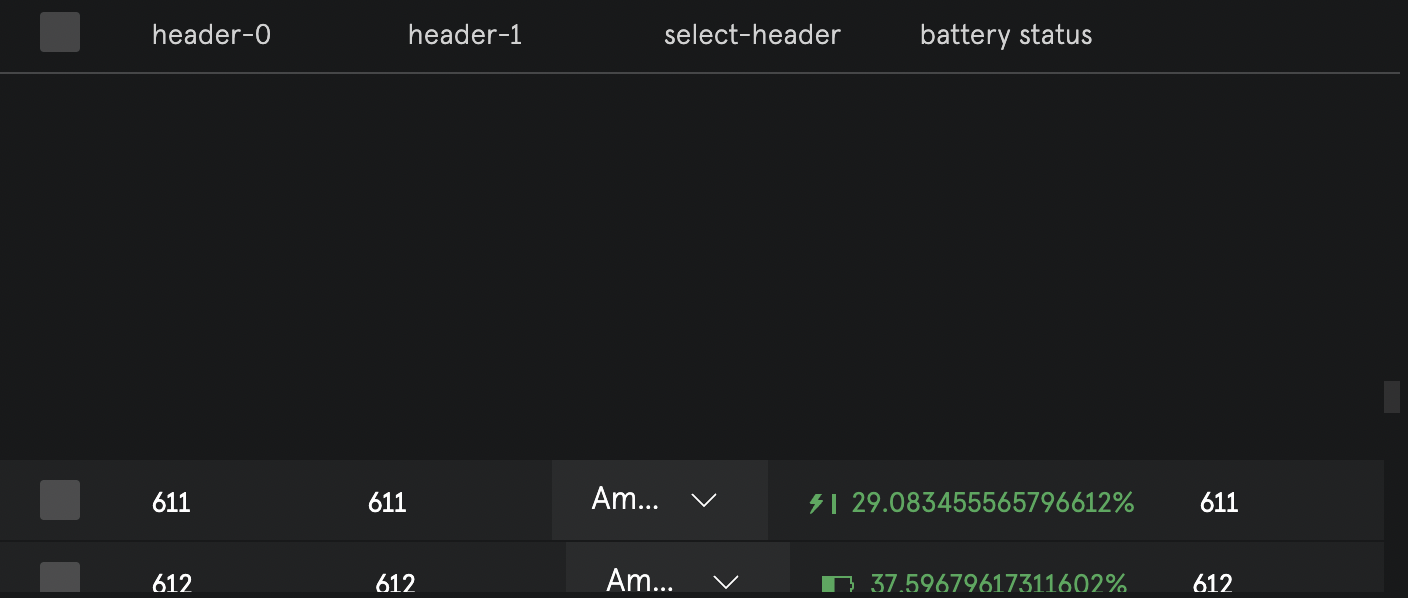
virtual list starting increasing its offset from top of the visible List rectangle (each item I scroll than each gap of the scrolled list would be added to such offset)
It results into hiding my virtual list completely at some point when offset = visible List rectangle
(see attached screenshot)
How can I add gaps without this weird behaviour?
With this useVirtualizer options
But whenever I've tried to add a gap like so:
virtual list starting increasing its offset from top of the visible List rectangle (each item I scroll than each gap of the scrolled list would be added to such offset)
It results into hiding my virtual list completely at some point when offset = visible List rectangle
(see attached screenshot)
How can I add gaps without this weird behaviour?
TanStack Virtual is a headless UI utility for virtualizing long lists of elements in JS/TS, React, Vue, Svelte and Solid. It is not a component therefore does not ship with or render any markup or styles for you. While this requires a bit of markup and styles from you, you will retain 100% control over your styles, design and implementation.
T...
T...


