
❔ Project is not specified on Rider
I am following this ASP.NET Core tutorial https://www.youtube.com/watch?v=pzFY45La2LE&t=972s with Rider.
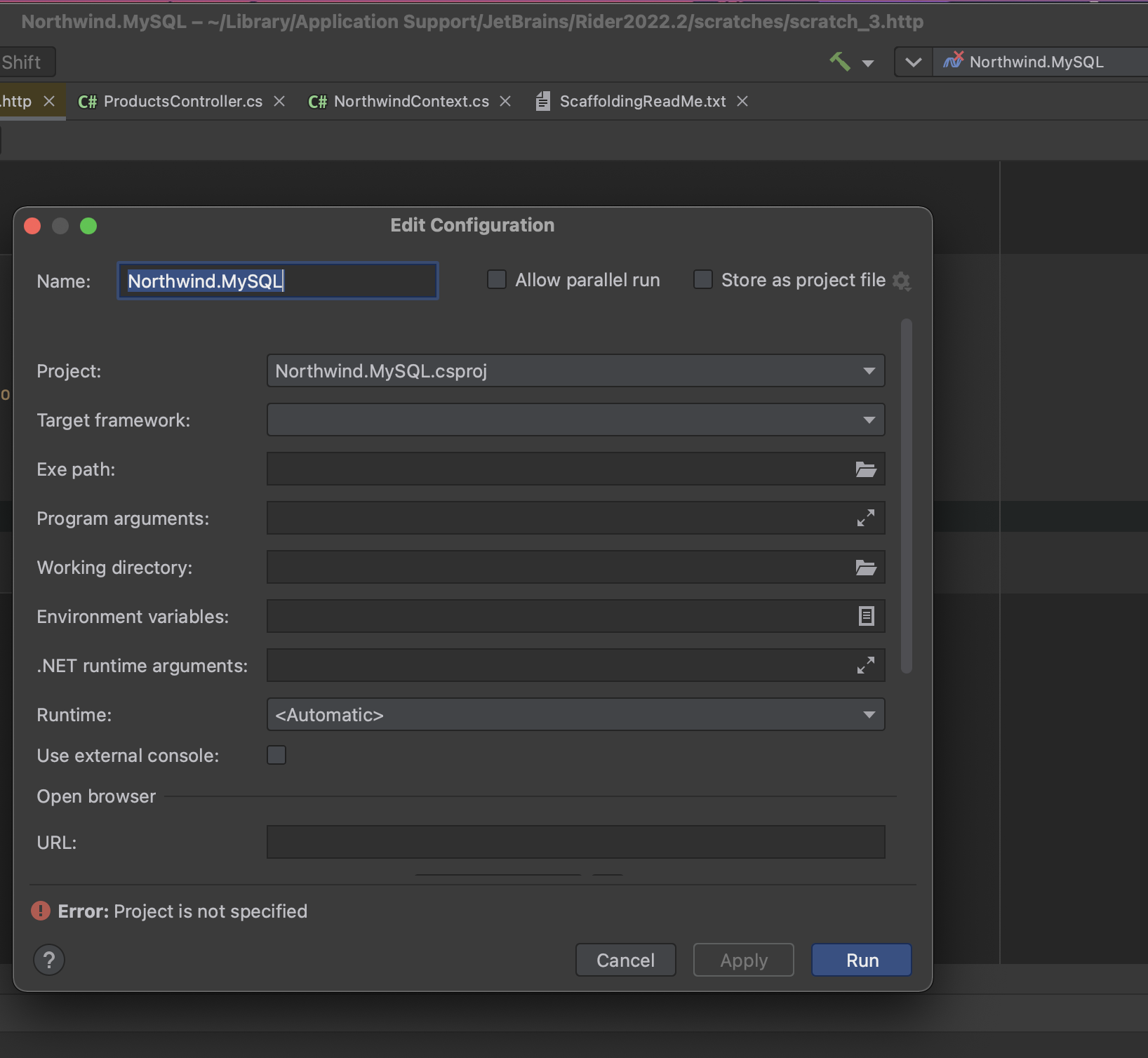
As soon as I hit the run button, my Rider prompts this edit configuration window with the error message "project is not specified" on the bottom as per screenshot.
Some of the blank sections are just disabled, I cannot fill in or select any options.
My expected outcome here is to view a swagger page, it should be doable with Rider too. Could anyone kindly point out what I have done wrongly?
As soon as I hit the run button, my Rider prompts this edit configuration window with the error message "project is not specified" on the bottom as per screenshot.
Some of the blank sections are just disabled, I cannot fill in or select any options.
My expected outcome here is to view a swagger page, it should be doable with Rider too. Could anyone kindly point out what I have done wrongly?
YouTubeCurious Drive
Hey Programmers,
In this video, I am showing how you can quickly scaffold your database into models and load related data, call stored procedures and get data from views from MySQL Database for asp.net core web API project.
GitHub Link - Source Code:
https://github.com/CuriousDrive/EFCore.AllDatabasesConsidered
Steps :
Add Connection String :...
In this video, I am showing how you can quickly scaffold your database into models and load related data, call stored procedures and get data from views from MySQL Database for asp.net core web API project.
GitHub Link - Source Code:
https://github.com/CuriousDrive/EFCore.AllDatabasesConsidered
Steps :
Add Connection String :...

