Jade Gui Error after completing first screen - KDE Version won't install in two different computers.
After completing setup initial configs -
(manual partitioning)
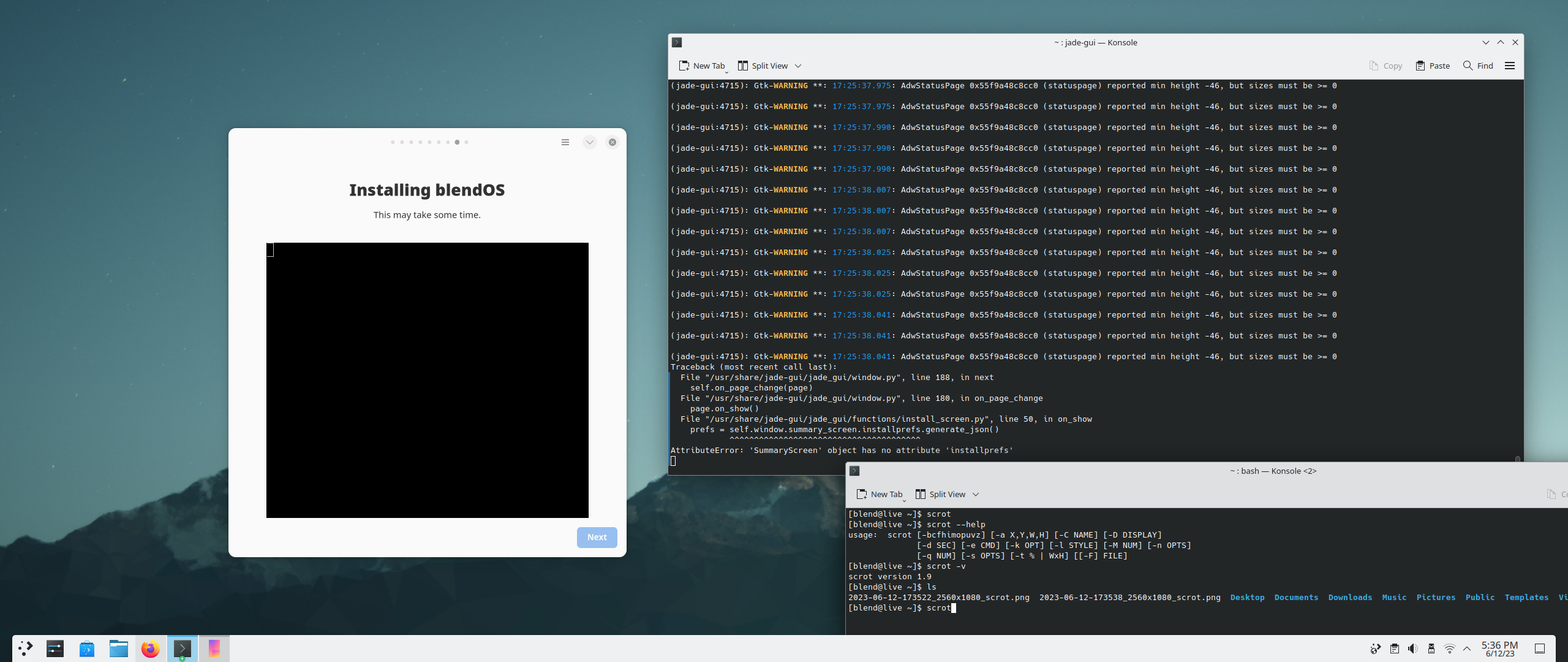
Traceback (most recent call last):
File "/usr/share/jade-gui/jade_gui/window.py", line 188, in next
self.on_page_change(page)
File "/usr/share/jade-gui/jade_gui/window.py", line 180, in on_page_change
page.on_show()
File "/usr/share/jade-gui/jade_gui/functions/install_screen.py", line 50, in on_show
prefs = self.window.summary_screen.installprefs.generate_json()
^^^^^^^^^^^^^^^^^^^^^^^^^^^^^^^^^^^^^^^
AttributeError: 'SummaryScreen' object has no attribute 'installprefs'
4 Replies
solved it manually installing git, cloning blend-inst from the github, editing the sample json file and running blend-inst config 'jsonfilename.json'
still got some errors - it did not found the filesystem correctly when using partition on manual mode, setting to auto seems to do the trick.
still got an error at the end when trying to generate the custom user from install .json:
Generating locales...
en_US.UTF-8... done
pt_BR.UTF-8... done
Generation complete.
Traceback (most recent call last):
File "/usr/bin/blend-inst", line 380, in <module>
inst_users(config)
File "/usr/bin/blend-inst", line 344, in inst_users
exec_chroot(['usermod', '-c', user['fullname'], user['name']])
~~~~^^^^^^^^^^^^
KeyError: 'fullname'
apparently fixed adding a line fullname to the .json file! 🙂
Extra info - apparently the problem was caused because I've generated the USB Stick using Rufus
use etcher
or dd
rufus in dd mode might also work
Thanks!