HTTPS / x509 certificate issues
Hi,
we've been running Coder on our internal network for quite some months now and it has been working just fine.
We recently requested an x509 certificate from Let's Encrypt, set everything up and tested accessing our instance via HTTPS. Everything seemed to work.
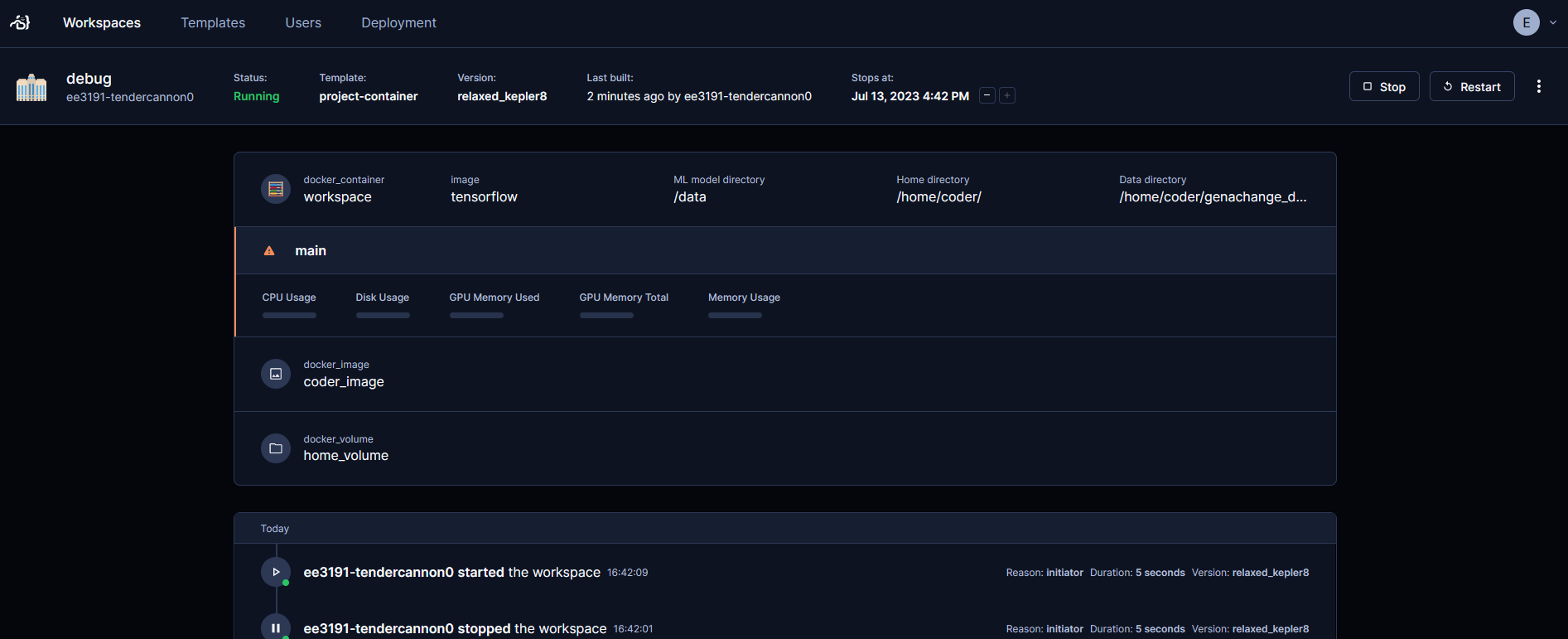
When we then decided to apply all changes for HTTPS access and tried to actually interact with the workspaces, we noticed that although Coder can trigger Docker to start and stop workspaces, the Coder web UI does not update to allow any further interaction with the workspaces. See attached screenshot.
We have reverted back to HTTP access over port 3000, which did fix the issue. The buttons reappeared after starting the workspaces.
The relevant part of our coder.env file (old HTTP settings commented out) looks like this:
Also (but only maybe related) any attempts to login to the HTTPS-configured Coder instance with
which is weird, since Let's Encrypt is the CA which I can verify manually with openssl. But I have no clue if that error could also be the source of the buttons disappearing.
How can we fix this? Is there any misconfiguration on our part that we don't see?
we've been running Coder on our internal network for quite some months now and it has been working just fine.
We recently requested an x509 certificate from Let's Encrypt, set everything up and tested accessing our instance via HTTPS. Everything seemed to work.
When we then decided to apply all changes for HTTPS access and tried to actually interact with the workspaces, we noticed that although Coder can trigger Docker to start and stop workspaces, the Coder web UI does not update to allow any further interaction with the workspaces. See attached screenshot.
We have reverted back to HTTP access over port 3000, which did fix the issue. The buttons reappeared after starting the workspaces.
The relevant part of our coder.env file (old HTTP settings commented out) looks like this:
Also (but only maybe related) any attempts to login to the HTTPS-configured Coder instance with
coder login https://<DOMAIN>which is weird, since Let's Encrypt is the CA which I can verify manually with openssl. But I have no clue if that error could also be the source of the buttons disappearing.
How can we fix this? Is there any misconfiguration on our part that we don't see?