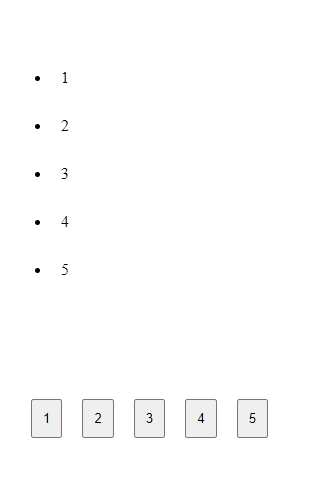
✅ Any Frontenders? pagination
Hi, so i was training in building pagination, thats what i got - works well,
so, my problem is, i have no clue how to... can't even say what i need, like
in this case i have 5 buttons cuz -
so, what should i do for render only 3 pages, and like when on page 1 i click page 3, it render 2 - 3 - 4?
<script>
    window.addEventListener("load", async () => {
        await RequestDataForPage(0);

        const response = await fetch("api/pageAmount", {
            method: "GET",
            headers: { "Accept": "application/json" }
        });

        const data = await response.json();

        for (let i = 0; i < data; i++) {
            const btn = document.createElement("button");
            btn.classList.add("pagination_btn");
            btn.addEventListener("click", () => RequestDataForPage(i))
            btn.textContent = i + 1;
            document.querySelector("[data-nation]").appendChild(btn);
        };
    });

    async function RequestDataForPage(id) {
        const response = await fetch(`api/${id}`, {
            method: "GET",
            headers: { "Accept": "application/json" }
        });

        const data = await response.json();

        const dataList = document.querySelector("[data-list]");

        while (dataList.firstChild) {
            dataList.removeChild(dataList.firstChild);
        }

        data.forEach(elemetn => {
            const listElement = document.createElement("li");
            listElement.classList.add("listElement");
            listElement.textContent = elemetn;

            dataList.appendChild(listElement);
        });
    }
</script>
<script>
window.addEventListener("load", async () => {
await RequestDataForPage(0);
const response = await fetch("api/pageAmount", {
method: "GET",
headers: { "Accept": "application/json" }
});
const data = await response.json();
for (let i = 0; i < data; i++) {
const btn = document.createElement("button");
btn.classList.add("pagination_btn");
btn.addEventListener("click", () => RequestDataForPage(i))
btn.textContent = i + 1;
document.querySelector("[data-nation]").appendChild(btn);
};
});
async function RequestDataForPage(id) {
const response = await fetch(`api/${id}`, {
method: "GET",
headers: { "Accept": "application/json" }
});
const data = await response.json();
const dataList = document.querySelector("[data-list]");
while (dataList.firstChild) {
dataList.removeChild(dataList.firstChild);
}
data.forEach(elemetn => {
const listElement = document.createElement("li");
listElement.classList.add("listElement");
listElement.textContent = elemetn;
dataList.appendChild(listElement);
});
}
</script>so, my problem is, i have no clue how to... can't even say what i need, like
in this case i have 5 buttons cuz -
const int ITEMS_PER_PAGE = 5;
List<string> list = new List<string>
{
    "1", "2", "3", "4", "5", "6", "7", "8", "9", "10",
    "11", "12", "13", "14", "15", "16", "17", "18", "19", "20",
    "21", "22", "23"
};

[Route("api/pageAmount")]
public IActionResult pageAmount()
{
    int pageAmount = list.Count / ITEMS_PER_PAGE;
    return Json(pageAmount + 1);
}
const int ITEMS_PER_PAGE = 5;
List<string> list = new List<string>
{
"1", "2", "3", "4", "5", "6", "7", "8", "9", "10",
"11", "12", "13", "14", "15", "16", "17", "18", "19", "20",
"21", "22", "23"
};
[Route("api/pageAmount")]
public IActionResult pageAmount()
{
int pageAmount = list.Count / ITEMS_PER_PAGE;
return Json(pageAmount + 1);
}so, what should i do for render only 3 pages, and like when on page 1 i click page 3, it render 2 - 3 - 4?