problem installing blend os KDE
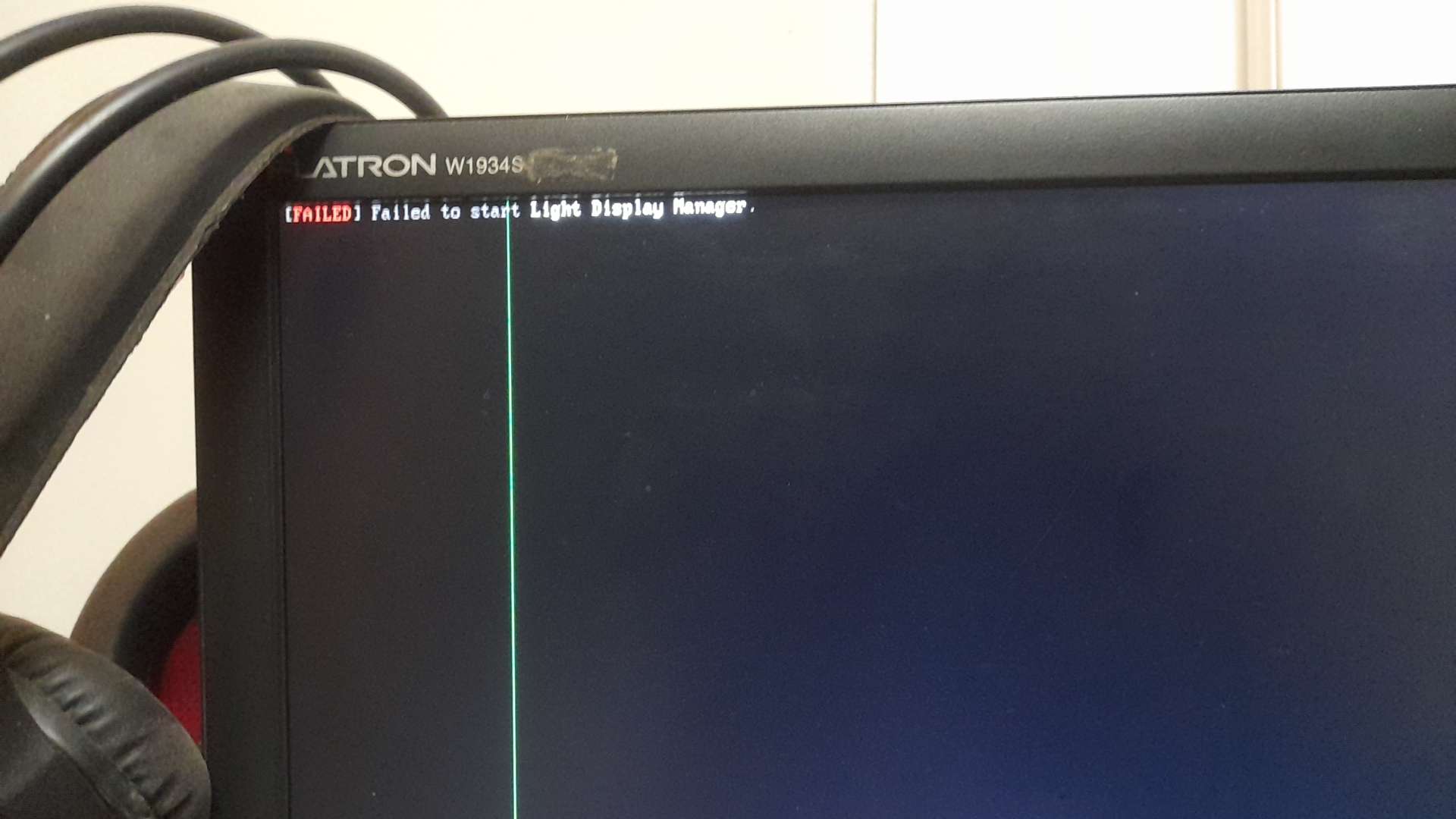
everytime I try to install blend os KDE I get the following text as in the image , idk if this is because i installed blend os gnome then tried to change (tried to change it to cinnamon and broke my device to the same problem (didn't realize cinnamon doesnt have android apps which might have broken it idk)) so is how do i fix it
26 Replies
looks like it's trying to start LightDM, which KDE doesn't use
KDE uses SDDM
hit Ctrl+Alt+F2
that should get you to a TTY
then
login
at the TTY
then do
sudo systemctl disable lightdm
sudo systemctl enable sddm
rebootdoes cinnamon also use sddm
"failed to enable unit: unit file sddm.servicr does not exist
that is for the broken already installed version
for the KDE it asks for a login
looked it up and found the login thingy
"sudo systemctl enable sddm" gives the results of: "failed to enable unit: unit file sddm.service does not exist
no it uses lightDM
@ム丂イ乇尺ノ丂ズ
so it myst not have converted you to KDE right
I'm not talking about converting , the KDE is on a flashdrive , the converted cinnamon is on the device
this is a liveCD?
yes
i reflashed it and now I am stuck here

@ム丂イ乇尺ノ丂ズ
With what
with KDE
@AAShaker, you've gained the level
1ok a live cd
on*
I want to @ you but I also don't want to be annoying
@ム丂イ乇尺ノ丂ズ
flashed with what
rufus
Use DD mode
Or use etcher
same problem
do I just try another distro or is there a fix
Side question did you try running 'sudo system track' to just change the Desktop Environment? Instead of a fresh install?
yes and that is what broke the already installed version
so I tried to install a new one after the old one broke
@ム丂イ乇尺ノ丂ズ
can you send over the journal?
when it get stuck hit ctrl+alt+f2 or ctrl+alt+f3
should set up a TTY
then run
journalctl -b after logging in (should be blend/no password)
send anything interestingit's root
and it logs you in no password

this is the journalctl -b @ム丂イ乇尺ノ丂ズ
nvm I'm just going to use redownload gnome
and just deal with it
anyways thank you