Table columns type definition
I have a simple table in my app.
All it does is show file metadata.
Beside the data is self I have few button actions.
I use @tanstack/query to fetch all the data from the server.
My problem starts when I want to create the table.
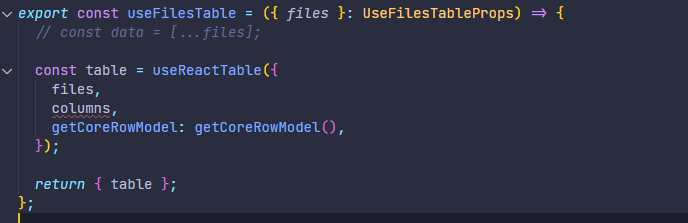
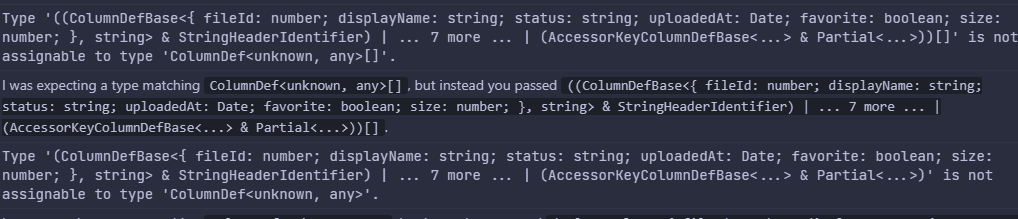
This is the code I use, the problem is when I try to use the 'files' directly, then I shows an error on the columns types. While the 'data' and the 'files' have the same type.
Now, I've tried to decorate the column with type but it does not seem to work. I would love any help from you guys.
All it does is show file metadata.
Beside the data is self I have few button actions.
I use @tanstack/query to fetch all the data from the server.
My problem starts when I want to create the table.
This is the code I use, the problem is when I try to use the 'files' directly, then I shows an error on the columns types. While the 'data' and the 'files' have the same type.
Now, I've tried to decorate the column with type but it does not seem to work. I would love any help from you guys.