© 2026 Hedgehog Software, LLC
Twitter
GitHub
Discord
System
Light
Dark
More
Communities
Docs
About
Terms
Privacy
Search
Star
Feedback
Setup for Free
no bootable device after installing BlendOS - blendOS
b
blendOS
•
2y ago
•
15 replies
Waffles Fox
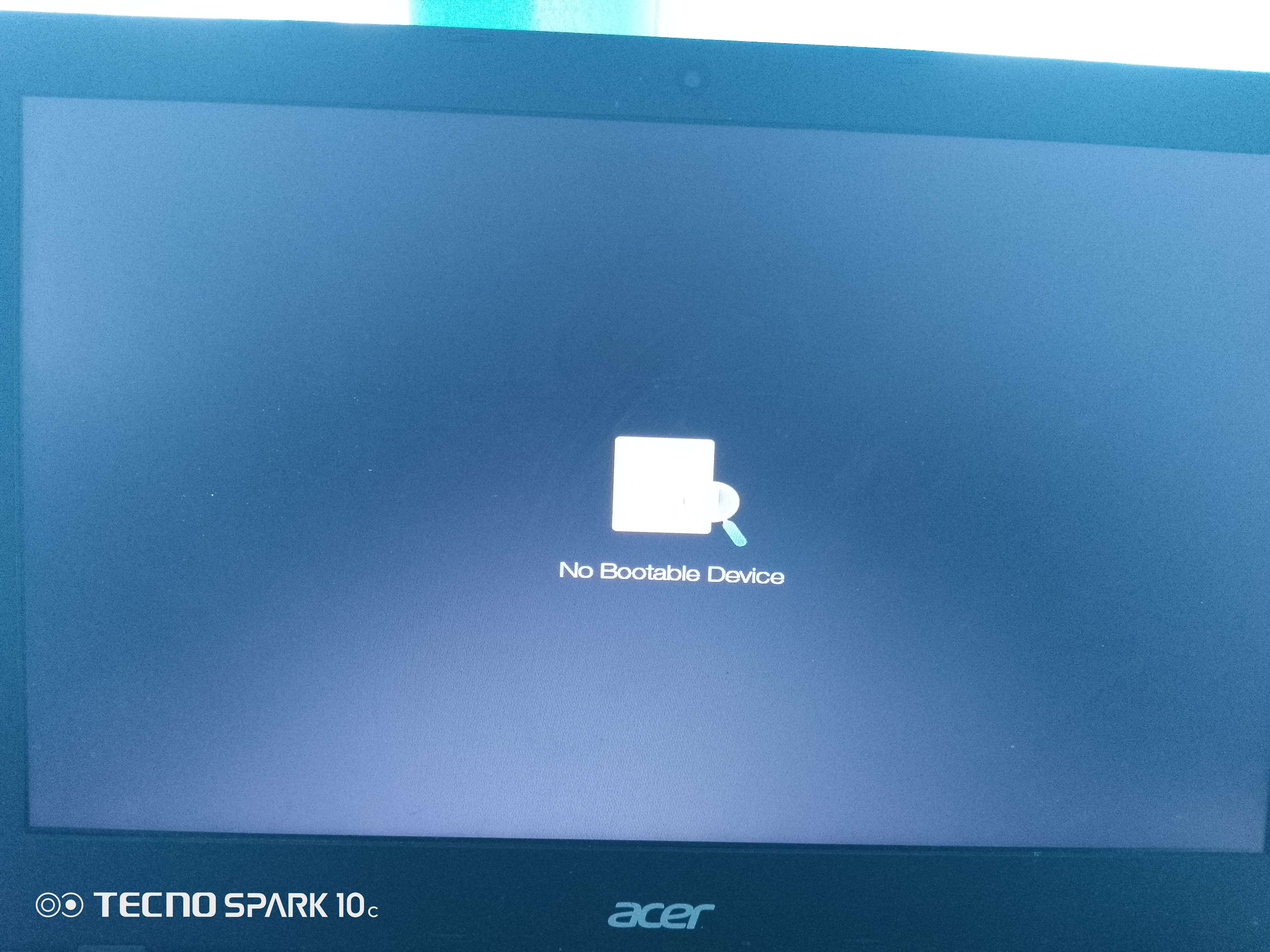
no bootable device after installing BlendOS
This happens too on most linux OS I install on my acer laptop
. I really want to try BlendOS
, how do I fix this
?
Solution
try the new v4
, we just fixed this issue
Jump to solution
Similar Threads
Recent Announcements
Similar Threads
Installing BlendOS on Gnome Boxes
b
blendOS / 🆘┃support
3y ago
Arch error or BlendOS error installing electron packages
b
blendOS / 🆘┃support
3y ago
blendOs won't boot after update
b
blendOS / 🆘┃support
3y ago
Unable to restart BlendOS after power failure
b
blendOS / 🆘┃support
3y ago