Unable to Customize Login Screen (KDE)
Seems like no matter which route I take, the login screen refuses to change. I'm using Nvidia KDE image on a desktop.
Attempt 1 - System Settings -> Appearance & Style -> Login Screen (SDDM) -> Breeze Fedora, Change Background -> Load From File -> Select a new file -> Apply
When I log out, the screen still shows the original background image (a painted river/trees).
Attempt 2 - System Settings -> Appearance & Style -> Login Screen (SDDM) -> Get New -> Choose Login Screen to install -> Install
The below error is provided.
Attempt 3 - Download lock screen from kde store (https://store.kde.org/p/1283380) and extract to
Does not show in Settings.
Attempt 3.5 - Just place the
Still doesn't show.
Attempt 4 - System Settings -> Appearance & Style -> Login Screen (SDDM) -> Install From File -> Select downloaded
Attempt 5 - Manually open
Attempt 6 - Discovery Store -> Plasma Addons -> Login Screens -> Select theme/install
I'm officially out of ideas - any thoughts on how to change my login screen from the default?
Attempt 1 - System Settings -> Appearance & Style -> Login Screen (SDDM) -> Breeze Fedora, Change Background -> Load From File -> Select a new file -> Apply
When I log out, the screen still shows the original background image (a painted river/trees).
Attempt 2 - System Settings -> Appearance & Style -> Login Screen (SDDM) -> Get New -> Choose Login Screen to install -> Install
The below error is provided.
Attempt 3 - Download lock screen from kde store (https://store.kde.org/p/1283380) and extract to
/etc/sddm/themesDoes not show in Settings.
Attempt 3.5 - Just place the
.tar.gzStill doesn't show.
Attempt 4 - System Settings -> Appearance & Style -> Login Screen (SDDM) -> Install From File -> Select downloaded
tar.gzCould not decompress archiveAttempt 5 - Manually open
Ptyxissddmthemeinstaller -i /tmp/monochrome-sddm.tar.gzCould not decompress archiveAttempt 6 - Discovery Store -> Plasma Addons -> Login Screens -> Select theme/install
I'm officially out of ideas - any thoughts on how to change my login screen from the default?
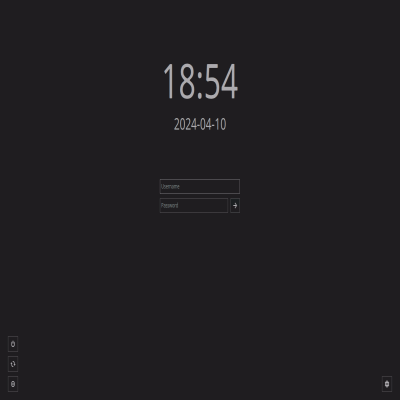
A dark theme inspired by black and white photography.See the project page for more information and recommendations.
Solution
I suspect that these instructions for Kinoite will work. https://www.reddit.com/r/Fedora/comments/12ywfst/kinoite_how_can_i_change_login_background/ but be careful when editing your /etc/fstab folder as you can end up with an unbootable system. I''m going to test them now