
Vite Production Build: CSS/JS Not Loading - Need Assistance
I'm having trouble with my HTML, CSS, and JavaScript project using Vite. I'm building a Recipe Website with the MealDBAPI. The project works locally, but when I build it for production using npm run build and preview it, the CSS and JS files don't load, and I can't figure out why. I've tried many solutions but nothing has worked so far.
after I finished the website,I decided to build it for production, the css and js doesnt work anymore.
Here’s what I’ve done:
- Moved all source files (HTML, CSS, JS) from the public directory to the src directory.
- Updated all paths in the CSS and JS files, as well as image paths, from relative paths to root paths.
- I tried to create console message to check if the API (mealDBAPI) is working but it working fine.
You can find the source code on GitHub: https://github.com/jfmartinz/FindRecipe
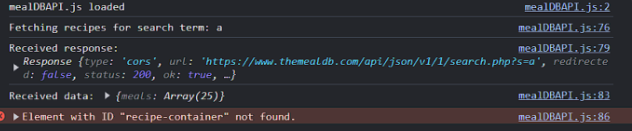
This is the error I am getting (but idk know if this is related to the problem I am facing):
error
I checked recipe-container id and it exists in the displayRecipe.html where I want to render all the recipes but still getting this error. Though I am not sure if this error is the problem why mealDBAPI.js is not working
I’ve been stuck on this issue for days and would really appreciate any help to get this project working. Thank you so much!
P.S Btw I used Netlify to deploy it, heres the linK: https://findrecipe300.netlify.app/
Video demo probmlem: https://www.loom.com/share/3610279830ce40fe9c8661a07db34d89?sid=450f0824-c16e-4333-8e4e-8eca6c304d1f
after I finished the website,I decided to build it for production, the css and js doesnt work anymore.
Here’s what I’ve done:
- Moved all source files (HTML, CSS, JS) from the public directory to the src directory.
- Updated all paths in the CSS and JS files, as well as image paths, from relative paths to root paths.
- I tried to create console message to check if the API (mealDBAPI) is working but it working fine.
You can find the source code on GitHub: https://github.com/jfmartinz/FindRecipe
This is the error I am getting (but idk know if this is related to the problem I am facing):
error
I checked recipe-container id and it exists in the displayRecipe.html where I want to render all the recipes but still getting this error. Though I am not sure if this error is the problem why mealDBAPI.js is not working
I’ve been stuck on this issue for days and would really appreciate any help to get this project working. Thank you so much!
P.S Btw I used Netlify to deploy it, heres the linK: https://findrecipe300.netlify.app/
Video demo probmlem: https://www.loom.com/share/3610279830ce40fe9c8661a07db34d89?sid=450f0824-c16e-4333-8e4e-8eca6c304d1f

GitHub
Contribute to jfmartinz/FindRecipe development by creating an account on GitHub.
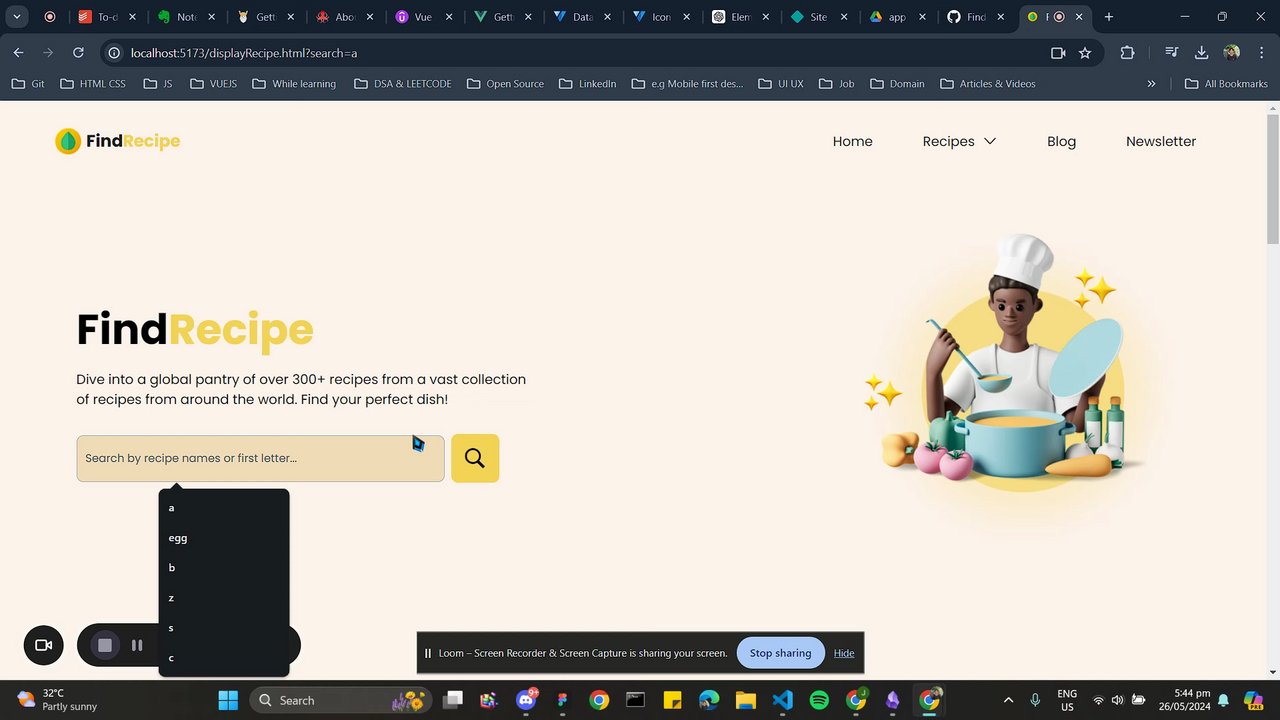
Dive into a global pantry of over 300+ recipes from a vast collection of recipes from around the world. Find your perfect dish!

A friendly place for developers to meet other devs, ask questions, get help, and just have a good time 🙂.
36,263Members
Resources
Was this page helpful?
