© 2026 Hedgehog Software, LLC

TwitterGitHubDiscord
More
CommunitiesDocsAboutTermsPrivacy
Search
Star
Setup for Free
The Iris ProjectTIP
The Iris Project•2y ago•
3 replies
Arc

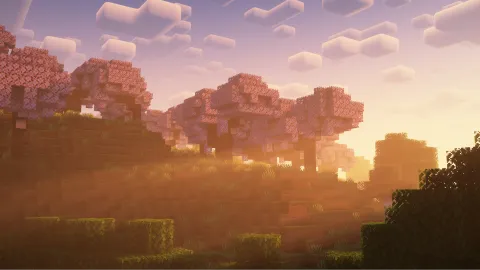
Default clouds won't go away

Default clouds still remain while using complementary shaders on latest iris 1.8 beta2
2024-08-24_00.56.47.png
Solution
Those are Distant Horizons clouds. You can disable them in Distant Horizons settings > Advance settings > Graphics > (i forgot which option menu :ioa:).
Jump to solution
The Iris Project banner
The Iris ProjectJoin
This server is all about the development and community around Iris Shaders!
71,314Members
Resources

Similar Threads

Was this page helpful?
Recent Announcements

Similar Threads

Clouds won't turn off on some shaders
The Iris ProjectTIPThe Iris Project / iris-issues
2y ago
Rethinking Voxels still shows default clouds along with shaders' clouds
The Iris ProjectTIPThe Iris Project / iris-issues
2y ago
wobbling clouds
The Iris ProjectTIPThe Iris Project / iris-issues
2y ago
clouds being weird?
The Iris ProjectTIPThe Iris Project / iris-issues
14mo ago