Path alias not working
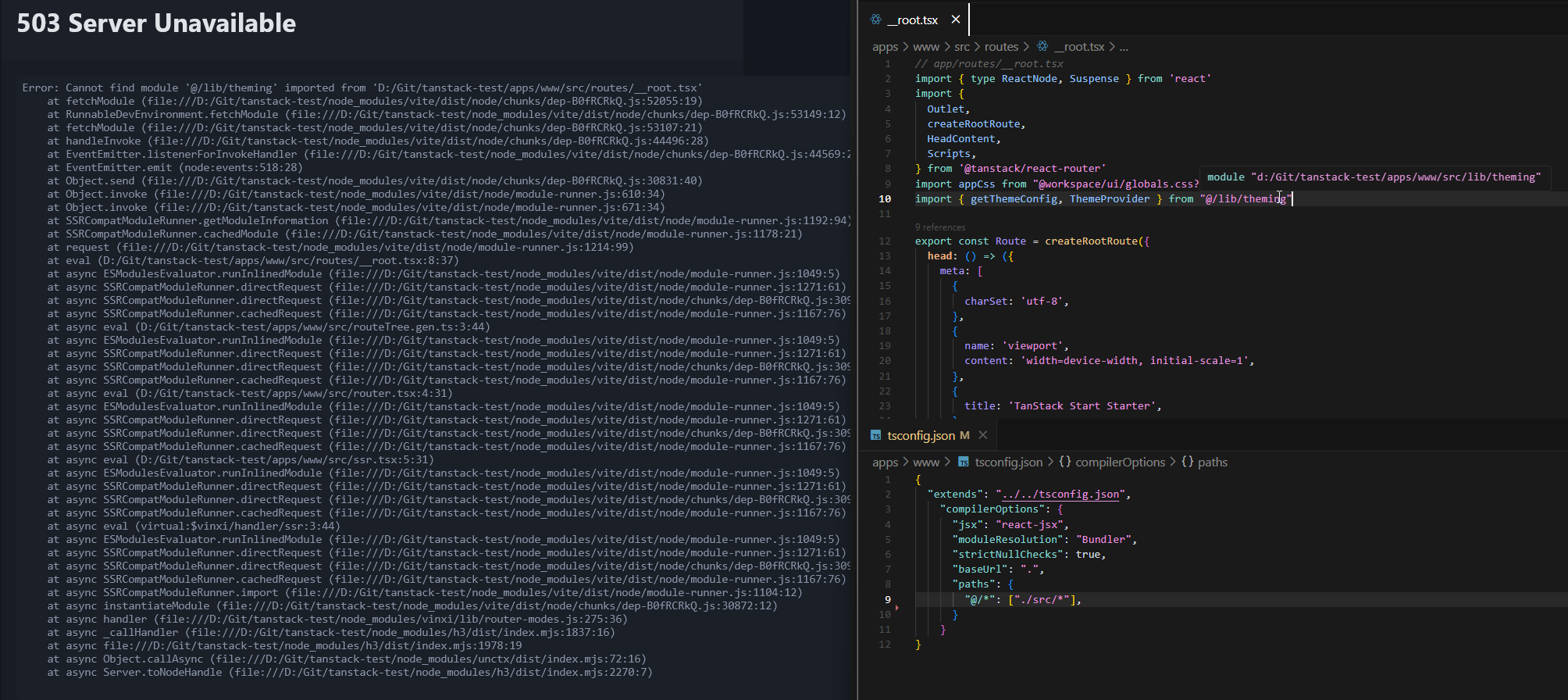
Not sure if this is the right place for this but I'm having an issue with trying to use a Typescript path alias.
I've set up the path alias, the editor is picking up the right path (see hover-over in screenshot) and I've got the vite plugin for the tsconfig paths.
Anyone got any ideas? If I use a relative path to the lib file then it's fine. I'm definitely not new to TS but this one has me a little stumped.
I've set up the path alias, the editor is picking up the right path (see hover-over in screenshot) and I've got the vite plugin for the tsconfig paths.
app.config.tsAnyone got any ideas? If I use a relative path to the lib file then it's fine. I'm definitely not new to TS but this one has me a little stumped.