
Unity Mod Manager doesn't install despite reporting successful install
Hi Everyone,
I'm attempting to install Unity Mod Manager (https://www.nexusmods.com/site/mods/21) for use with Pathfinder: Wrath of the Righteous. According to the program author and at least a few protondb users, this program should function in Linux with a Proton version of Pathfinder. It even has install instructions for Linux systems on the Nexus page, but I am unable to open a single mod or even the mod manager itself within Wrath. Here are the details:
I'm running on an AMD Ryzen™ 5 5600X with a Radeon RX 6750 XT in Bazzite 41 (FROM Fedora Silverblue), 64-bit.
Stable (F41.20250317)
GNOME Version 47
Wayland
Linux 6.13.6-103.bazzite.fc41.x86_64
First, I followed the instructions on Nexusmods. I downloaded and installed
I selected the
So then I tried pointing to a symlink instead of the location shared above. The instructions insisted this was necessary, so I figured I'd just missed a step. UMM reported a successful install of both itself and Toy Box... I ran the game, tried to open the mod and nothing happened.
I then looked up whether other people had tried a different install method. Several people in a Reddit thread had success installing the Mod Manager as non-Steam game using Proton Experimental. Tried that. Again, UMM reports a successful install, but CTRL+F10 doesn't work in game.
(continued in reply)
I'm attempting to install Unity Mod Manager (https://www.nexusmods.com/site/mods/21) for use with Pathfinder: Wrath of the Righteous. According to the program author and at least a few protondb users, this program should function in Linux with a Proton version of Pathfinder. It even has install instructions for Linux systems on the Nexus page, but I am unable to open a single mod or even the mod manager itself within Wrath. Here are the details:
I'm running on an AMD Ryzen™ 5 5600X with a Radeon RX 6750 XT in Bazzite 41 (FROM Fedora Silverblue), 64-bit.
Stable (F41.20250317)
GNOME Version 47
Wayland
Linux 6.13.6-103.bazzite.fc41.x86_64
First, I followed the instructions on Nexusmods. I downloaded and installed
monomono UnityModManager.exe/home/booper/.local/share/Steam/steamapps/common/Pathfinder Second AdventureI selected the
AssemblyToy BoxSo then I tried pointing to a symlink instead of the location shared above. The instructions insisted this was necessary, so I figured I'd just missed a step. UMM reported a successful install of both itself and Toy Box... I ran the game, tried to open the mod and nothing happened.
I then looked up whether other people had tried a different install method. Several people in a Reddit thread had success installing the Mod Manager as non-Steam game using Proton Experimental. Tried that. Again, UMM reports a successful install, but CTRL+F10 doesn't work in game.
(continued in reply)
Nexus Mods :: Pathfinder: Wrath of The Righteous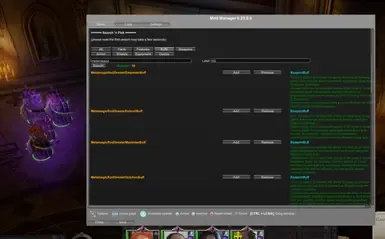
Toy Box is a cute and playful mod with 500+ cheats, tweaks and quality of life improvements for Pathfinder: WoTR. It was created in the spirit of Bag of Tricks & Cheat Menu but with a little diffe
