
Desktop nvidia, multi monitor gaming - "loosing" monitor
Hey, since wayland enabled compatibility layers proton/wine i'm encountering an issue with "loosing" a monitor during gameplay. Let me describe my setup first:
Setup:
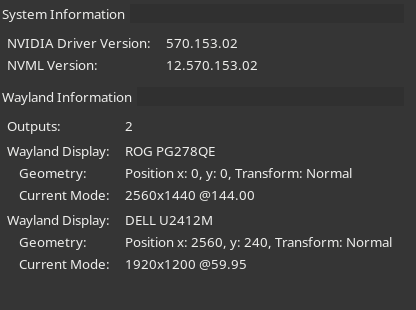
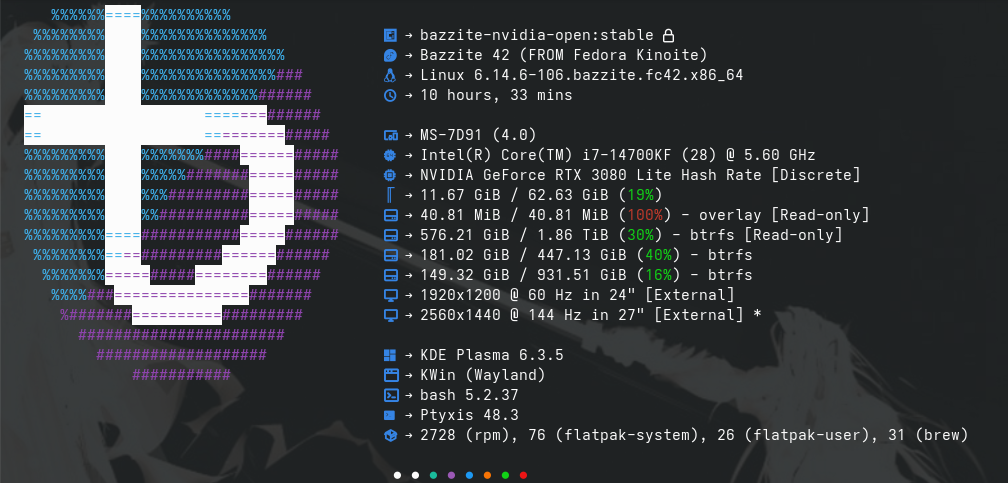
2 Monitors, one 2K 144Hz, second 1200p 60Hz, I'm gaming on the first one (also set to main monitor), nVidia 3080, I7 intel - you can check the screens for details
Symptoms:
After playing a game (World of Warcraft and Bbaldur's Gate 3 recently) the main monitor picture freezes (the app still works, as i can hear audio and audio reacts to my key presses) mouse cursor vanishes from the monitor and it's only available on the other monitor. I cannot shutdown the system, as it requires confirmation on now frozen monitor. The only solution is to power-button turn off the PC and start over. This happens at random time interval from starting to play, no real way to force this behaviour was found.
What i have tried:
Unplugging and plugging the "frozen" monitor does nothing, monitor goes black and does not go back to frozen state after re-plugging
Turning the primary monitor off and on in display settings
Running the main monitor at 60 Hz to match the second monitor did not help
Tried plugging primary monitor in DP-1 and DP-2 ports, no change, still happens
The only way to prevent those freezes from happening is turning off my second monitor during gaming session, which well, I have the second monitor for gaming sessions to use primary.
Any hints? I'd also be curious if anyone else is getting this kind of issues, maybe it's nVidia driver related, maybe Wayland - any hints on what to test or try would be much appreciated!
Setup:
2 Monitors, one 2K 144Hz, second 1200p 60Hz, I'm gaming on the first one (also set to main monitor), nVidia 3080, I7 intel - you can check the screens for details
Symptoms:
After playing a game (World of Warcraft and Bbaldur's Gate 3 recently) the main monitor picture freezes (the app still works, as i can hear audio and audio reacts to my key presses) mouse cursor vanishes from the monitor and it's only available on the other monitor. I cannot shutdown the system, as it requires confirmation on now frozen monitor. The only solution is to power-button turn off the PC and start over. This happens at random time interval from starting to play, no real way to force this behaviour was found.
What i have tried:
Unplugging and plugging the "frozen" monitor does nothing, monitor goes black and does not go back to frozen state after re-plugging
Turning the primary monitor off and on in display settings
Running the main monitor at 60 Hz to match the second monitor did not help
Tried plugging primary monitor in DP-1 and DP-2 ports, no change, still happens
The only way to prevent those freezes from happening is turning off my second monitor during gaming session, which well, I have the second monitor for gaming sessions to use primary.
Any hints? I'd also be curious if anyone else is getting this kind of issues, maybe it's nVidia driver related, maybe Wayland - any hints on what to test or try would be much appreciated!
Solution
Looks like this bhavior was related with Esync and/or Fsync, disablig this in Lutris runner options seems to have fixed the issue

