
Preconfigured Shared Ports
🔴closed
Is there a way to preconfigure shared ports to public in a coder template?
I am trying to run Hasura in a docker container within coder (docker in Envbox). Another dashboard docker image uses the exposed Hasura URL. I don't have a way to set
I am trying to run Hasura in a docker container within coder (docker in Envbox). Another dashboard docker image uses the exposed Hasura URL. I don't have a way to set
credentials: "include"public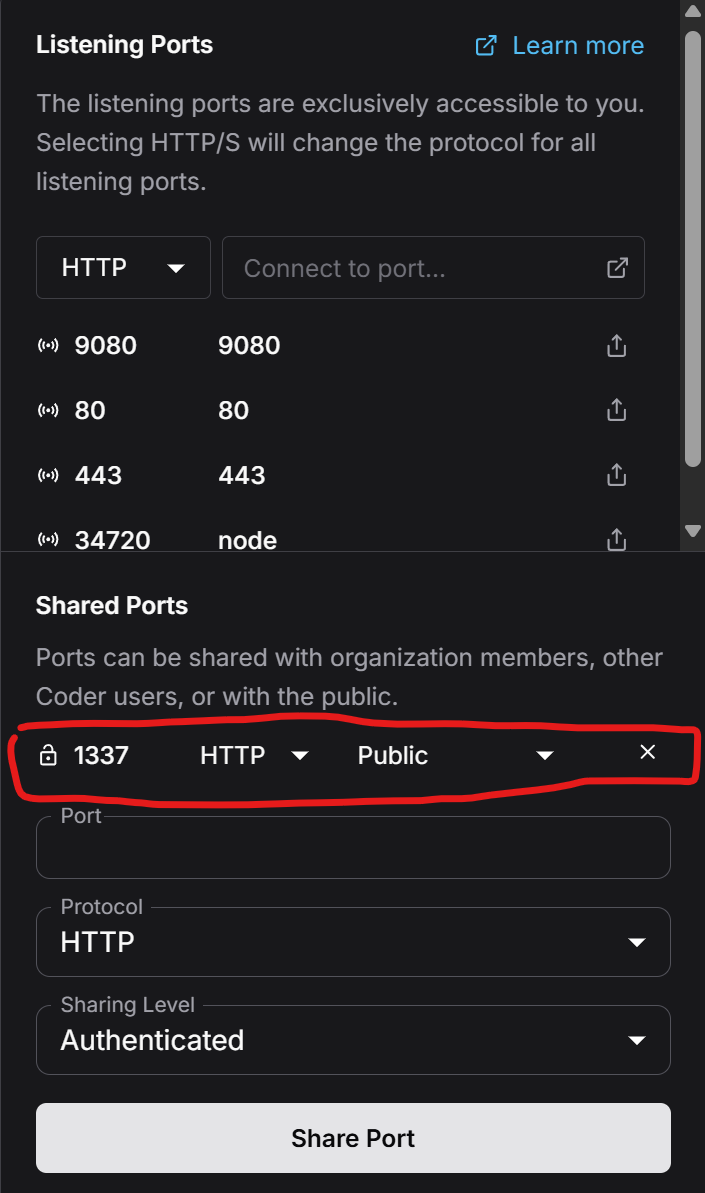
Solution
I was able to get this url to load:
but this url with the additional apps didn't work.
I haven't seen the apps suffix on a username before in the docs. Is this a feature?
Switching to using the slug rather than the port number fixed the issue. Thank you for the help
https://nhost-dashboard--main--a1--<username>.coder.example.combut this url with the additional apps didn't work.
https://nhost-dashboard--main--a1--<username>-apps.coder.example.com/I haven't seen the apps suffix on a username before in the docs. Is this a feature?
Switching to using the slug rather than the port number fixed the issue. Thank you for the help


