P
Prisma5mo ago
Luigi

Prisma 6.7.0 can't find tables after splitting schema into multiple files.

I have just upgraded to 6.7.0 and wanted to use the new prismaSchemaFolder feature, but after re-running generate and migrate it can't find the tables or I think they weren't even created because I don't see any in the prisma studio. My setup - Next.js 15 app router - My schema file is in prisma/schema.prisma and the my other .prisma files are in prisma/models/ What I've tried - I have tried a lot of different generate outputs - Adding the the path to the prisma.schema to the package.json - Running migrate or generate or both schema.prisma:
datasource db {
provider = "postgresql"
url = env("DATABASE_URL")
}

generator client {
provider = "prisma-client-js"
output = "../app/generated/client"
}
datasource db {
provider = "postgresql"
url = env("DATABASE_URL")
}

generator client {
provider = "prisma-client-js"
output = "../app/generated/client"
}
package.json:
"prisma": {
"seed": "ts-node --compiler-options {\"module\":\"CommonJS\"} prisma/seed/index.ts",
"schema": "./prisma/schema.prisma"
},
"prisma": {
"seed": "ts-node --compiler-options {\"module\":\"CommonJS\"} prisma/seed/index.ts",
"schema": "./prisma/schema.prisma"
},
No description
9 Replies
Prisma AI Help
Prisma AI Help5mo ago
You chose to debug with a human. They'll tinker with your query soon. If you get curious meanwhile, hop into #ask-ai for a quick spin!
realspinelle
realspinelle5mo ago
doesnt work with postgres i think
Cold
Cold5mo ago
I'm using the new feature just fine with postgres?
Cold
Cold5mo ago
No description
realspinelle
realspinelle5mo ago
doesnt work with me and i saw lots of issues on github about that
Cold
Cold5mo ago
Not sure the issue is entirely to do with the choice of database :P I don't think that would have an affect on this feature since this is just how the schema files themselves are split up
realspinelle
realspinelle5mo ago
i mean thats what the issue sayd x)
Nurul
Nurul5mo ago
The issue you're experiencing is due to how Prisma 6.7.0 (and later) expects you to configure multi-file schemas. When using multiple schema files, you must point Prisma to the directory containing all your schema files, not to a single file like schema.prisma. If you set "schema": "./prisma/schema.prisma" in your package.json, Prisma will only process that single file and ignore the others in prisma/models/, so your models (and thus tables) won't be created. You can change the schema path to the directory, not the file:
"prisma": {
"seed": "ts-node --compiler-options {\"module\":\"CommonJS\"} prisma/seed/index.ts",
"schema": "./prisma"
}
"prisma": {
"seed": "ts-node --compiler-options {\"module\":\"CommonJS\"} prisma/seed/index.ts",
"schema": "./prisma"
}
Luigi
LuigiOP4mo ago
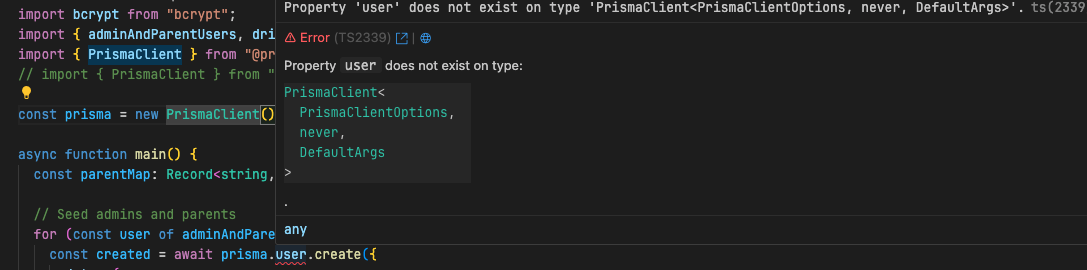
@Nurul I've just updated to version 6.14.0, followed all the instructions to add a typescript config file and remove the package.json instructions and ended up with this setup where it is not finding any of my models and it just dropped all my tables when migrating. Here is my setup: This is my exact file structure:
yda-web/
├── prisma/
├── schema/
├── user.prisma
├── notification.prisma
├── schema.prisma
└── prisma.config.ts
yda-web/
├── prisma/
├── schema/
├── user.prisma
├── notification.prisma
├── schema.prisma
└── prisma.config.ts
prisma.config.ts
import path from "node:path";
import type { PrismaConfig } from "prisma";

export default {
schema: path.join("prisma", "schema"), // This points to the folder
} satisfies PrismaConfig;
import path from "node:path";
import type { PrismaConfig } from "prisma";

export default {
schema: path.join("prisma", "schema"), // This points to the folder
} satisfies PrismaConfig;
schema.prisma
generator client {
provider = "prisma-client-js"
}

datasource db {
provider = "postgresql"
url = env("DATABASE_URL")
}
generator client {
provider = "prisma-client-js"
}

datasource db {
provider = "postgresql"
url = env("DATABASE_URL")
}
Please help Continued here: https://discord.com/channels/937751382725886062/1408398913731301419

Did you find this page helpful?