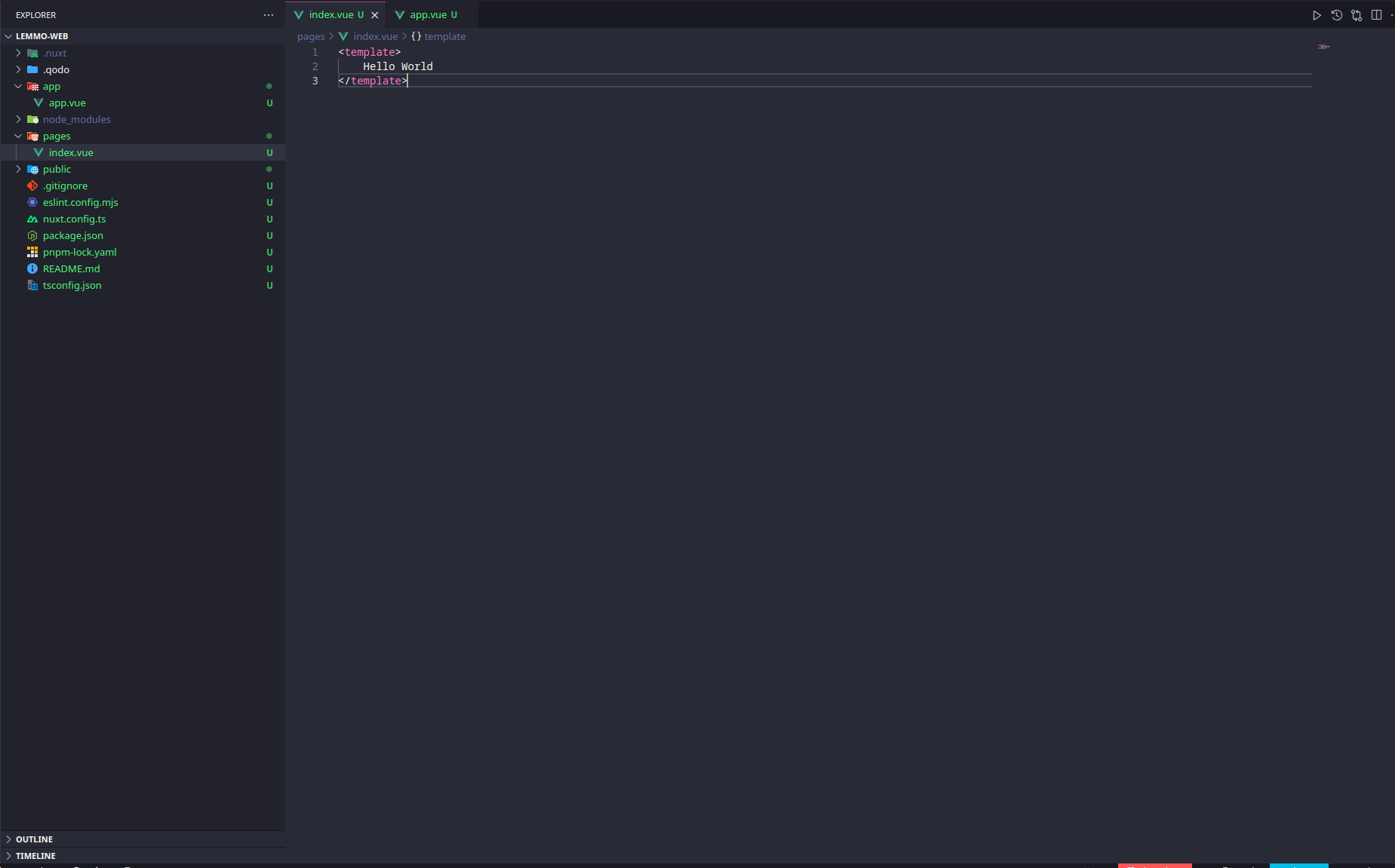
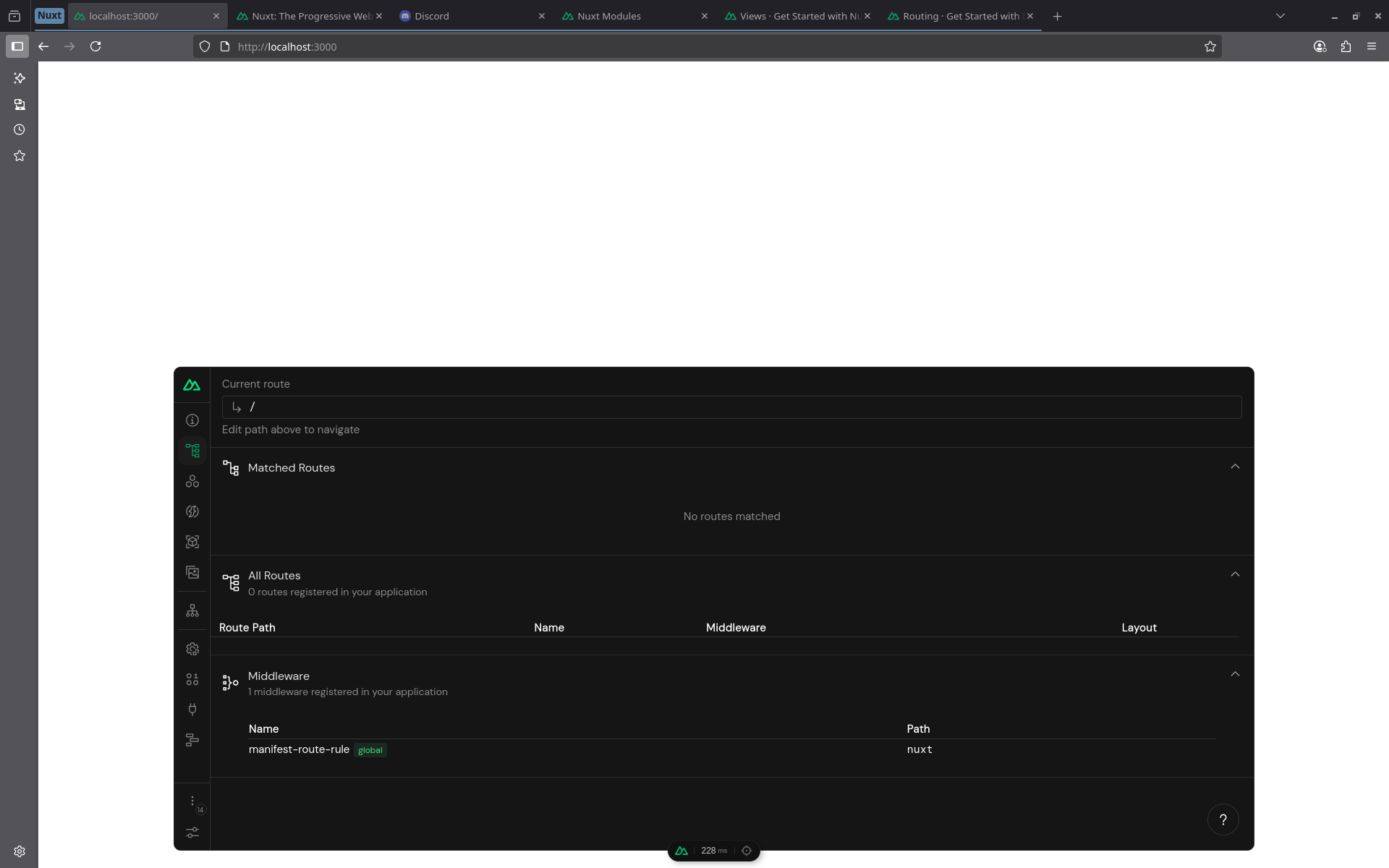
Unable to view the pages/index.vue
I am new to nuxt.
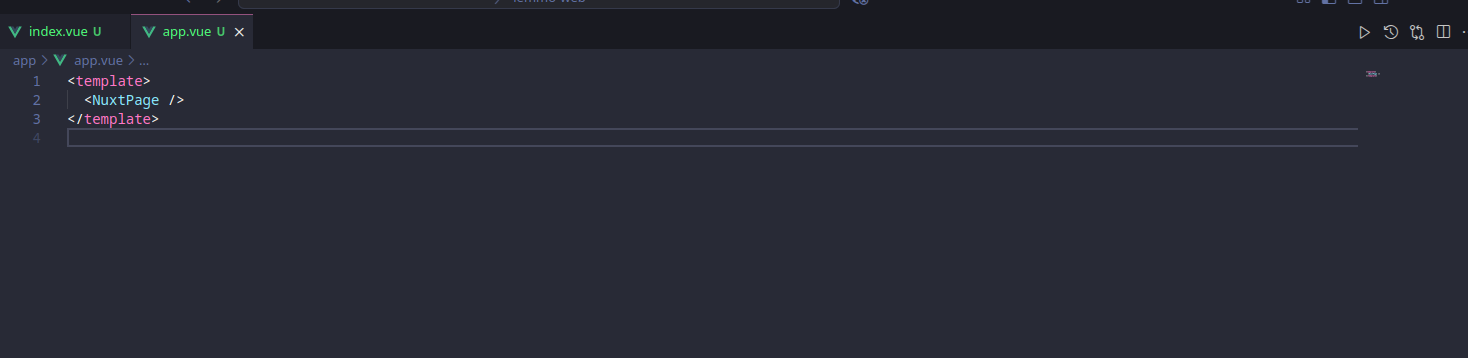
I just created a new project but I am unable to view the home page even after adding <NuxtPage /> in app.vue


6 Replies
Hi @Börje. I'm kapa.ai, your friendly support bot. I will try to answer your question by searching through the knowledge base. :wave:
----------------------
If you have created a new Nuxt project and added a
Make sure your
2. Single Root Element in Page
Each page component (like
Your
Make sure your development server is running. Use: Then visit <http://localhost:3000 in your browser see installation guide. 5. No HTML Comments as Root
Do not start your page template with an HTML comment, as this will break client-side navigation see example. If you have followed all these steps and still cannot see your home page, please double-check for typos or errors in your file structure and code. If the problem persists, please provide the content of your
pages/index.vue file, but are unable to view the home page even after adding <NuxtPage /> in app.vue, here are some things to check based on the official documentation:
1. Correct Directory StructureMake sure your
pages/index.vue file is in the correct location:2. Single Root Element in Page
Each page component (like
pages/index.vue) must have a single root element. For example:
If you have multiple root elements or an HTML comment as the first element, the page may not render correctly during client-side navigation see details.
3. app.vue SetupYour
app.vue should include the <NuxtPage /> component to render the current page:
Or, if you want to add a layout:
More info
4. Development ServerMake sure your development server is running. Use: Then visit <http://localhost:3000 in your browser see installation guide. 5. No HTML Comments as Root
Do not start your page template with an HTML comment, as this will break client-side navigation see example. If you have followed all these steps and still cannot see your home page, please double-check for typos or errors in your file structure and code. If the problem persists, please provide the content of your
app.vue and pages/index.vue files for further help.
----------------------
Note: you can ask me a follow up question by @ mentioning me again :speech_balloon:
----------------------<@969393422504968192> Kapa.ai is still learning and improving, please let me know how I did by reacting below.
That didn't solve my issue
Pages folder should be inside the app folder if you’re on Nuxt 4
Ohhh Ok thank you, lemme try that
OMG, it worked, thanks. I didn't see it in the docs
No problem 🙌 yeah, most of the stuff should be in the /app folder. You can read about the new folder structure here: https://nuxt.com/docs/4.x/getting-started/upgrade#new-directory-structure