OIDC not showing up (on login UI or logs)
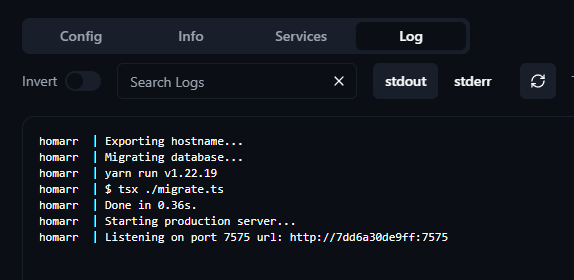
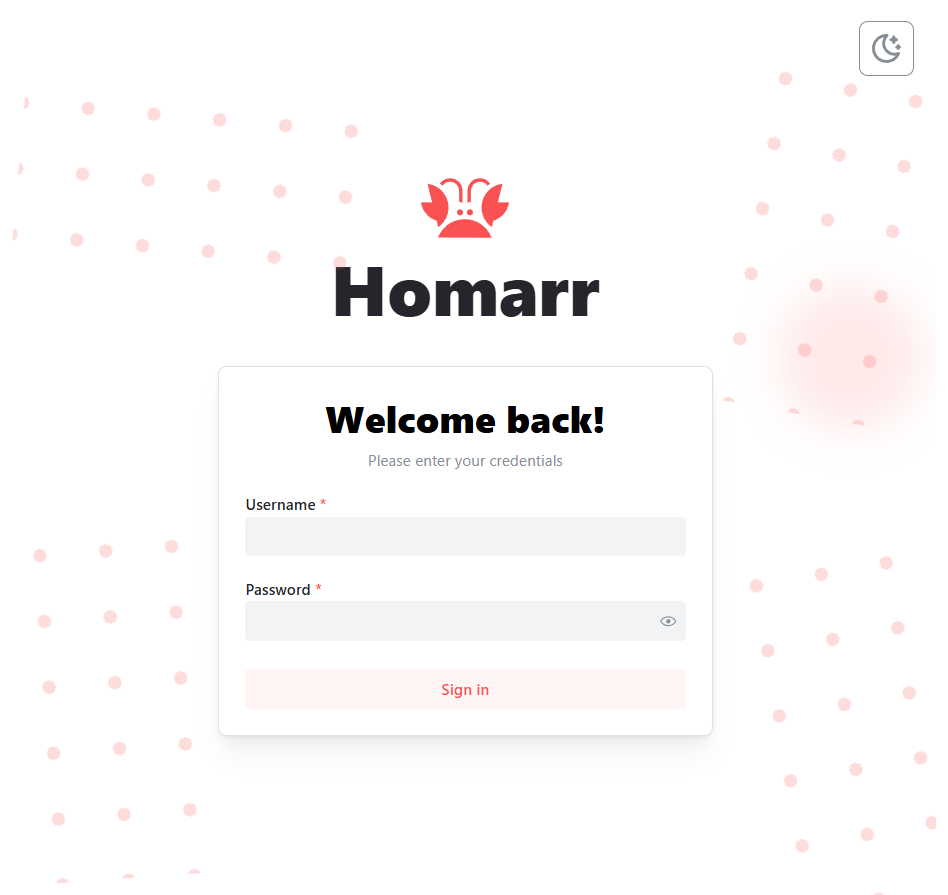
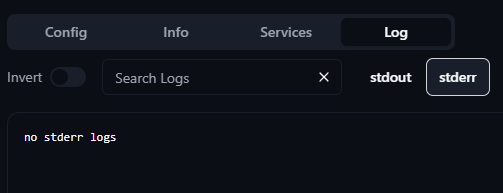
Hi, I have a Homarr container (version 0.15.10) where I'm trying to get OIDC authentication working via Pocket ID, but the UI does not show any OIDC button or option. The logs also don't mention anything related to OIDC.
Am I missing some other environment variable?
This is my docker-compose (managed by Komodo) config with just the FQDN changed to example.com:
services:
homarr:
container_name: homarr
image: ghcr.io/ajnart/homarr:latest
restart: unless-stopped
environment:
- AUTH_PROVIDERS=oidc
- AUTH_LOGOUT_REDIRECT_URL=https://example.com
- AUTH_OIDC_ISSUER=https://pocket.example.com
- AUTH_OIDC_CLIENT_ID=${POCKET_ID_HOMARR_CLIENT_ID}
- AUTH_OIDC_CLIENT_SECRET=${POCKET_ID_HOMARR_CLIENT_SECRET}
- AUTH_OIDC_CLIENT_NAME=OIDC
- AUTH_OIDC_AUTO_LOGIN=true
volumes:
- /var/run/docker.sock:/var/run/docker.sock
- ${ARR_CONFIG_DIR}/homarr/configs:/app/data/configs
- ${ARR_CONFIG_DIR}/homarr/icons:/app/public/icons
- ${ARR_CONFIG_DIR}/homarr/data:/data
ports:
- "7575:7575"
Some extra notes:
- I have checked from inside the container that all of the environment variables are correct.
- One thing that could cause a problem is all my services served through Nginx Proxy Manager using a self-signed certificate (but again, no error logs to indicate this).
- I'm only adding OIDC now to a pre-existing installation. But I have also tried with an empty "/data" directory so that the database is created new and I run into the same issue.
Am I missing some other environment variable?
This is my docker-compose (managed by Komodo) config with just the FQDN changed to example.com:
services:
homarr:
container_name: homarr
image: ghcr.io/ajnart/homarr:latest
restart: unless-stopped
environment:
- AUTH_PROVIDERS=oidc
- AUTH_LOGOUT_REDIRECT_URL=https://example.com
- AUTH_OIDC_ISSUER=https://pocket.example.com
- AUTH_OIDC_CLIENT_ID=${POCKET_ID_HOMARR_CLIENT_ID}
- AUTH_OIDC_CLIENT_SECRET=${POCKET_ID_HOMARR_CLIENT_SECRET}
- AUTH_OIDC_CLIENT_NAME=OIDC
- AUTH_OIDC_AUTO_LOGIN=true
volumes:
- /var/run/docker.sock:/var/run/docker.sock
- ${ARR_CONFIG_DIR}/homarr/configs:/app/data/configs
- ${ARR_CONFIG_DIR}/homarr/icons:/app/public/icons
- ${ARR_CONFIG_DIR}/homarr/data:/data
ports:
- "7575:7575"
Some extra notes:
- I have checked from inside the container that all of the environment variables are correct.
- One thing that could cause a problem is all my services served through Nginx Proxy Manager using a self-signed certificate (but again, no error logs to indicate this).
- I'm only adding OIDC now to a pre-existing installation. But I have also tried with an empty "/data" directory so that the database is created new and I run into the same issue.