Multiple Notifications of the same IP Ban
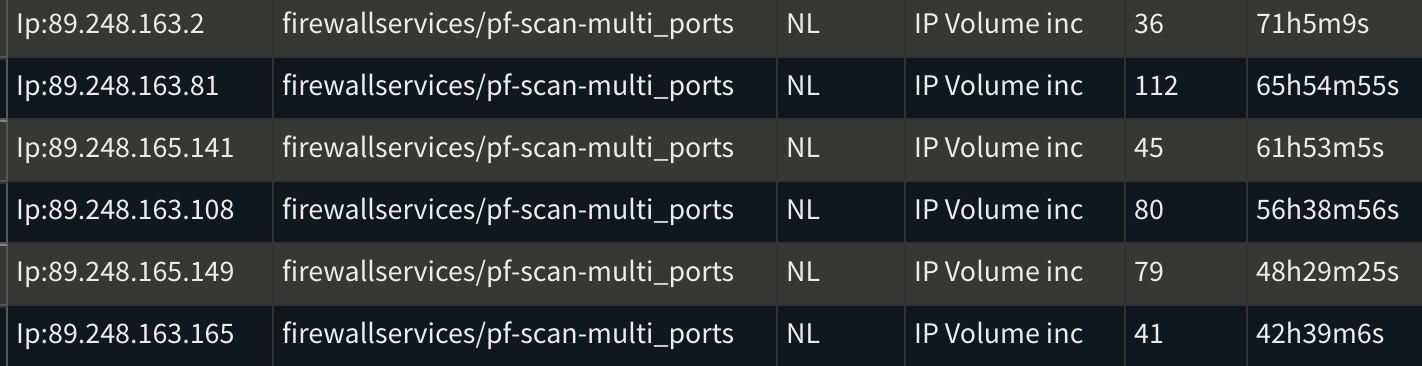
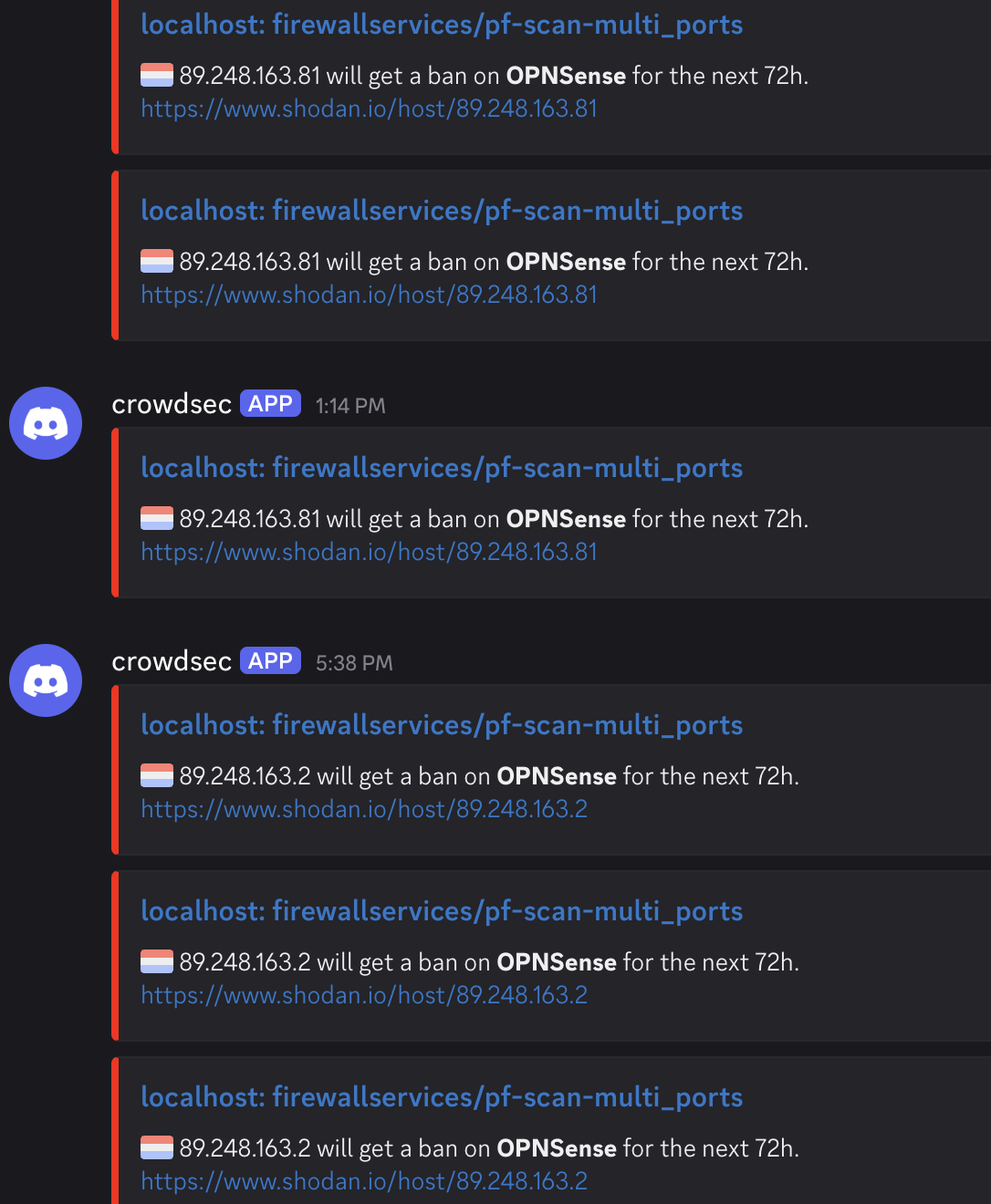
I'm currently using CrowdSec on my OPNsense firewall, and overall, it's been working very well. However, I've recently noticed multiple repeated ban notifications for the same IP range (89.248.160.0/21), which is known to be malicious. This has been occurring consistently over the past few days.
To mitigate this, I increased the ban duration from 4 hours to 72 hours, hoping it would reduce the repeated activity. Unfortunately, that hasn’t made a difference—similar IPs keep appearing.
I came across some information suggesting that CrowdSec bans don't necessarily block traffic entirely and that firewall-level blocking is needed to fully stop incoming connections. Since I'm using the CrowdSec plugin directly on OPNsense, I was expecting it to integrate with the firewall to block banned IPs.
How can I ensure that once an IP is banned by CrowdSec, it is completely blocked from attempting further connections?
Also, should I be concerned that the same IPs are persistently scanning ports on my network?
Thanks in advance for any advice.
21 Replies
Important Information
Thank you for getting in touch with your support request. To expedite a swift resolution, could you kindly provide the following information? Rest assured, we will respond promptly, and we greatly appreciate your patience. While you wait, please check the links below to see if this issue has been previously addressed. If you have managed to resolve it, please use run the command
/resolve or press the green resolve button below.Log Files
If you possess any log files that you believe could be beneficial, please include them at this time. By default, CrowdSec logs to /var/log/, where you will discover a corresponding log file for each component.
Guide Followed (CrowdSec Official)
If you have diligently followed one of our guides and hit a roadblock, please share the guide with us. This will help us assess if any adjustments are necessary to assist you further.
Screenshots
Please forward any screenshots depicting errors you encounter. Your visuals will provide us with a clear view of the issues you are facing.
© Created By WhyAydan for CrowdSec ❤️
I am seeing similar thing on my opnsense box for that subnet as well. they have been hitting hard the past couple days. mainly 89.248.163.0/24 for me
My understanding is that since crowdsec watches firewall logs it will see the port scanning attempts even if they are blocked at the firewall level since they are logged regardless if they are allowed or blocked
also on opnsense crowdsec does block on the firewall level as long as the "Create blocklist rules" is checked in crowdsec settings or if you make your own on the wan interface
if it makes you feel better you can also enable the "Enable log for rules" option in the crowsec settings and then you can see the crowdsec blocks in the live firewall log in opnsense

Yeah it exactly what @Willpower says, unfortunately the default behaviour in the senses is to log every packet even if it was dropped by the crowdsec rules. This means it causes an echo chamber effect when an ip is blocked because of our rules but the engine doesnt already know this to be true. (cause the buckets / scenarios dont really care about previous stuff they are just attempting to monitor the current events)
You can as most do and that is putting a
GetDecisionsCount on the profile with your notification to report the first ban, but then dont send any notifications for the others but simply just increase the ban if you have an expression.Ya I see crowdsec is actively blocking those IP ranges and many others.
It's just that I have never received these many notifications from similar IPs before. So I feel a little insecure lol.
I don't know why but that range keeps on trying to hammer on my network. Daily over 100s of notifications with incremental ban time that I have now set.
Will they ever stop?
Some sites are just doing regular scans as a standard internet scanning per vulnerability discovered
I’m still getting hammered here too. Same ranges
In that case I suggest adding permanent block in firewalls/routers
It seems to have stopped as of today.
I have one and only one IP is spamming my logs.
It's installed on my pfSense.
After that monthly alert quota exhausted
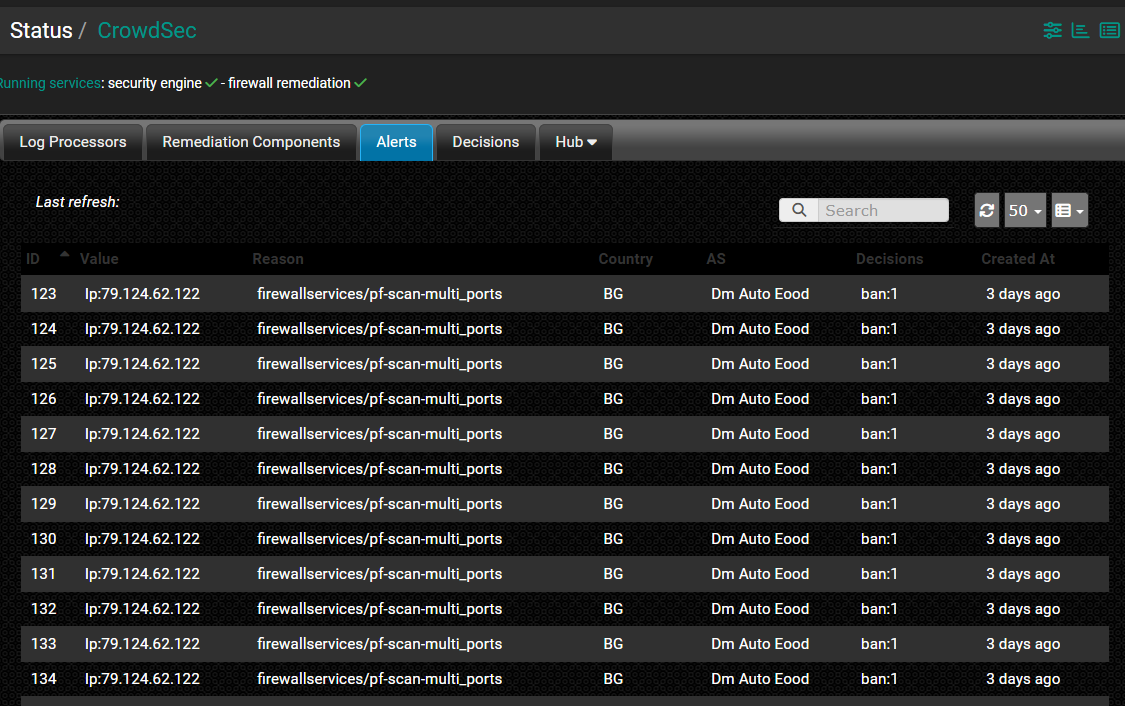

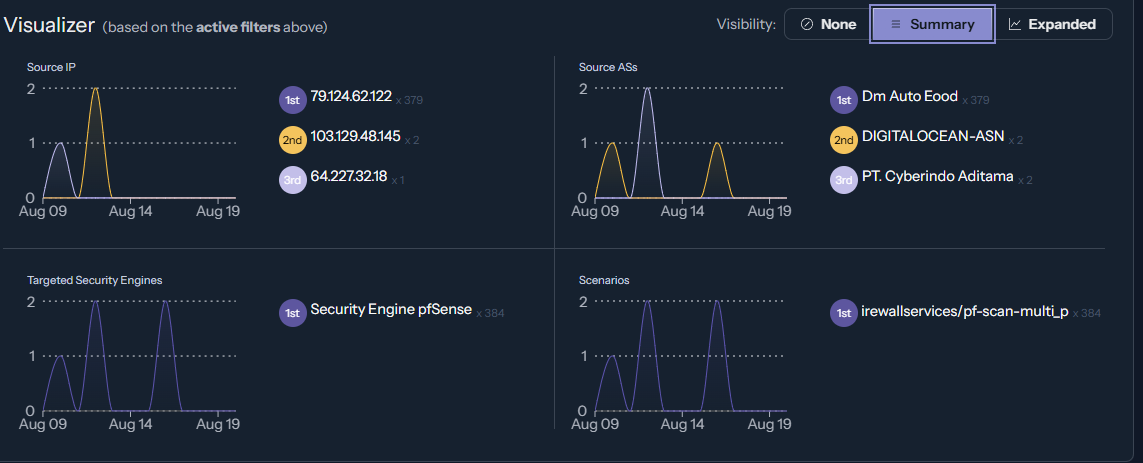
One IP X one type of attack
Would like to ban permanently.
Just add another rule befor corwdsec firewall and add it there to drop the traffic, or make it in similiar way as crowdsec does it - via ipsets taken from files and update the file content
Please teach me. I only followed the instruction how to deploy it
https://docs.crowdsec.net/docs/getting_started/install_crowdsec_pfsense/
pfSense | CrowdSec
We have created a pfSense package with
Refer to pfsense manual, i dont remember how it is done in pfsense
If you ads a rule with explicilty defining ip addresses then that rule may be limited to say 8 addresses, with reference from a file it is usually capable of having hundreds of them in the file
Should I use Fail2Ban or any alternatives along with CS?
It is for you to decide, generally crowdsec has rules such as fail2ban
Or you can extend fail2ban to send an event to corwdsec
I'll see. first I needed to reinstall CS. Cause I wanted to update a package on pfSense UI, then it broke the entire OS. NGINX access forbidden and all DHCP devices lost their IPs.
So I had to reinstall pfSense
It cannot fetch the package. It's frozen

oh!
What's the sitch?
It's trying to resolve ipv6 and it couldn't
But hey, I was just thinking. quota exhausted doesn't means that it will still continue to block attackers even though it won't show on the console. Am I wrong?
It’ll still block attackers and if I’m not mistaken it’ll still show alerts in the cscli, just not on the web dashboard
Yes, the console quota only impact the console: the alert will not be shown in the console, but crowdsec itself still works exactly the same, and you can see the alerts locally with
cscli alerts listGood! I also noticed that through the pfSense UI under alerts.
While connecting to a VPN hosted by another machine then pfSense, I got banned. Same WAN IP of my ISP is banned. How to add into a whitelist? The reason indeed is port scanning.