Legion Go S TDP Hotkey
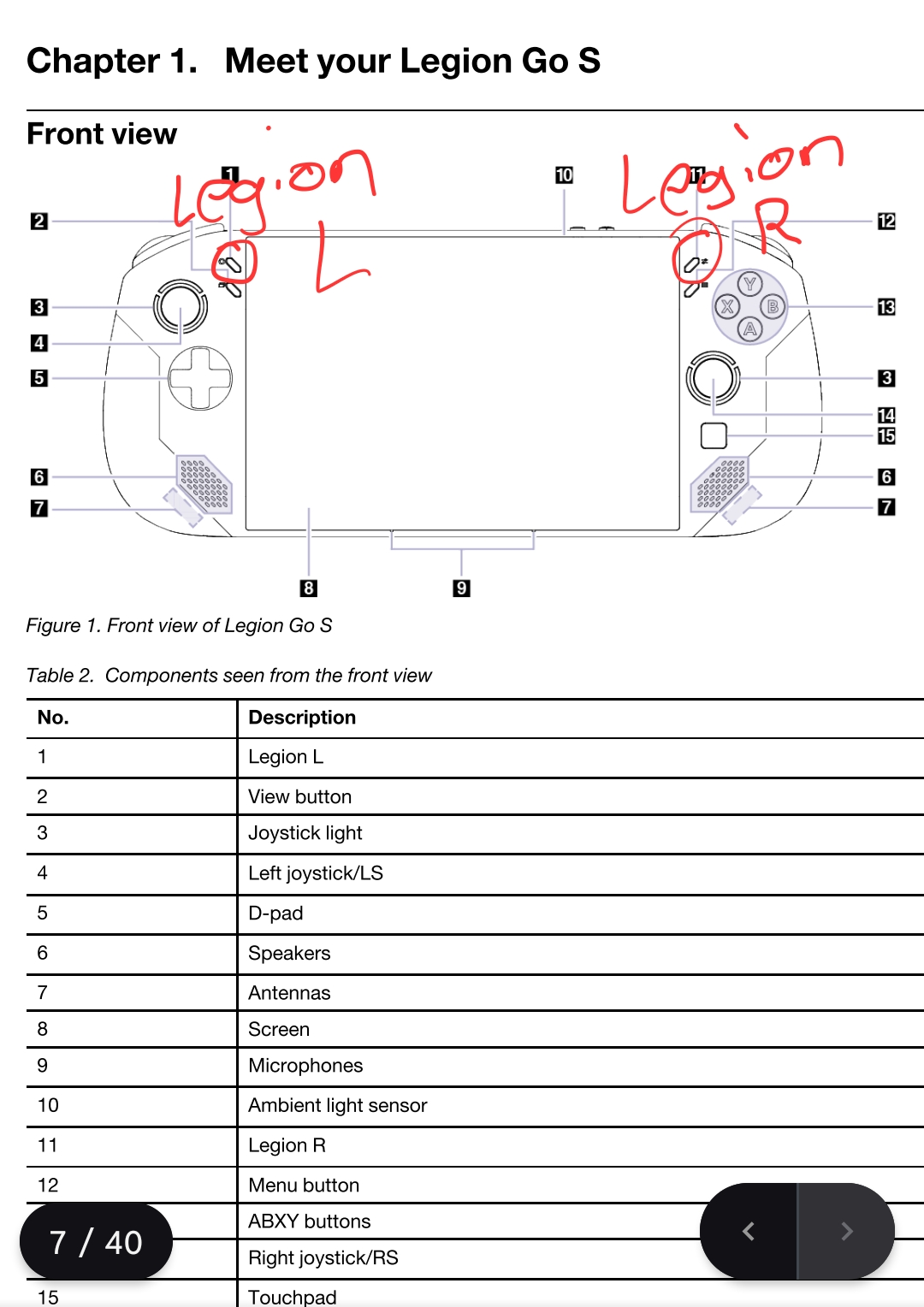
At some point during the last few updates the TDP hottey was changed from Legion L + Y to Legion R + Y. While it still works, the Legion R button is linked to the Steam side menu so changing TDP using the hotkey also opens that menu.
On to my question. Is there a way to change which Legion button HHD uses to change TDP? I've looked over the bazzite documentation and looked through the system settings in HHD, Steam, and Desktop but can't find a way to change this. Unfortunately I'm not familiar enough with terminal to figure this out on my own. Any help is appreciated.
On to my question. Is there a way to change which Legion button HHD uses to change TDP? I've looked over the bazzite documentation and looked through the system settings in HHD, Steam, and Desktop but can't find a way to change this. Unfortunately I'm not familiar enough with terminal to figure this out on my own. Any help is appreciated.