Asking for permissions upon command use
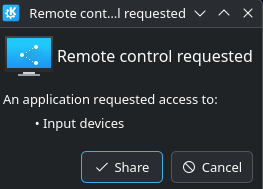
I am using opendeck with StreamDeck Neo and am using Vesktop as my discord client. I am on CachyOS latest patch using Wayland. It seems like OpenDeck will be really cool and helpful, but I'm am having an issue with trying to get hotkeys to work in a way that is convenient. Input simulation doesn't seem to work at all on Wayland. At least I can't get it to work, and my friends who are using the same stuff as me are having the same issue. So we went and found a workaround using a .sh command file with the xdotool command. Since vesktop doesn't have gloabal keybinds yet, I have it save the id of the application I'm on, switch over to vesktop, do the key command, and then go back to the other application. It works well if a little convoluted. But do to the hotkey part, I get the issue in the picture. After I give it permission, the command will work for the next 15 minutes, then will ask for permission again. If anyone knows a way around the asking permission, and a simpler solution, that would be great. Or if someone knows why the input simulation doesn't work. Thank you. (Also tried ydotool for the key command, but that didn't work either.
Here is the .sh file for muting:
#!/bin/bash
# Save currently active window
ACTIVE_WIN=$(xdotool getactivewindow)
# Find and activate Vesktop window
VESTOP_WIN=$(xdotool search --onlyvisible --class vesktop | head -n 1)
if [ -n "$VESTOP_WIN" ]; then
xdotool windowactivate --sync $VESTOP_WIN
xdotool key ctrl+shift+m
# Reactivate the previously focused window
xdotool windowactivate --sync $ACTIVE_WIN
else
notify-send "Vesktop not running" "Could not find Vesktop window."
fi
27 Replies
the only way "around" the permission would be to switch to X11 since this is a Wayland thing.
Normally the Permission should stay active until you restart the PC.
What OpenDeck Version do you have installed?
xdotool is not compatible with wayland as far as I know.
most of the input simulation thins are not wayland compatible if I am not mistaken.
What did you try as Input Simulation?
All in all, global shortcuts on Wayland are a pain if you can't use something liek the RPC-Server in the Discord client.
another workaround I can think of would be to make a Kwin Script, assigning it a global shortcut and triggering this shortcut with OpenDecks Input simulation
Also, Anything in the logs of OpenDeck or the Starterpack when trying to use the InputSimulation?
[k(ctrl,shift,m)] is what I used for the input simulation, give me just a second to check if there are logs for it
this is no valid Input simulation.
[k(shift,p),k(control,p),k(uni('m')),k(shift,r),k(control,r)]
this should be the working one if I am not mistaken right now
20:35:36 [ERROR] Failed to process inbound event: 1:14: Unexpected variant named shift in enum Direction, expected one of P, Press, Pressed, p, pressed, R, Release, Released, r, released, C, Click, Clicked, c, or clicked instead
Well, based off this error, I clearly didn't understand how to use input simulation, I will try the one you just sent and report back
I input the one that you sent, and got this error:
[ERROR] Failed to process inbound event: 1:9: Unexpected variant named shift in enum Key, expected one of Add, Alt, Backspace, Break, Begin, Cancel, CapsLock, Clear, Command, cmd, Control, ctrl, Decimal, Delete, Divide, DownArrow, End, Escape, Execute, F1, F2, F3, F4, F5, F6, F7, F8, F9, F10, F11, F12, F13, F14, F15, F16, F17, F18, F19, F20, F21, F22, F23, F24, F25, F26, F27, F28, F29, F30, F31, F32, F33, F34, F35, Find, Hangul, Hanja, Help, Home, Insert, Kanji, LControl, LeftArrow, Linefeed, LMenu, LShift, MediaNextTrack, MediaPlayPause, MediaPrevTrack, MediaStop, Meta, ModeChange, Multiply, Numlock, Numpad0, Numpad1, Numpad2, Numpad3, Numpad4, Numpad5, Numpad6, Numpad7, Numpad8, Numpad9, Option, PageDown, PageUp, Pause, Print, PrintScr, RControl, Redo, Return, RightArrow, RShift, ScrollLock, Select, ScriptSwitch, Shift, ShiftLock, Space, Subtract, Super, SysReq, Tab, Undo, UpArrow, VolumeDown, VolumeMute, VolumeUp, MicMute, Windows, Char, Uni, Unicode, char, uni, or Other instead
Replace Shift with Lshift please
Or try to switch the s with a capital S in shift
yes, this one
I always forget that its case sensitive
[k(Shift,p),k(Control,p),k(uni('m')),k(Shift,r),k(Control,r)]
I opened an issue about that a while ago, but its not fixed
but, @Pairadocks, if xdotool requires permission again after 15mins this might too (give it a try anyway i guess)It did ask for permission, I will test it out again in a little while to see if it asks permissions again. I might try to do the Kwin script as suggested by Terrorwolf to see if that works. I'm relatively new to Linux, and so I don't want to switch to X11 since I don't know what that will mess with as far as my other applications go
As far as I know xdotool isn't working at all on Wayland. But never tried myself, only able to tell what google says on this.
I am not recommending switching as long as there are other ways around a problem.
Oh, worked great for me, it just asks for permission when being used through opendeck. I can run the .sh by itself and it works fine
It will ask atleast after every reboot.
Interresting
From the xdotool github
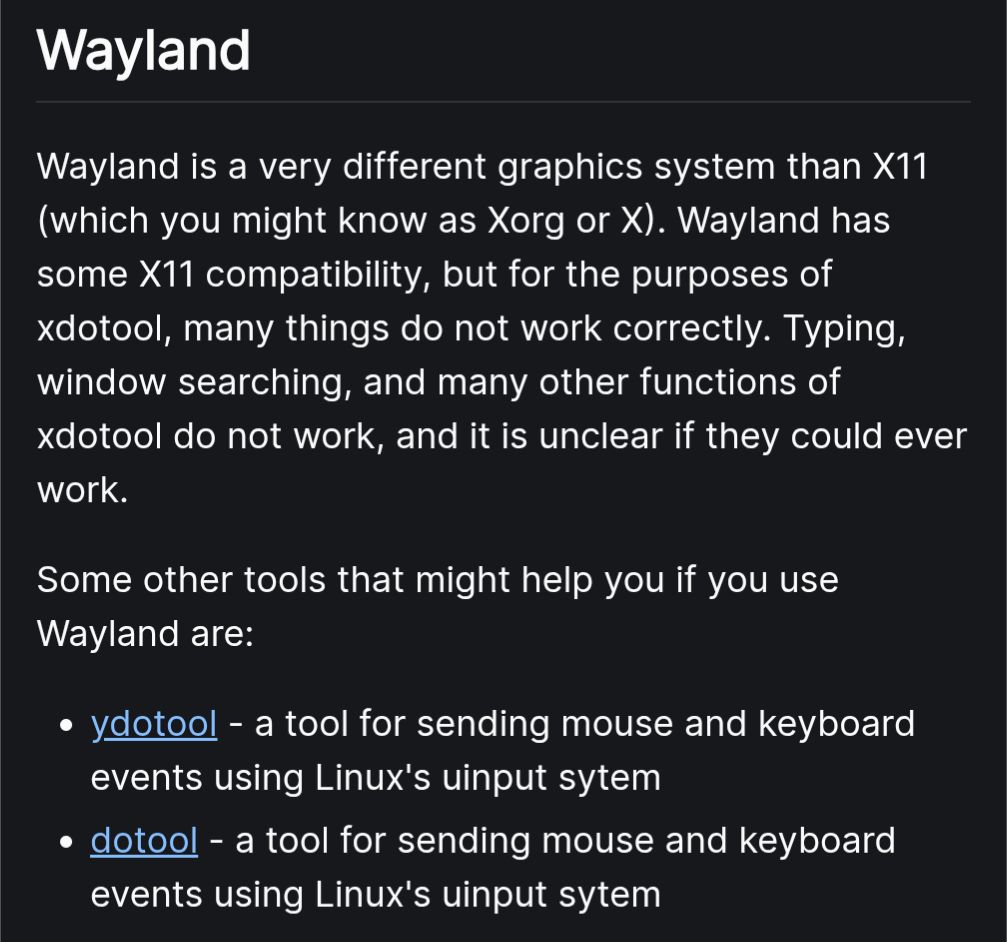
Huh, that definitely is interesting. I'm definitely on Wayland, and it is working for some reason
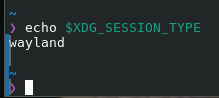
@Terrorwolf vesktop is electron/chromium, Chromium's Wayland support is not enabled by default yet I think, so it'll be running under xwayland
Since electron 38 i think its enabled by default.
electron 38 was only released 12 days ago
And before that it can be enabled via a flag
yes but the end result is that @Pairadocks's vesktop is running in xwayland so that's why xdotool works
did using OpenDeck's Input Simulation action prevent it reprompting for permission all the time?
It did not. I just got distracted with school and forgot that I was trying to figure this issue out
ah, shame, so you just keep allowing the prompts right now?
I need to reallow them every pc start
yeah but every 15 minutes is quite different
Correct. 🤷♂️. For now it is what it is
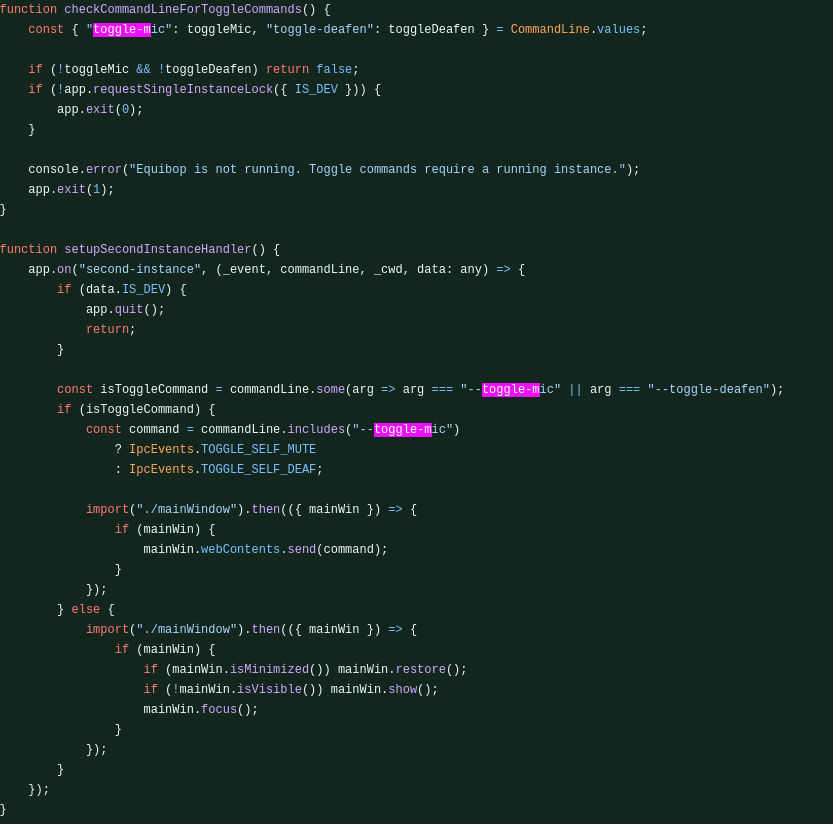
A more future-proof option can be move to Equibop
Its basically the same as vesktop but with Equicord and some patches, it includes the parameter
--toggle-mic and --toggle-deafen soo you can make it do equibop --toggle-mic (tested the same in the exact same environment, cachyos)
Also if you are a developer you can easily fork Vesktop and add that patch (as shown in the image its really just 2 files), remember to do it just if you know what you are doing if not use Equibop.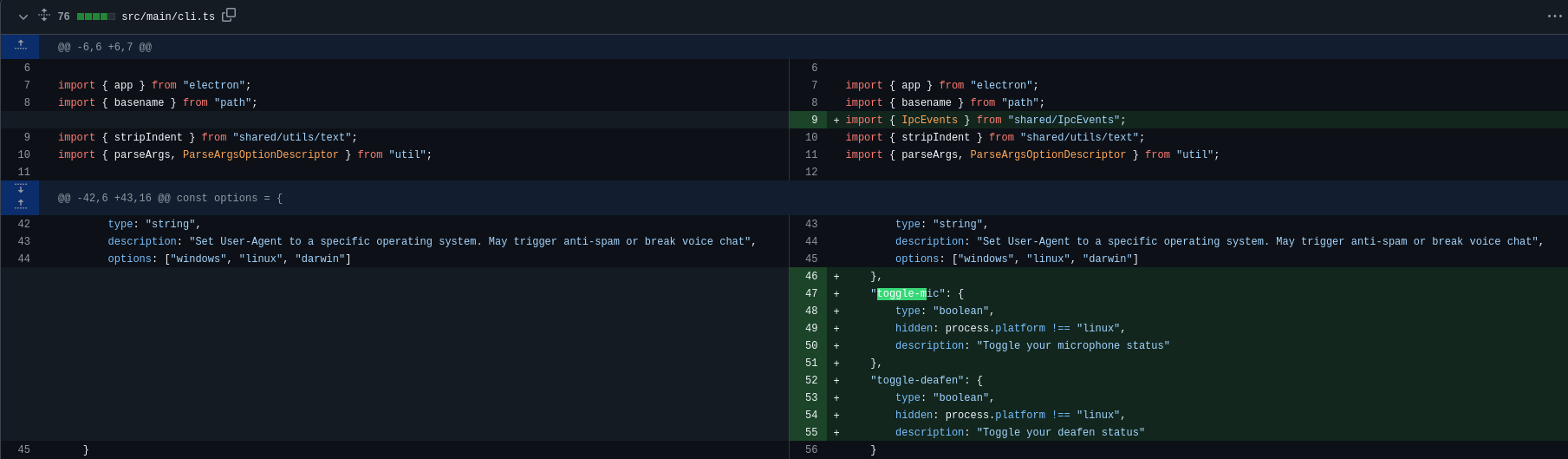
nice idea, thanks!
hopefully @Pairadocks finds it useful