
Tunnel with Self‑Managed SSH Keys – “Connection closed by port 22”
Environment
warp‑cli (client) 2025.7.176.0
cloudflared (Docker) 2025.8.1
Target server: Debian
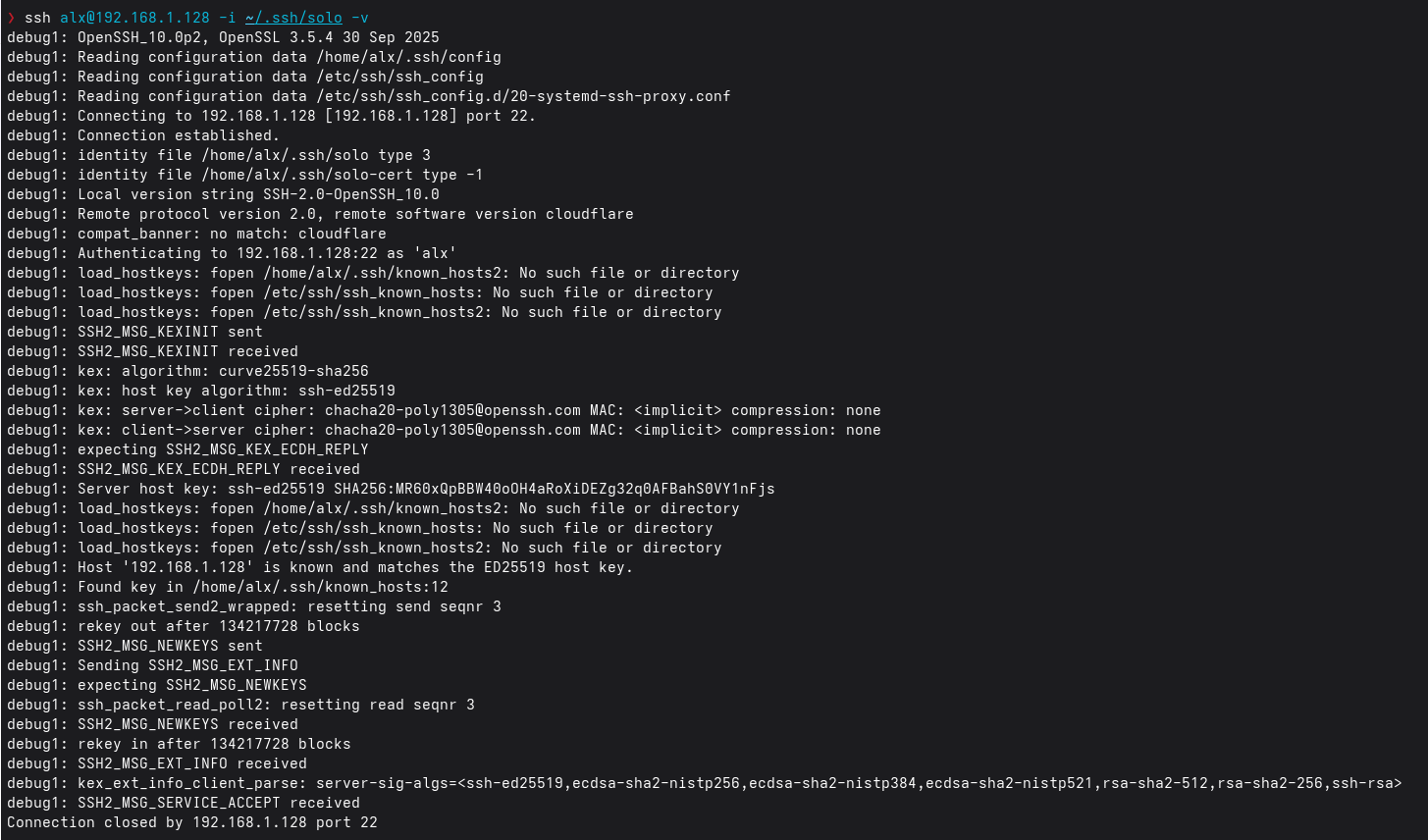
I setup a Cloudflared tunnel according to https://developers.cloudflare.com/cloudflare-one/connections/connect-networks/use-cases/ssh/ssh-warp-to-tunnel/ to access my Linux server via ssh with a self managed key. The SSH from the local network with same key works but over Warp it keeps failing. I used to have a setup on another machine with short lived certificates according to: https://developers.cloudflare.com/cloudflare-one/connections/connect-networks/use-cases/ssh/ssh-infrastructure-access/ which worked. I think the issue could be related to this.
Steps Already Taken
- Followed Cloudflare’s “Connect with self‑managed SSH keys” guide.
- Deleted the existing Cloudflare SSH CA via API:
curl "https://api.cloudflare.com/client/v4/accounts/$ACCOUNT_ID/access/gateway_ca" \
--request DELETE \
--header "Authorization: Bearer $CLOUDFLARE_API_TOKEN"
- Confirmed the correct include IP is set and warp-cli target list returns the expected tunnel.
- Verified that the tunnel is reachable:
nmap 192.168.1.128
PORT STATE SERVICE
22/tcp open ssh
443/tcp open https
- Confirmed the Docker container running cloudflared shows no errors.
- Checked the target server’s SSH logs – they contain only:
Connection closed by 172.19.0.2 port 36390 [preauth]
(172.19.0.2 is the internal Docker address of the cloudflared container.)
warp‑cli (client) 2025.7.176.0
cloudflared (Docker) 2025.8.1
Target server: Debian
I setup a Cloudflared tunnel according to https://developers.cloudflare.com/cloudflare-one/connections/connect-networks/use-cases/ssh/ssh-warp-to-tunnel/ to access my Linux server via ssh with a self managed key. The SSH from the local network with same key works but over Warp it keeps failing. I used to have a setup on another machine with short lived certificates according to: https://developers.cloudflare.com/cloudflare-one/connections/connect-networks/use-cases/ssh/ssh-infrastructure-access/ which worked. I think the issue could be related to this.
Steps Already Taken
- Followed Cloudflare’s “Connect with self‑managed SSH keys” guide.
- Deleted the existing Cloudflare SSH CA via API:
curl "https://api.cloudflare.com/client/v4/accounts/$ACCOUNT_ID/access/gateway_ca" \
--request DELETE \
--header "Authorization: Bearer $CLOUDFLARE_API_TOKEN"
- Confirmed the correct include IP is set and warp-cli target list returns the expected tunnel.
- Verified that the tunnel is reachable:
nmap 192.168.1.128
PORT STATE SERVICE
22/tcp open ssh
443/tcp open https
- Confirmed the Docker container running cloudflared shows no errors.
- Checked the target server’s SSH logs – they contain only:
Connection closed by 172.19.0.2 port 36390 [preauth]
(172.19.0.2 is the internal Docker address of the cloudflared container.)
Cloudflare Docs
If you want to manage your own SSH keys, you can use Cloudflare Tunnel to create a secure, outbound-only connection from your server to Cloudflare's global network. This requires running the cloudflared daemon on the server (or any other host machine within the private network). Users with SSH keys that are trusted by the SSH server can access t...
Cloudflare Docs
Access for Infrastructure provides granular control over how users can connect to your SSH servers. This feature uses the same deployment model as WARP-to-Tunnel but unlocks more policy options and command logging functionality.

Welcome to the official Cloudflare Developers server. Here you can ask for help and stay updated with the latest news
87,353Members
Resources
Was this page helpful?
