Resolved: Reset button and column P1.11 not working
I, just finished my second keyboard and i have a probleme with my nice!nano on the right.
The first column (P1.11 if I'm not mistaken) doesn't work.
I also cannot put this nice!nano into bootloader anymore (Neither with the button, or the Pin directly).
Did someone already had the same issue and maybe a fix for that ?
4 Replies
Got it. Two separate issues to check: the dead first column and the bootloader.
1) First column not working (P1.11)
- An entire column out is almost always the column pin connection. Reflow/inspect the P1.11 pin on:
- the nice!nano pad/pin
- the matching header/socket pin on the PCB
- Look for bridges to neighbor pins and cold joints. If you have a multimeter, check continuity from the nice!nano P1.11 pad to the PCB pad/socket it mates with.
- If using no-solder spring headers, make sure they’re fully seated and the nano is pressed all the way down.
- Quick isolation: swap the nice!nanos between left/right. If the bad column follows the nano, the nano or its soldering is the issue; if it stays on that PCB, it’s the PCB/header joint.
- Pin maps to help target the right pin:
- Corne pinout: https://docs.typeractive.xyz/build-guides/corne-wireless/troubleshooting
- Lily58 pinout: https://docs.typeractive.xyz/build-guides/lily58-wireless/troubleshooting
- General steps: https://docs.typeractive.xyz/troubleshooting/rows-columns-not-working
2) Can’t enter bootloader
- Plug USB directly into the half you’re resetting, then double-tap the reset button fast.
- Try a known data-capable USB cable and a different port/device.
- If the button won’t work, try double-tapping by shorting RST to GND with metal tweezers.
- Guide: https://docs.typeractive.xyz/troubleshooting/entering-bootloader
- If none of the above works and the issue follows the nano when you swap halves, the nice!nano may be damaged.
If you bought the nano from us and the problem follows the same nano after the swap test and reflow, email hello@typeractive.xyz with your order info and what you’ve tried.
If you can, reply with:
- Which board (Corne or Lily58)?
- Which header method (EZ-solder sockets, no-solder springs, Mill-Max, or soldered headers)?
- A close photo of the P1.11 area on both the nano and PCB.
Tag me or reply here and I’ll help you further.
Troubleshooting & Pinouts | Typeractive.xyz Documentation
If you're running into issues with your keyboard, check out our Troubleshooting page for common issues and solutions. If you're still having trouble, please reach out to use on Discord!
Troubleshooting & Pinouts | Typeractive.xyz Documentation
If you're running into issues with your keyboard, check out our Troubleshooting page for common issues and solutions. If you're still having trouble, please reach out to use on Discord!
Row(s) or Column(s) Not Working | Typeractive.xyz Documentation
Fix row(s) or column(s) not working on your keyboard.
Entering the Bootloader | Typeractive.xyz Documentation
Learn how to enter the bootloader on your nice!nano.
It's a 5 column corne, and it was build with EZ-solder sockets
I did try to switch board but the problem for the bootloader is still here
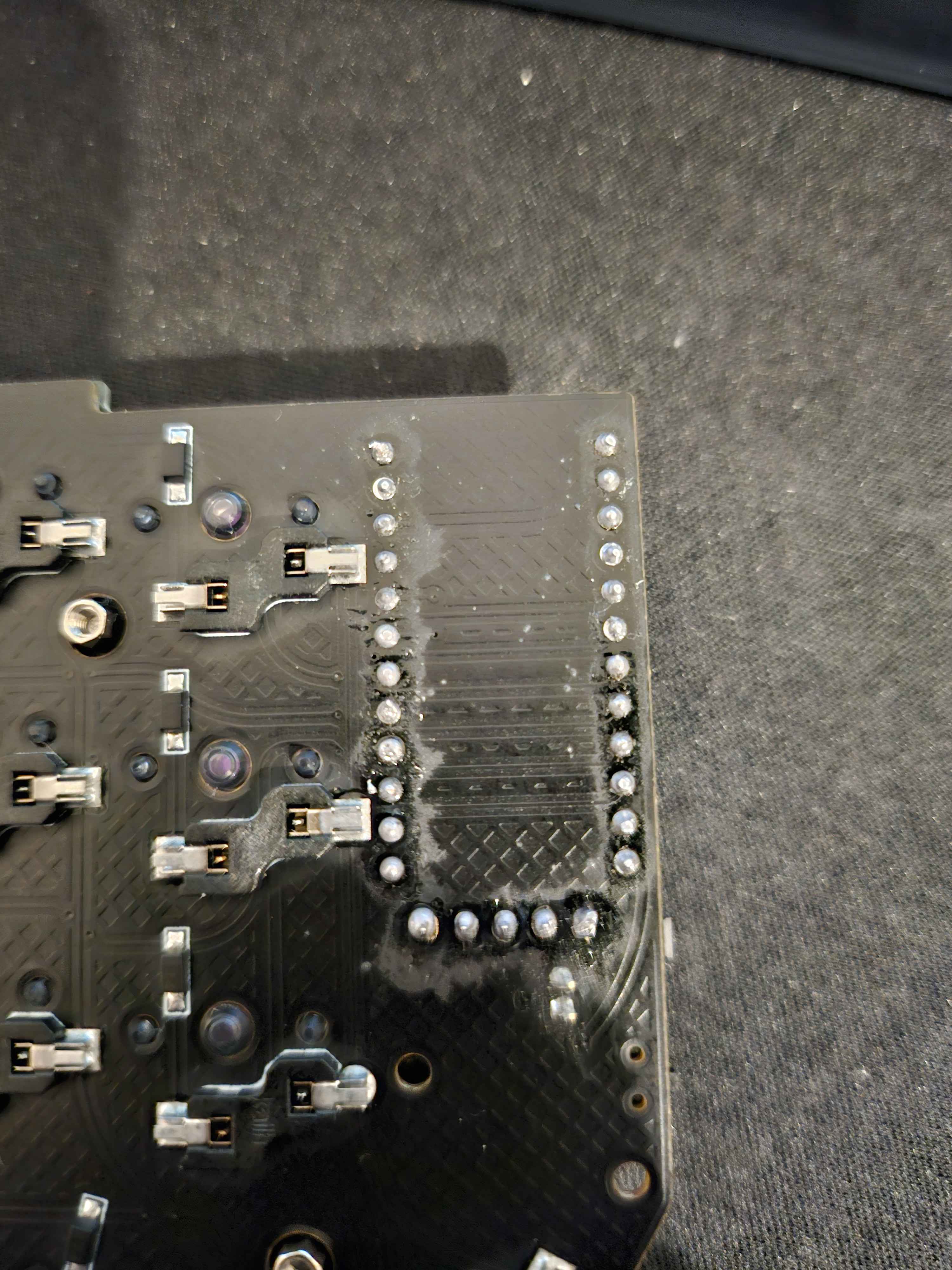
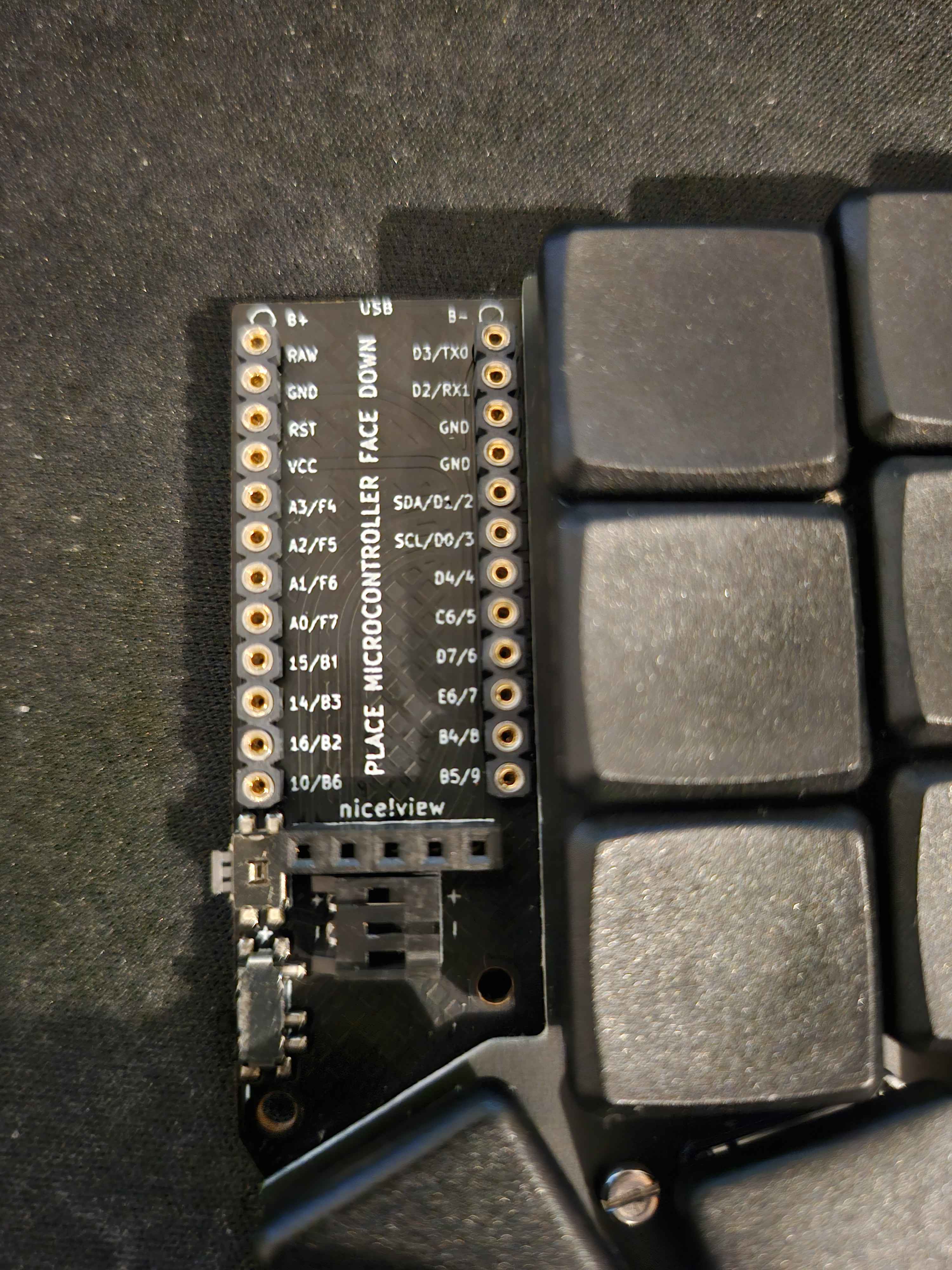
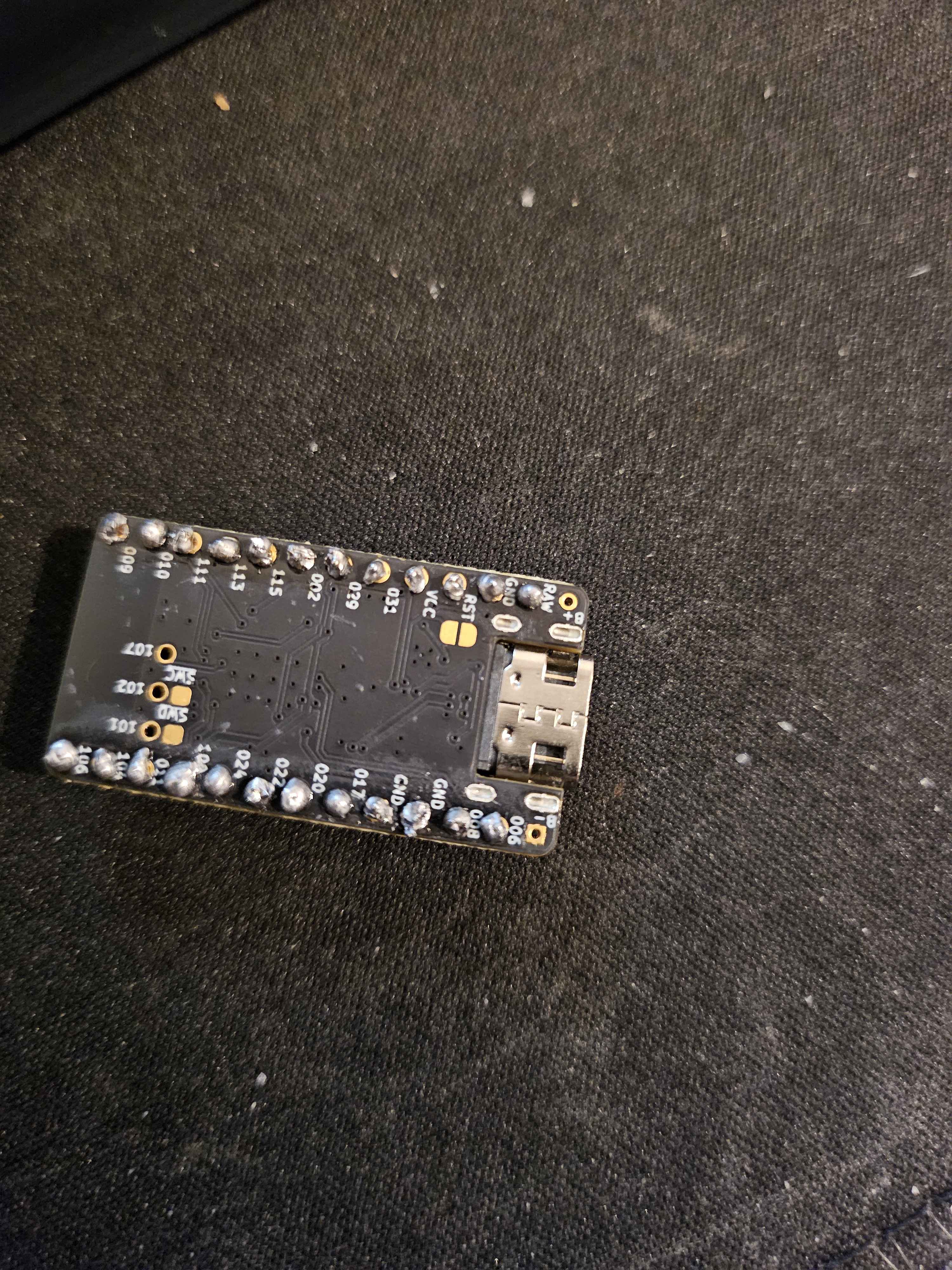
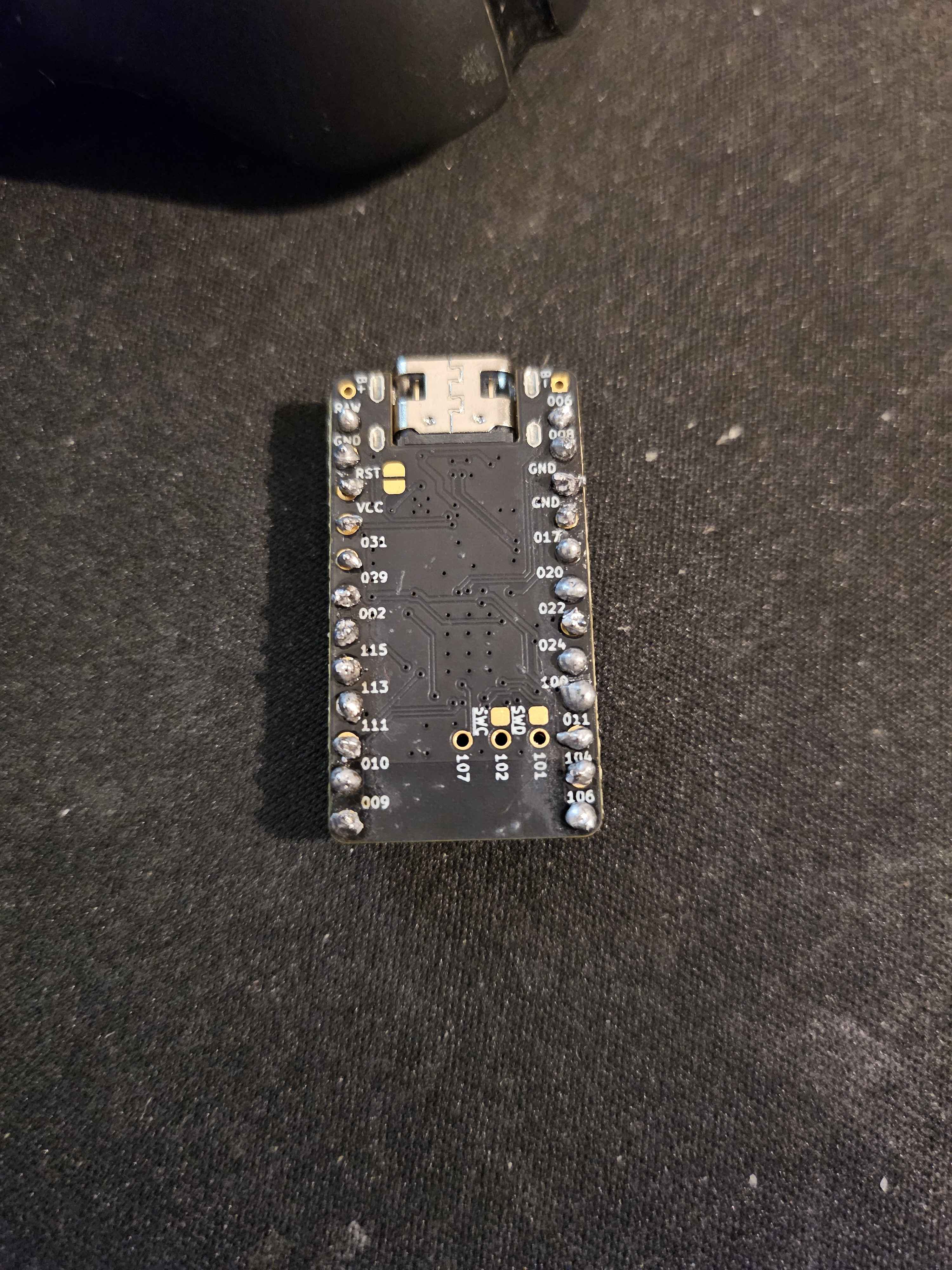
Thanks for the details! Since it’s a 5-col Corne with EZ-solder sockets and the bootloader issue persists after swapping boards, that strongly points to the right nice!nano itself.
For the dead first column (P1.11):
- Likely a joint/contact issue on that nano. Reflow the P1.11 pad on the nice!nano (add flux, low heat, quick touch) and inspect for bridges to neighboring pads.
- Reflow the matching socket pad on the PCB side too.
- Make sure the header pin for P1.11 is straight and fully seated in the socket; firmly press the nano down so there’s no gap.
- Continuity test (with power off): with the nano installed, check from the nano’s P1.11 pad to the PCB pad/socket it mates with. Pin map to locate it: https://docs.typeractive.xyz/build-guides/corne-wireless/troubleshooting and general steps: https://docs.typeractive.xyz/troubleshooting/rows-columns-not-working
- If you can, swap the nanos between halves. If the bad column follows the same nano, it confirms the nano/joints.
For can’t enter bootloader:
- Disconnect the battery, plug USB directly into that half, use a known data cable/port.
- Double-tap reset quickly; watch for the blue LED blink.
- Try double-tapping by shorting RST to GND with metal tweezers.
- Guide: https://docs.typeractive.xyz/troubleshooting/entering-bootloader
- If it still won’t enumerate as NICENANO, the bootloader may be corrupted or the reset line damaged on that nano.
If the column issue follows the same nano and the bootloader still won’t come up after the above, please email hello@typeractive.xyz with your order info and what you’ve tried. We can help with next steps.
If you can, reply with:
- Whether the dead column follows the nano when swapping nanos
- Close photos of the P1.11 area on the nano and the PCB/socket
Tag me or reply here and I’ll keep helping.
Troubleshooting & Pinouts | Typeractive.xyz Documentation
If you're running into issues with your keyboard, check out our Troubleshooting page for common issues and solutions. If you're still having trouble, please reach out to use on Discord!
Row(s) or Column(s) Not Working | Typeractive.xyz Documentation
Fix row(s) or column(s) not working on your keyboard.
Entering the Bootloader | Typeractive.xyz Documentation
Learn how to enter the bootloader on your nice!nano.