Ray Kholodovsky - could I get a few sentence pr...
could I get a few sentence primer / pointers on generating pcb images with cli locally?
Everything on this page refers to web API, not local?
https://docs.tscircuit.com/web-apis/image-generation-api#generate-images-for-any-code-string
For reference, my goal is if I have 40 boards that get built, I want to view them all in one shot somewhere, so
making 40 instances of runframe in one window sounds like a bad idea...
making one instance of runframe with big back/ forward buttons to select the next pcb in some selected subdir sounds like a moderate term cool idea
and making a whole bunch of preview images that show the top of the board that I can view in a gallery real quick all at once sounds like a great first step!
Image Generation API | tscircuit docs
The tscircuit image generation API allows you to dynamically create visual representations of your circuits in various formats. This guide explains how to use the dedicated subdomains for generating SVGs, PNGs, and 3D renderings of your circuits.
19 Replies
Yes that would be amazing
would that be an indication that it doesn't exist yet?
Yea I suspect its not implemented yet
I have a suspicion that what I want is not under 'tsci dev' with the live reloading and no caching as of yet?
I think to achieve what I want sounds more like
- "force generate circuit JSON of all 40 boards based on script run or some button somewhere"
- use runframe as a potential viewer of the results
- also run circuit-to-svg to create the images as part of that script run, idk if that's another command after, or if this can automatically hook into the circuit JSON generation, or something else.
- do with the images as I see fit.
@Seve take a look
yea we need this
Image generation is fully implemented, @Mustafa7 I think you were working on this, image generation does work via
tsci snapshot
builds the images for your "main entrypoint"
* if you'd like images for each board, we'd need to introduce something like tsci build --all-images
* We could also do something like tsci build --gallery if you're looking for an HTML page that's a gallery of images
* tsci build --site builds a static site that has RunFrame with prebuilt boards, this might be good enough, or we could just add a gallery page to this? Example of tsci build --site https://common.tscircuit.com/ok, found docs for tsci snapshot
https://docs.tscircuit.com/command-line/tsci-snapshot
any files matching *.board.tsx or *.circuit.tsx
I think we previously discussed how my simple .tsx file ending and not above means it wouldn't work for me (yet) ?
and it sounds like tsci build --all-images and or tsci build --gallery are all alternate syntax to say "make the images but don't handle the comparison checking as snapshot would", which is what I want in this case (yes images, no comparison check)tsci snapshot | tscircuit docs
Generate schematic and PCB snapshots for regression tests
yep i think we can add
--all-imagesdo you suppose it would follow the same logic (extensions and file paths) defined for which files cli processes? and do you think you could allow targeting a specific subdir as an arg ?
Yes exact same parameters as build, and it will also look at
includeBuildFiles from the tscircuit config
Targeting specific subdir: Yes. I think build supports this but I'll need to double check the handling of it when includeBuildFiles is also givenI think I'm trying to ask about 1 of 2 things here:
either this runs automatically whenever tsci rebuilds my files automatically (ie: on save / file update) and I want to specify whether to target only specific folders like a subset of all that are autogenerated. not a big deal if everything is autogenerated though.
or, it's not hooked in to the auto build and I have to run a terminal command manually and I'd like to be able to target a specific subdir especially in this case
also:
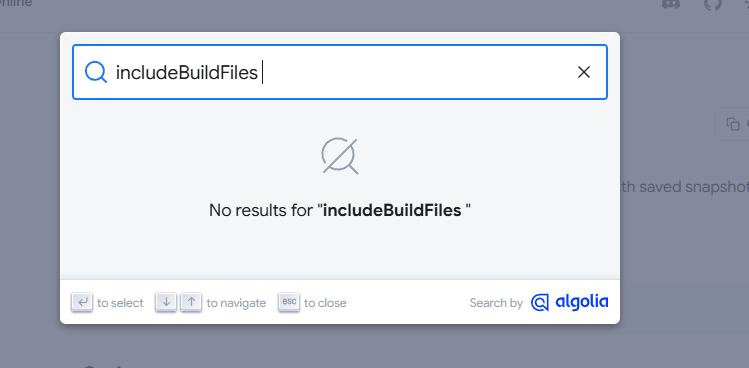
yea algolia takes a bit to index, https://docs.tscircuit.com/guides/tscircuit-essentials/tscircuit-config#includeboardfiles
tscircuit.config.json | tscircuit docs
Configure your tscircuit project settings
1. So I'll update the documentation with more specific details, but generally you should expect everything to be autogenerated "all builds are fresh" based on your
includeBuildFiles settings
We will cache stuff like autorouting results (anything computationally expensive) but not in a way that breaks the assumption that builds are never stale.
2. When you specify a particular directory, i.e. tsci build --all-images path/to/dir
- We'll filter out files using includeBuildFiles
- We'll filter to your target directory
3. When you specify a particular file, we will build that file whether or not it's specified in includeBuildFilesperfect, all makes sense. So what I think I'm also hearing is "Ray, if you only want to deal with your directory of 40 JST connectors, you should tsci dev into that directory in the first place"
yea you could add a script like:
ooh, beautiful
i'm going to spot check that everything i've said here it works and has tests in the CLI repo, and docs
tsci build | tscircuit docs
Generate circuit JSON from your source files