Magisk in WayDroid
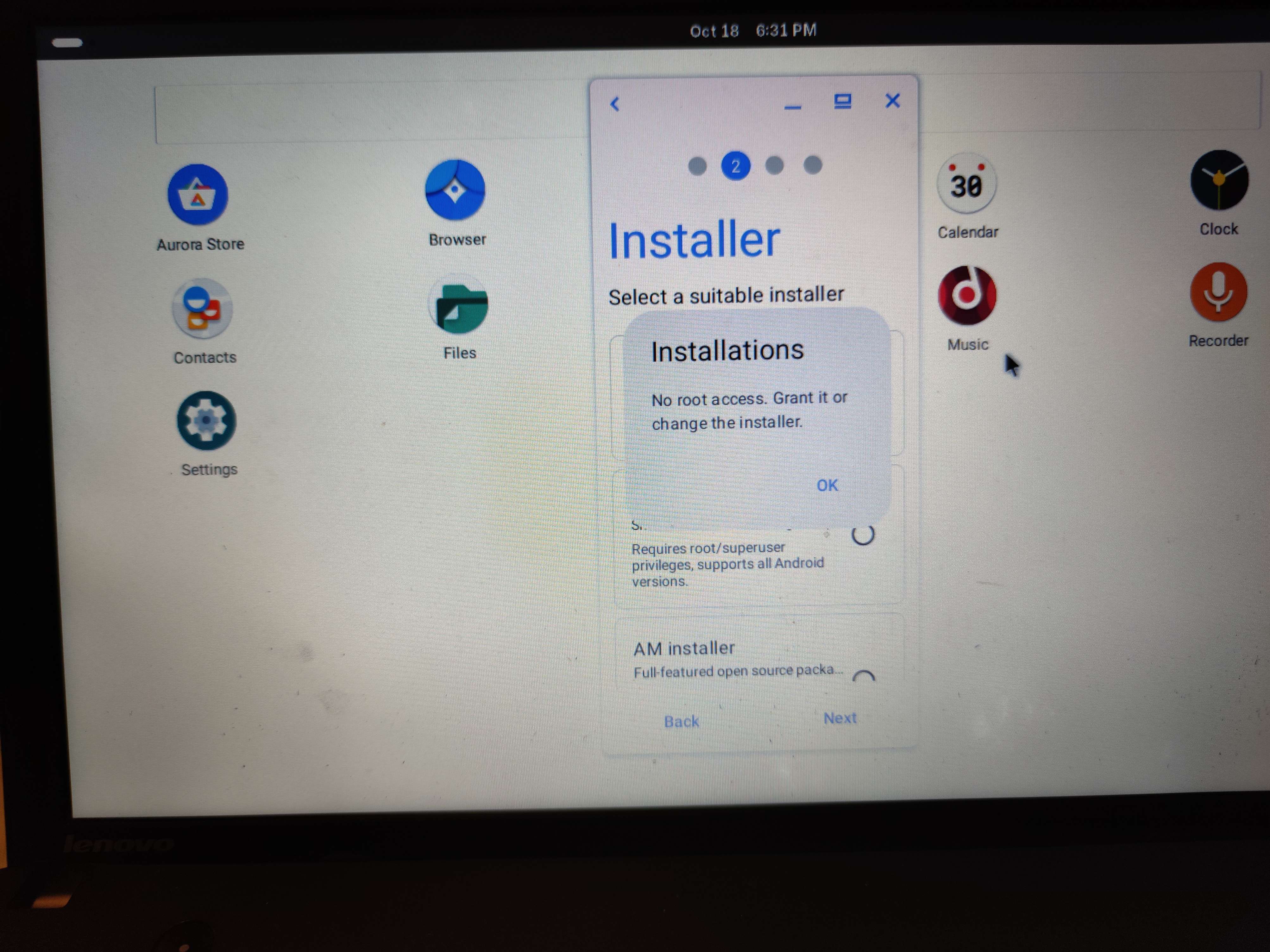
Well, please take a look at the image, and anybody tell me how do I get magisk in WayDroid inside of BlendOS

28 Replies
Solution
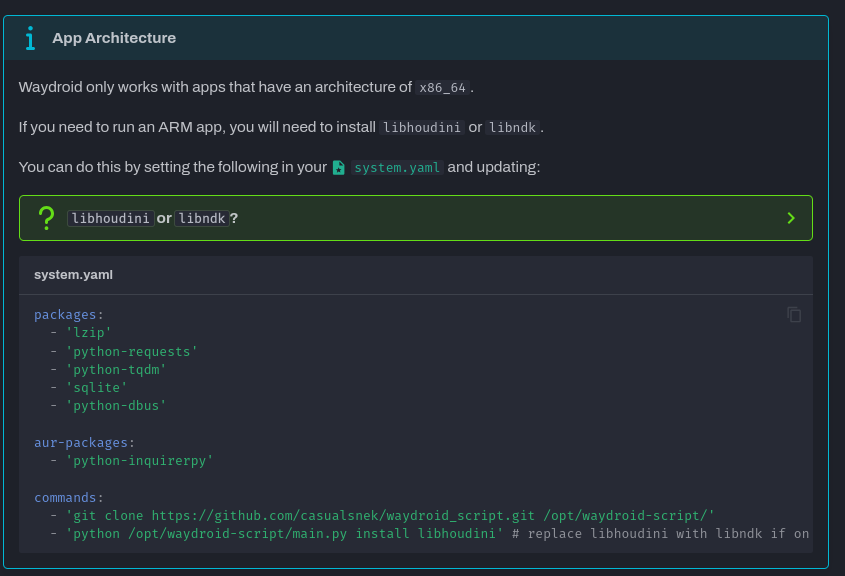
follow this but replace libhoudini with magisk

Container Management - blendOS
Learn how to manage containers on blendOS
Thx
Wait, the problem isn't fixed!
Uhm, I got an error
Gonna post system.yaml if someone answers
what error
Uhm, something with the checksum
deleted your dupe post
Ok
oh :(
uh
what did it say exactly

Posted the image
Uhm, hello?
Ok take your time, sorry if I interrupted.....
ig it just failed
try again
and remove the libhoudini line
unless you want an arm translation layer
Ok
I'm gonna do it
Later, because I'm kinda empl*yed
Well at least busy
Welp the update worked, but when I restarted i searched for magisk, and did the same proccess with aurora store and got the same image
Welp, I don't know
you could try running it as a normal user
the script
Which script
?
Akshara?
no the waydroid script
GitHub
GitHub - casualsnek/waydroid_script: Python Script to add OpenGapp...
Python Script to add OpenGapps, Magisk, libhoudini translation library and libndk translation library to waydroid ! - casualsnek/waydroid_script
Ah, this one.
I tried it... It didn't allow to
Well I could run the script, but adding the magisk option well got me with a command not allowed or smth.
Gonna show u in a moment

okay so you do have to do it from system.yaml
oh wait are you trying to install microg
whatever magisk probably needs to resize it too
So I add the sudo python /path/to/main.py inside of the system.yaml file then run sudo Akshara update?
Yeah...
Hope it's not a problem
Doesn't work
The command clones it to /opt and runs it as root
The one in the docs
All commands are run as root already
Ok
Well I tried everything it didn't work
I am new....
I’ll have to look into it
You can make an issue on https://git.blendos.co/blendos/blendos
If you can make system.yaml file that has everything needed for me, meanwhile I am making an issue, ok?
Appreciate the help!
Also how do I make an issue
go to the issues section and make one
it should be under Pinned on the sidebar
or under Plan > Issues
then you click New Item
you need an account for this obviously