
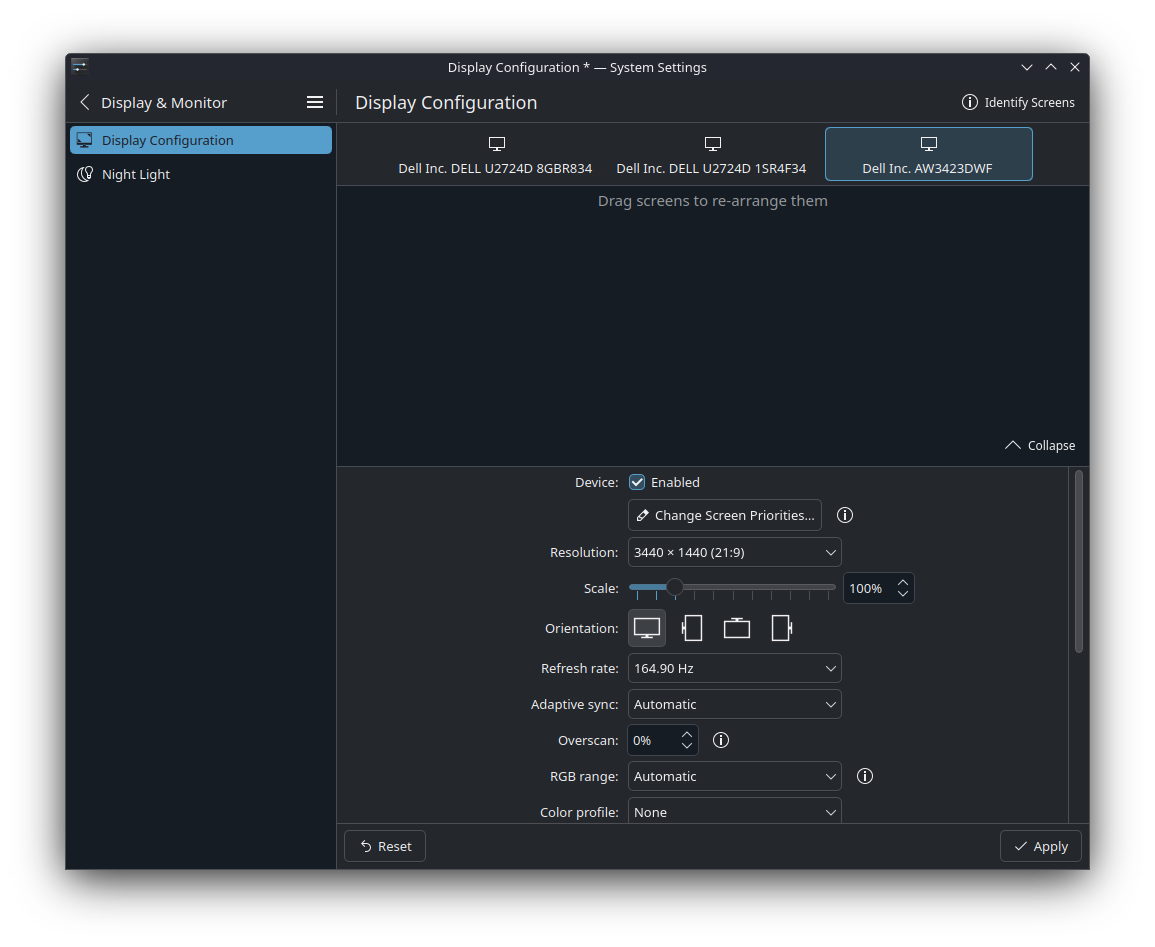
Display Configuration System Settings menu no longer showing arrangement of each monitor
I turned my primary monitor off once and turned it back on, only for the monitor arrangement to suddenly be not as I set it before.
I open the Display Configuration menu in KDE to try to fix the arrangement of my displays, but I am unable to because the UI does not show my monitors at all!
This has never happened before.
How can I fix the System Settings menu to show my displays again?
I open the Display Configuration menu in KDE to try to fix the arrangement of my displays, but I am unable to because the UI does not show my monitors at all!
This has never happened before.
How can I fix the System Settings menu to show my displays again?
Solution
I fixed it by hard reseting my display configuration settings by deleting
~/.config/kwinoutputconfig.json
