H
Homarr2mo ago
Macs

Error while adding proxmox as integration

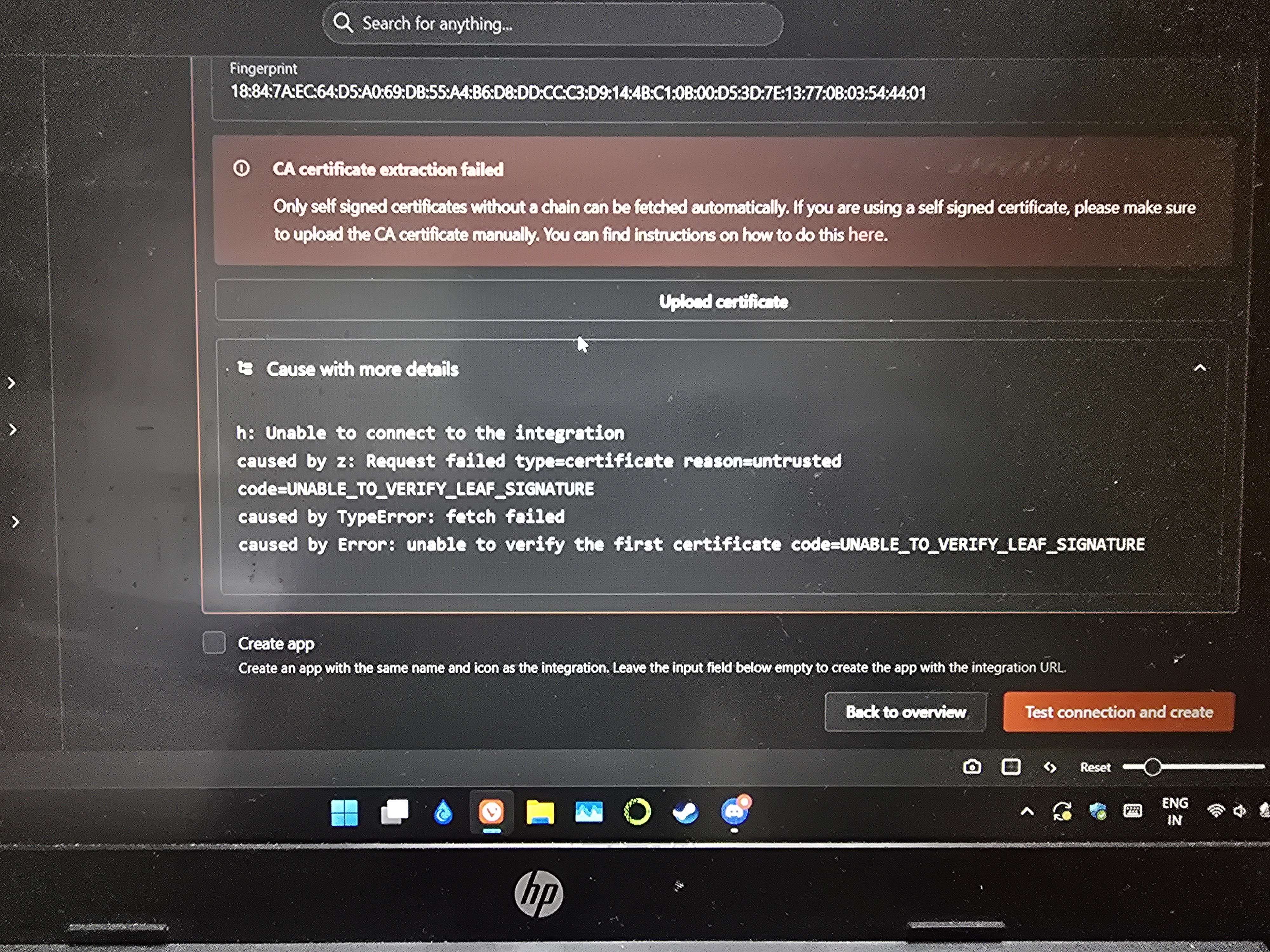
I had wanted to create proxmox as a integration to monitor it through the dashboard bit though I had followed all the steps to create the integration I am getting this error what do I do?
No description
2 Replies
Cakey Bot
Cakey Bot2mo ago
Thank you for submitting a support request. Depending on the volume of requests, our team should get in contact with you shortly.
⚠️ Please include the following details in your post or we may reject your request without further comment: - Log (See https://homarr.dev/docs/community/faq#how-do-i-open-the-console--log) - Operating system (Unraid, TrueNAS, Ubuntu, ...) - Exact Homarr version (eg. 0.15.0, not latest) - Configuration (eg. docker-compose, screenshot or similar. Use ``your-text`` to format) - Other relevant information (eg. your devices, your browser, ...)
Frequently Asked Questions | Homarr documentation
Can I install Homarr on a Raspberry Pi?
Meierschlumpf
Meierschlumpf2mo ago
You'll need to upload the ca root certificate of your proxmox instance By RealAct:
I had that issue, what I did was I viewed the self signed cert I had on my Proxmox then copied and exported it into a .txt file, then renamed that file to "certificate-name.pem" then uploaded it using the "Upload certificate" feature on your screenshot and then I got a warning that the certificate could not be verified or something around those lines, but that I could accept it anyway. so clicked on "Accept Certificate" then clicked test and connect and this time it worked. Hope this helps.
Addition by me:
Yeah if the used hostname for the proxmox api is not a official hostname of the certificate we show a warning bit you can accept it and we add an entry that this hostnsme is okay for that certificate
@Macs did you get it working and we can close the post with the above as solution?

Did you find this page helpful?