B
Blueprint•2mo ago
Lucas11

blueprint panel ising panneling (poblary a dumb issue)

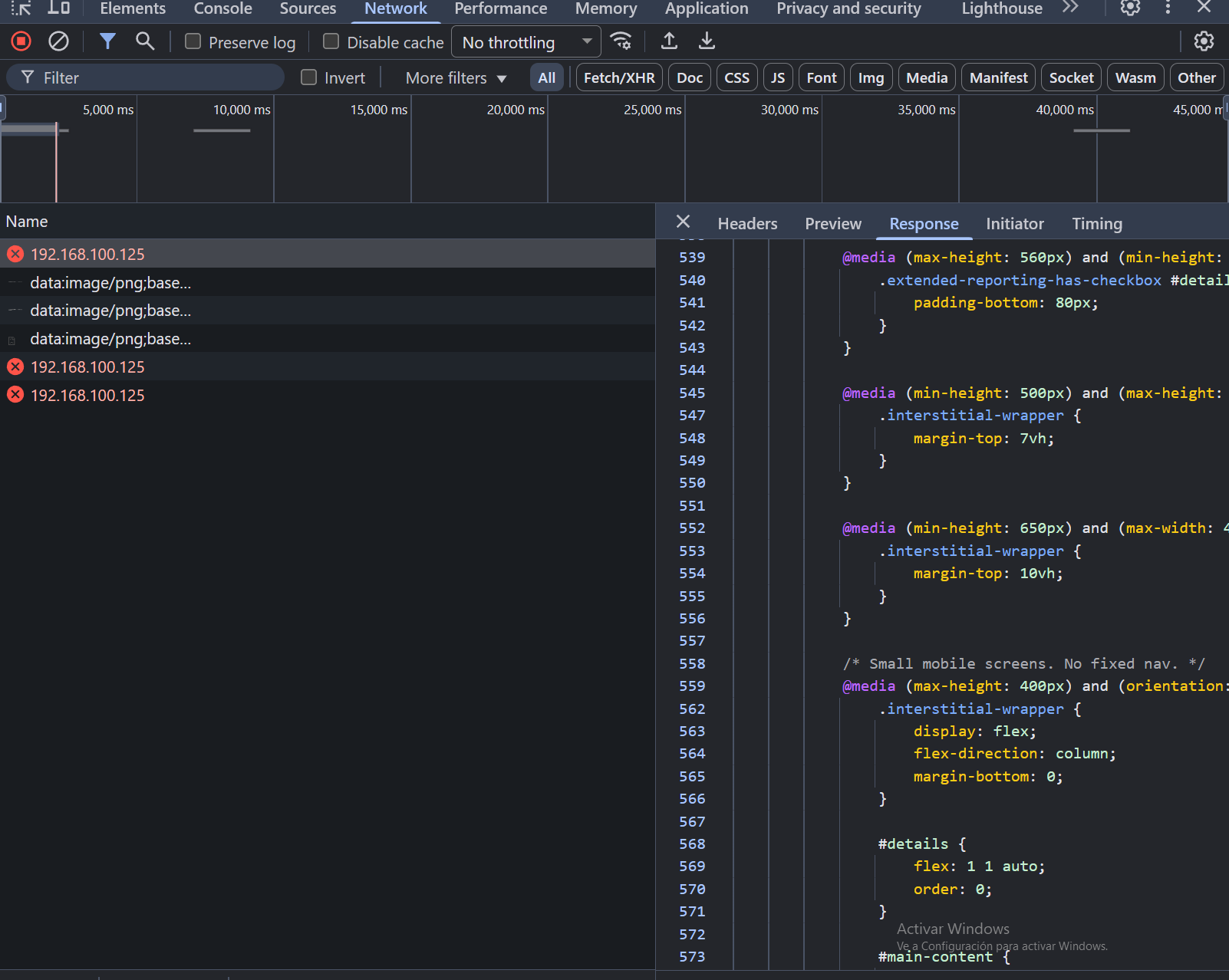
im trying to get blueprint work on my homeserver (in proxmox) with docker and nginx proxy manager. I got it to install but now im getting 502 bad gateaway but if i go directly to the ip it gives the html but dosent show it :heavysob: panel logs: https://pb.csd4ni3l.hu/?45f09e0347cc9b05#7kWaY6K7wiGdMAhYF1bBoJh2NNq5aRdUrMa9VbZnR8AD (ts is a friend pastebin)

No description
No description
No description
Solution:
Change the port to 3000 in your panel.conf or change the right port mapping for panel to 80. Right now you're directing traffic to port 3000 in the container, where nothing is listening....
Jump to solution
27 Replies
Loki
Loki•2mo ago
Paste all the relevant config information for NPM and the panel, both compose file and panel.conf
Lucas11
Lucas11OP•2mo ago
Ok! I cant rn as Windows bricked it self :heavysob:
Lucas11
Lucas11OP•2mo ago
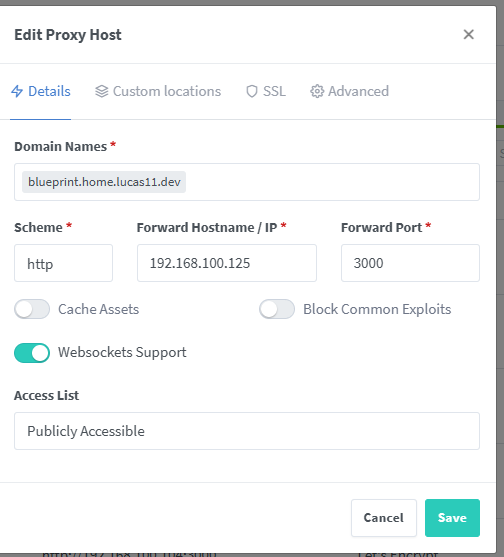
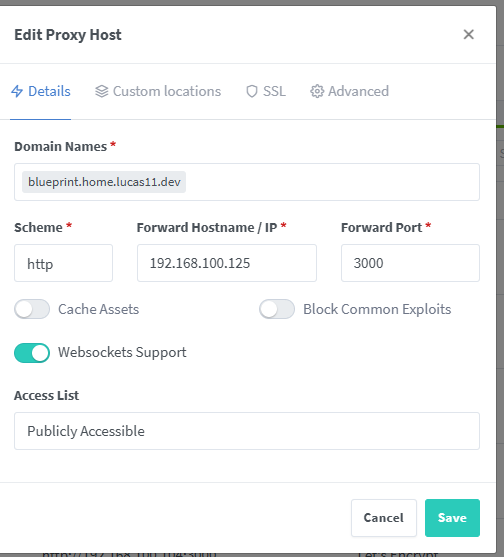
I aready passed the npm (nginx proxy manager) information but heres it is again and heres the compose file: https://pb.csd4ni3l.hu/?0a46f4e1b1211b43#DhBqgV9L6uz8DvPygrxtu3xkstgs7eFLZt5sRvEnymfg
No description
Lucas11
Lucas11OP•2mo ago
as i know npm works as my rest of domains in npm works (and sorry what is the panel.conf 😭 )
Loki
Loki•2mo ago
Your webserver block. Mounted at /srv/pterodactyl/nginx by default.
Lucas11
Lucas11OP•2mo ago
If using Ubuntu this file should be placed in:
# /etc/nginx/sites-available/
#
# If using CentOS this file should be placed in:
# /etc/nginx/conf.d/
#
server {
listen 80;
server_name _;

root /app/public;
index index.html index.htm index.php;
charset utf-8;

location / {
try_files $uri $uri/ /index.php?$query_string;
}

location = /favicon.ico { access_log off; log_not_found off; }
location = /robots.txt { access_log off; log_not_found off; }

access_log off;
error_log /var/log/nginx/pterodactyl.app-error.log error;

# allow larger file uploads and longer script runtimes
client_max_body_size 100m;
client_body_timeout 120s;

sendfile off;

location ~ \.php$ {
fastcgi_split_path_info ^(.+\.php)(/.+)$;
# the fastcgi_pass path needs to be changed accordingly when using CentOS
fastcgi_pass 127.0.0.1:9000;
fastcgi_index index.php;
include fastcgi_params;
fastcgi_param PHP_VALUE "upload_max_filesize = 100M \n post_max_size=100M";
fastcgi_param SCRIPT_FILENAME $document_root$fastcgi_script_name;
fastcgi_param HTTP_PROXY "";
fastcgi_intercept_errors off;
fastcgi_buffer_size 16k;
fastcgi_buffers 4 16k;
fastcgi_connect_timeout 300;
fastcgi_send_timeout 300;
fastcgi_read_timeout 300;
}

location ~ /\.ht {
deny all;
}
}
If using Ubuntu this file should be placed in:
# /etc/nginx/sites-available/
#
# If using CentOS this file should be placed in:
# /etc/nginx/conf.d/
#
server {
listen 80;
server_name _;

root /app/public;
index index.html index.htm index.php;
charset utf-8;

location / {
try_files $uri $uri/ /index.php?$query_string;
}

location = /favicon.ico { access_log off; log_not_found off; }
location = /robots.txt { access_log off; log_not_found off; }

access_log off;
error_log /var/log/nginx/pterodactyl.app-error.log error;

# allow larger file uploads and longer script runtimes
client_max_body_size 100m;
client_body_timeout 120s;

sendfile off;

location ~ \.php$ {
fastcgi_split_path_info ^(.+\.php)(/.+)$;
# the fastcgi_pass path needs to be changed accordingly when using CentOS
fastcgi_pass 127.0.0.1:9000;
fastcgi_index index.php;
include fastcgi_params;
fastcgi_param PHP_VALUE "upload_max_filesize = 100M \n post_max_size=100M";
fastcgi_param SCRIPT_FILENAME $document_root$fastcgi_script_name;
fastcgi_param HTTP_PROXY "";
fastcgi_intercept_errors off;
fastcgi_buffer_size 16k;
fastcgi_buffers 4 16k;
fastcgi_connect_timeout 300;
fastcgi_send_timeout 300;
fastcgi_read_timeout 300;
}

location ~ /\.ht {
deny all;
}
}
Loki
Loki•2mo ago
What is PANEL_PORT set to in your .env file?
Lucas11
Lucas11OP•2mo ago
3000 so its fine
Solution
Loki
Loki•2mo ago
Change the port to 3000 in your panel.conf or change the right port mapping for panel to 80. Right now you're directing traffic to port 3000 in the container, where nothing is listening.
Lucas11
Lucas11OP•2mo ago
ohhh thank you! it works!
Lucas11
Lucas11OP•2mo ago
umm so now the blueprint options dosent show up 😭 and now its giving 403 even when reinstalling 😭
Loki
Loki•2mo ago
You can always reset the volume.
docker compose down -v panel
docker compose up -d panel
sleep 15
blueprint -i *.blueprint
docker compose down -v panel
docker compose up -d panel
sleep 15
blueprint -i *.blueprint
Lucas11
Lucas11OP•2mo ago
oh thanks sorry for asking alot 😭
Loki
Loki•2mo ago
No worries
Lucas11
Lucas11OP•2mo ago
yay its back! lest check if blueprint is acutaly installed nop!
Loki
Loki•2mo ago
In general, if you want to update either the panel or Blueprint, or if anything goes wrong, this is the solution.
Lucas11
Lucas11OP•2mo ago
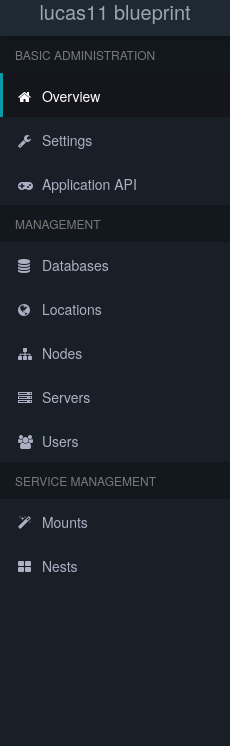
in the admin pannel blueprint is gone.
Loki
Loki•2mo ago
Clear cache
Lucas11
Lucas11OP•2mo ago
same
Lucas11
Lucas11OP•2mo ago
No description
Loki
Loki•2mo ago
You should see the icon for it even if the latest version of the image doesn't have the latest Blueprint yet (it builds once a week). If it says to finish installing, blueprint -upgrade
Lucas11
Lucas11OP•2mo ago
it dosent say that at all
Loki
Loki•2mo ago
Should be at the top right if I remember right.
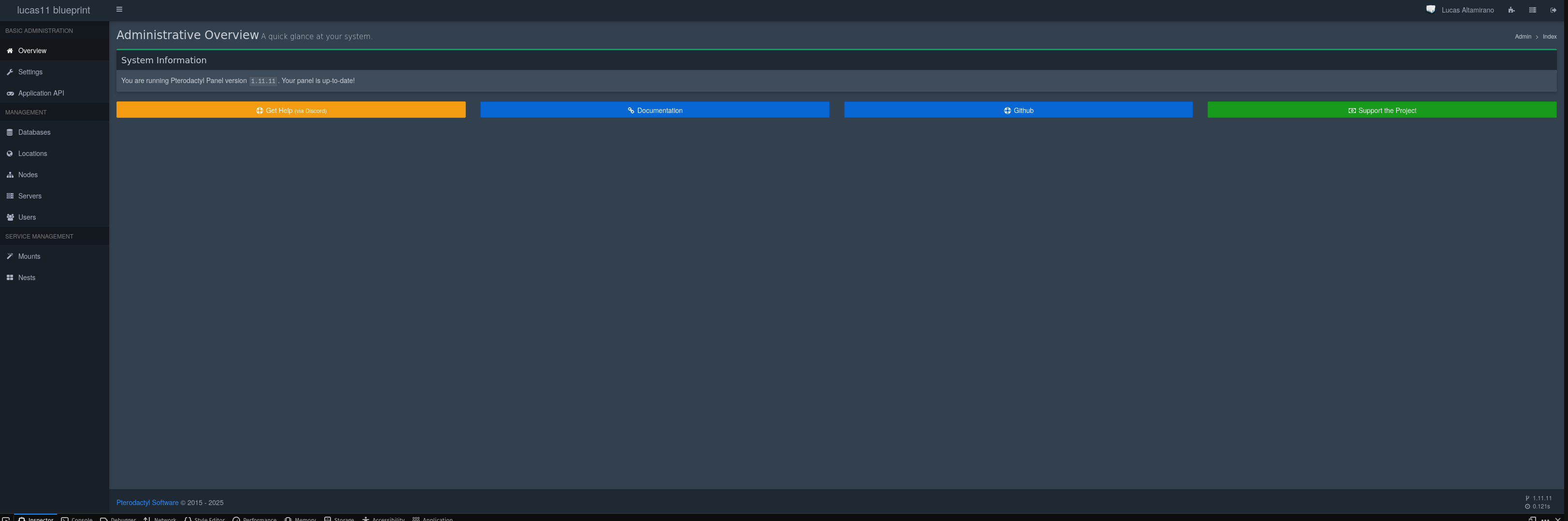
Lucas11
Lucas11OP•2mo ago
No description
Lucas11
Lucas11OP•2mo ago
OH WAIT IM DUMB SO SORRY 😭
Loki
Loki•2mo ago
It's not with the other Admin stuff, to be fair.
Lucas11
Lucas11OP•2mo ago
now its time to update! so new issue! there is no .blueprint folder on /srv/pterodactyl and /var/www/pterodactyl nvm found it

Did you find this page helpful?