Include instance name in slack notification
Is it possible to include the instance name in a slack notification? I'm guessing no, since I don't see that info available here: https://pkg.go.dev/github.com/crowdsecurity/crowdsec/pkg/models#Alert but thought I'd ask. Maybe a better approach would be to use separate webhooks per instance. Thanks,
13 Replies
Important Information
This post has been marked as resolved. If this is a mistake please press the red button below or type
/unresolve© Created By WhyAydan for CrowdSec ❤️
Isn't
{{$alert.MachineID}}what you're looking for?
Or what do you mean by instance?well, we have CrowdSec installed in several clusters, they show up as separate instances in the console, named for the ENROLL_INSTANCE_NAME env
The name you see in the console is not stored locally, it's really just an alias you give to an instance in the console
The way I do it is the name of the server running the LAPI is the name I call the instance. You can then use the hostname of the lapi machine to achieve what you are looking for. I then use the machineid to identify what machine in the instance was being attacked
I am using discord for my notifications but you can do something similar in slack im sure
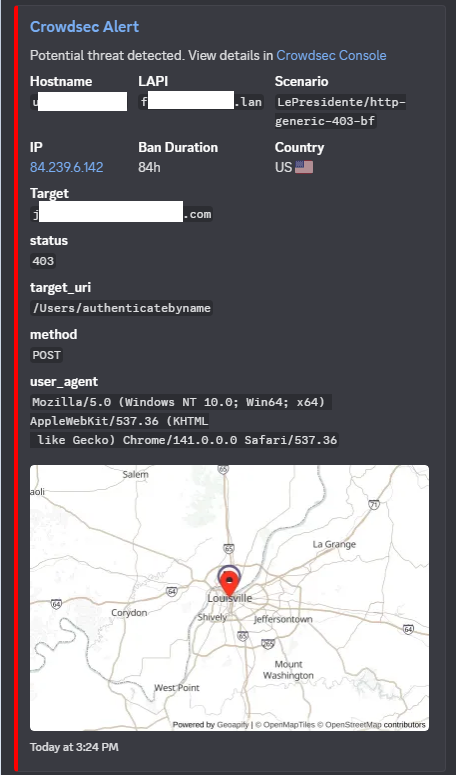
I have this in my fields section of my discord.yaml
@jjg23
Cool, thanks. Using an env var seems like it'll work - I can parameterize that for my different deployments. Quick question - does that "CrowdSec Console" link in your alert go directly to the alert in the console? How'd you achieve that?
Are you able to share your entire discord.yaml? Not sure how different it is from the Slack config
env var works a treat! I just included the ENROLL_INSTANCE_NAME which we already set, and corresponds to the name in the console.
Sure, I’ll sanitize it and upload it in an hour or so
You'll need to make an api key for geoapify and fill it in if you want the map to work
Thank you very much for this info, and your idea on the env value. I'm goign to mark this one as resolved.
Resolving Include instance name in slack notification
This has now been resolved. If you think this is a mistake please run
/unresolveNo problem! Happy to help