Bottom row not working, left side
I think I might have fried my board by charging it with my laptop charger.
The bottom row of the left half is no longer working. In my build I chose the EZ-solder hotswap option, so if I wanted to fix this, would ordering a new board and EZ-solder kit be all I need?
7 Replies
Sorry you’re running into this! A single entire row failing on one half is almost always a hardware/solder issue on that row, not a charging issue. If a charger had “fried” something, you’d usually see the whole half act up, not just one row.
Before buying a new PCB, try these quick checks:
- Confirm which board you have (Corne or Lily58) so we can point to the correct row pin.
- Test the switches: swap a known-good switch into a few bottom-row sockets to rule out bent pins/bad switches.
- Reflow the EZ-solder hotswap socket joints for the affected row (both sides of the PCB). Add a bit of solder if needed.
- Reflow the related nice!nano pin for that row on the left half and check for solder bridges. Keep iron ~270–300°C.
- Use the pinout on your kit’s Troubleshooting page to find the exact row pin:
- Corne: https://docs.typeractive.xyz/build-guides/corne-wireless/troubleshooting
- Lily58: https://docs.typeractive.xyz/build-guides/lily58-wireless/troubleshooting
- Check the tiny diodes for the bottom-row keys (orientation and joints). Reheat/add a touch of solder if dull.
- If you have a multimeter, with power off, use continuity mode to confirm the path from a bottom-row socket pad to the corresponding nice!nano pad isn’t broken and isn’t shorted to a neighbor.
Guide: https://docs.typeractive.xyz/troubleshooting/rows-columns-not-working
If after these steps the row still won’t work, then a new left PCB would likely resolve it. An EZ-solder kit would be all you’d need to reinstall the nice!nano. If you want help with an order, email hello@typeractive.xyz.
If you can, reply here with clear pics of the left half’s nice!nano pins and the bottom-row socket/diode area—I can take a look. If you don’t reply or tag me, I won’t get notified.
Troubleshooting & Pinouts | Typeractive.xyz Documentation
If you're running into issues with your keyboard, check out our Troubleshooting page for common issues and solutions. If you're still having trouble, please reach out to use on Discord!
Troubleshooting & Pinouts | Typeractive.xyz Documentation
If you're running into issues with your keyboard, check out our Troubleshooting page for common issues and solutions. If you're still having trouble, please reach out to use on Discord!
Row(s) or Column(s) Not Working | Typeractive.xyz Documentation
Fix row(s) or column(s) not working on your keyboard.
Looks like it's P1.00, I have a corne, here are some photos:
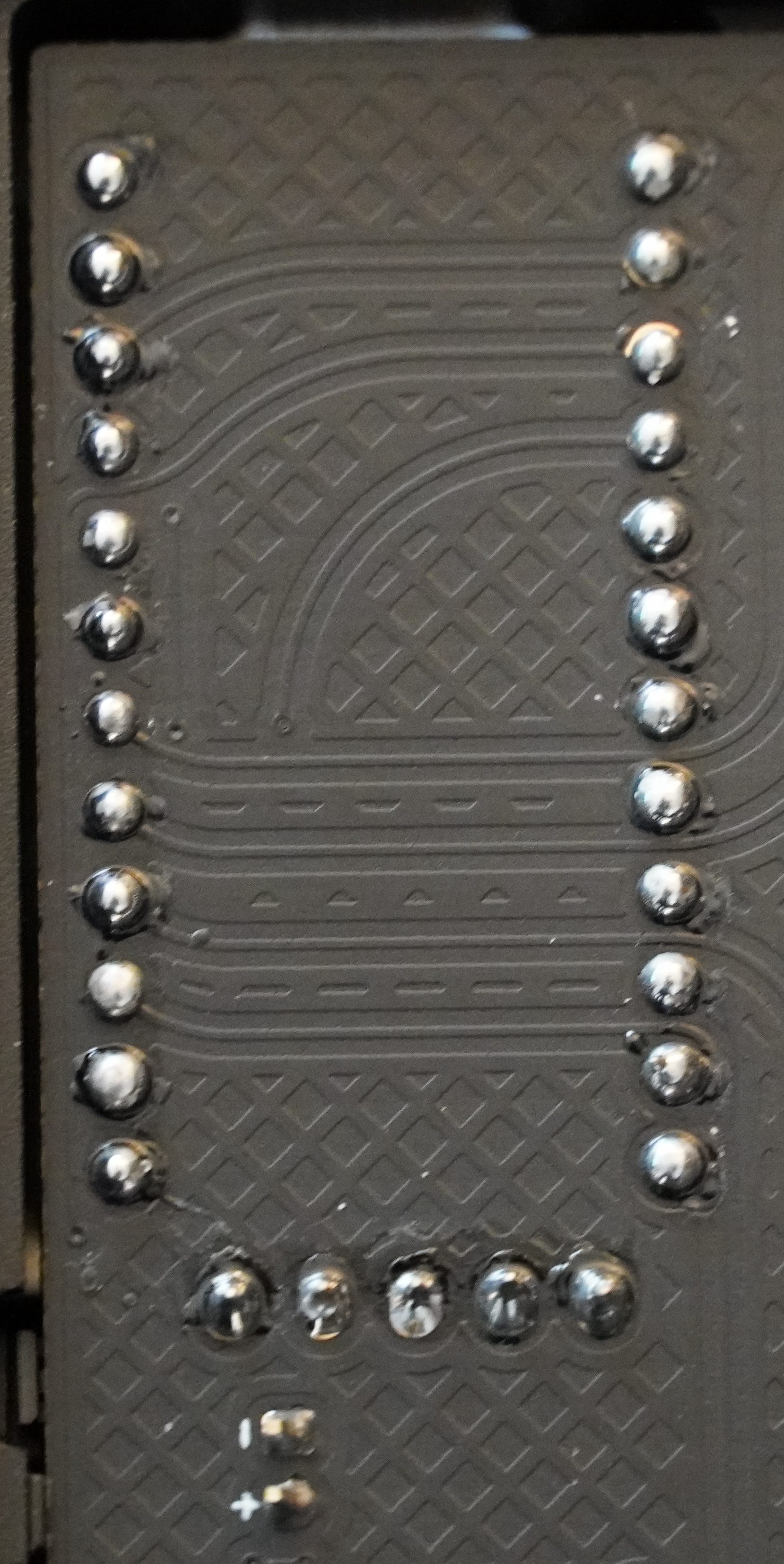
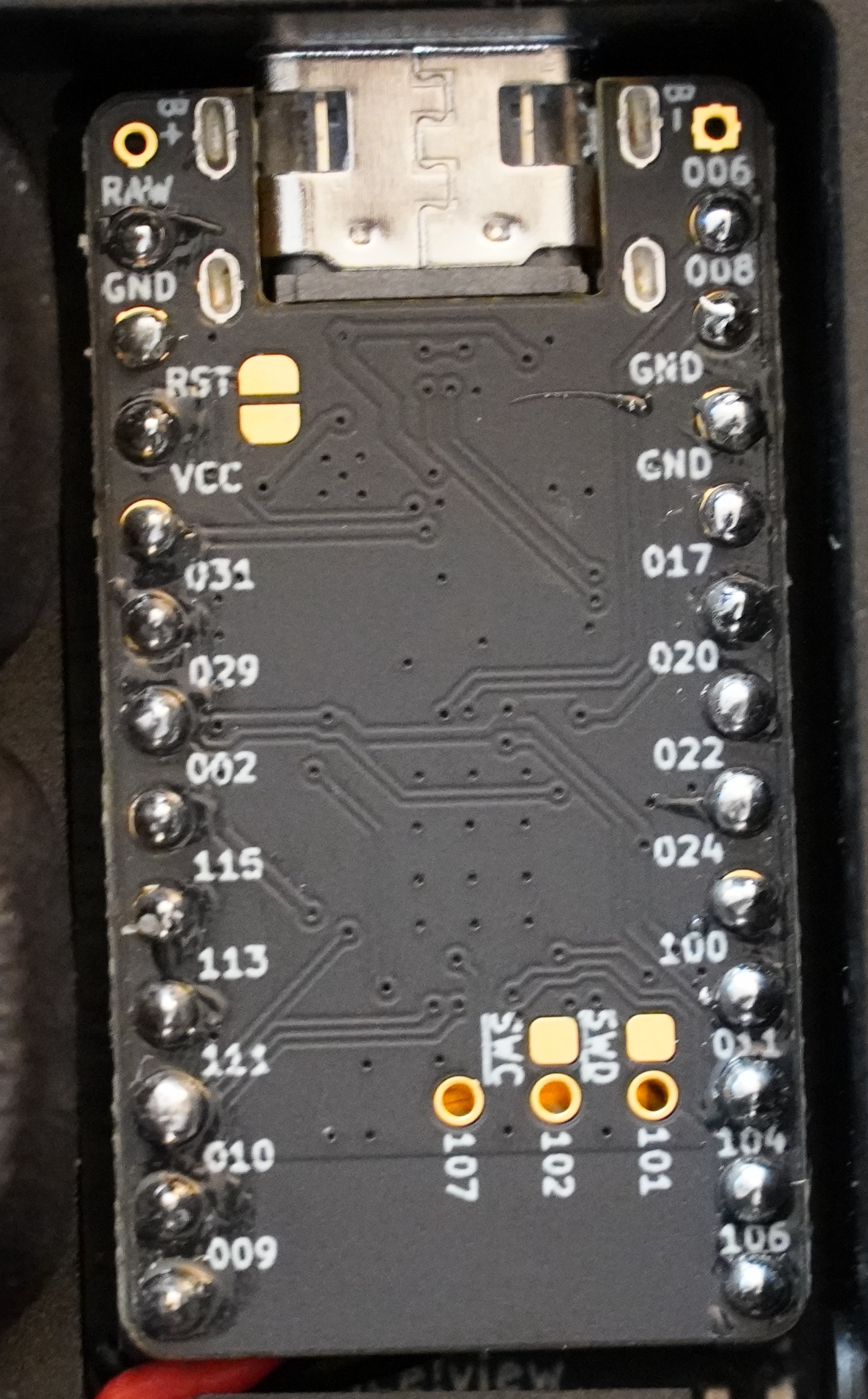
I have the exact same issue
I swapped MCU's and now the left side works but it's the exact same issue with the same MCU
here's some testing with a multimeter.
does this confirm i have a short due to solder?
i think in the video I'm showing gnd to gnd, so beep in this case is good. apologies folks, much of this is new to me.
Hey folks. Did you guys get to fix this? I am honestly quite frustrated that I am facing this kind of issue for the second time already.
My bottom row on the left half also stopped working in the same day I charged it this past week.
I have used the exact same usb-c cable to connect my other wired Corne for the past 3 years and never had a single problem. So I don't feel like blaming my usb-c cable or laptop's usb port.
@githop Just so you know I actually did ordered new EZ-solder+ nice!nano around 2 months ago as I had this issue before. After swapping with the new MCU everything started to work again, but here I am facing the same issue now with the new MCU.
I am not an expert in hardware by any means but I don't think its bad luck. Feels like something is not right in nice!nano that makes it prone to this kind of issue when attempting to charge it...
Which case are each of you using, out of curiosity